| ID |
Date |
Author |
Subject |
Project |
|
Draft
|
Sun Sep 17 20:05:29 2017 |
Spoorthi Nagasamudram | Some basic | | |
|
12
|
Fri Aug 25 12:34:47 2017 |
Amy Connolly - posting stuff from Todd Thompson | How to run coffee | Other | One really useful thing in here is how to describe "Value Added" to visitors. |
| Attachment 1: guidelines.pdf
|
|
Draft
|
Fri Jul 28 17:57:06 2017 |
Brian Clark and Ian Best | | | |
|
10
|
Thu May 11 14:38:10 2017 |
Sam Stafford | Sample OSC batch job setup | Software | Batch jobs on OSC are initiated through the Portable Batch System (PBS). This is the recommended way to run stuff on OSC clusters.
Attached is a sample PBS script that copies files to temporary storage on the OSC cluster (also recommended) and runs an analysis program.
Info on batch processing is at https://www.osc.edu/supercomputing/batch-processing-at-osc.
This will tell you how to submit and manage batch jobs.
More resources are available at www.osc.edu.
PBS web site: /www.pbsworks.com
The PBS user manual is at www.pbsworks.com/documentation/support/PBSProUserGuide10.4.pdf. |
| Attachment 1: osc_batch_jobs.txt
|
## annotated sample PBS batch job specification for OSC
## Sam Stafford 05/11/2017

#PBS -N j_ai06_${RUN_NUMBER}

##PBS -m abe       ##  request an email on job completion
#PBS -l mem=16GB   ##  request 16GB memory
##PBS -l walltime=06:00:00  ## set this in qsub
#PBS -j oe         ## merge stdout and stderr into a single output log file
#PBS -A PAS0174

echo "run number " $RUN_NUMBER
echo "cal pulser " $CAL_PULSER
echo "baseline file " $BASELINE_FILE
echo "temp dir is " $TMPDIR
echo "ANITA_DATA_REMOTE_DIR="$ANITA_DATA_REMOTE_DIR
set -x


## copy the files from kingbee to the temporary workspace
##    (if you set up public key authentication between kingbee and OSC, you won't need a password; just google "public key authentication")
mkdir $TMPDIR/run${RUN_NUMBER}   ## make a directory for this run number
scp stafford.16@kingbee.mps.ohio-state.edu:/data/anita/anita3/flightData/copiedBySam/run${RUN_NUMBER}/calEventFile${RUN_NUMBER}.root $TMPDIR/run${RUN_NUMBER}/calEventFile${RUN_NUMBER}.root
scp stafford.16@kingbee.mps.ohio-state.edu:/data/anita/anita3/flightData/copiedBySam/newerData/run${RUN_NUMBER}/gpsEvent${RUN_NUMBER}.root $TMPDIR/run${RUN_NUMBER}/gpsEvent${RUN_NUMBER}.root
scp stafford.16@kingbee.mps.ohio-state.edu:/data/anita/anita3/flightData/copiedBySam/newerData/run${RUN_NUMBER}/timedHeadFile${RUN_NUMBER}.root $TMPDIR/run${RUN_NUMBER}/timedHeadFile${RUN_NUMBER}.root
scp stafford.16@kingbee.mps.ohio-state.edu:/data/anita/anita3/flightData/copiedBySam/newerData/run${RUN_NUMBER}/decBlindHeadFileV1_${RUN_NUMBER}.root $TMPDIR/run${RUN_NUMBER}/decBlindHeadFileV1_${RUN_NUMBER}.root

## set up the environment variables to point to the temporary work space
export ANITA_DATA_REMOTE_DIR=$TMPDIR
export ANITA_DATA_LOCAL_DIR=$TMPDIR
echo "ANITA_DATA_REMOTE_DIR="$ANITA_DATA_REMOTE_DIR

## run the analysis program
cd analysisSoftware
./analyzerIterator06 ${CAL_PULSER} -S1 -Noverlap --FILTER_OPTION=4 ${BASELINE_FILE} ${RUN_NUMBER} -O
echo "batch job ending"
|
|
9
|
Thu May 11 13:43:46 2017 |
Sam Stafford | Notes on installing icemc on OSC | Software | |
| Attachment 1: icemc_setup_osc.txt
|
A few notes about installing icemc on OSC

Dependencies
  ROOT - download from CERN and install according to instructions
  FFTW - do "module load gnu/4.8.5"   (or put it in your .bash_profile)

The environment variable FFTWDIR must contain the directory where FFTW resides
  in my case this was /usr/local/fftw3/3.3.4-gnu
  set this up in your .bash_profile (not .bashrc)

I copied my working instance of icemc from my laptop to a folder in my osc space
  Copy the whole icemc directory (maybe its icemc/trunk, depending on how you installed), EXCEPT for the "output" subdir because it's big and unnecessary
  in your icemc directory on OSC, do "mkdir output"

In icemc/Makefile
  find a statement like this:
    LIBS += -lMathMore $(FFTLIBS) -lAnitaEvent
  and modify it to include the directory where the FFTW library is:
    LIBS += -L$(FFTWDIR)/lib -lMathMore $(FFTLIBS) -lAnitaEvent

  note: FFTLIBS contains the list of libraries (e.g., -lfftw3), NOT the library search paths

Compile by doing "make"

Remember you should set up a batch job on OSC using PBS.
|
|
Draft
|
Thu Apr 27 18:28:22 2017 |
Sam Stafford (Also Slightly Jacob) | Installing AnitaTools on OSC | Software | Jacob Here, Just want to add how I got AnitaTools to see FFTW:
1) echo $FFTW3_HOME to find where the lib and include dir is.
2) Next add the following line to the start of cmake/modules/FindFFTW.cmake
'set ( FFTW_ROOT full/path/you/got/from/step/1)'
Brief, experience-based instructions on installing the AnitaTools package on the Oakley OSC cluster. |
| Attachment 1: OSC_build.txt
|
Installing AnitaTools on OSC
Sam Stafford
04/27/2017

This document summarizes the issues I encountered installing AnitaTools on the OSC Oakley cluster.
I have indicated work-arounds I made for unexpected issues
  I do not know that this is the only valid process
  This process was developed by trial-and-error (mostly error) and may contain superfluous steps
    A person familiar with AnitaTools and cmake may be able to streamline it

Check out OSC's web site, particularly to find out about MODULES, which facilitate access to pre-installed software

export the following environment variables in your .bash_profile  (not .bashrc):

  ROOTSYS                             where you want ROOT to live
     install it in somewhere your user directory; at this time, ROOT is not pre-installed on Oakley as far as I can tell
  ANITA_UTIL_INSTALL_DIR              where you want anitaTools to live
  FFTWDIR                             where fftw is
    look on OSC's website to find out where it is; you shouldn't have to install it locally

  PATH   should contain $FFTWDIR/bin  and $ROOTSYS/bin
  LD_LIBRARY_PATH should contain     $FFTWDIR/lib    $ROOTSYS/lib     $ANITA_UTIL_INSTALL_DIR/lib
  LD_INCLUDE_PATH should contain     $FFTWDIR/include    $ROOTSYS/include     $ANITA_UTIL_INSTALL_DIR/include

also put in your .bash_profile: (I put these after the exports)

    module load gnu/4.8.5     // loads g++ compiler
           (this should automatically load module fftw/3.3.4 also)

install ROOT  - follow ROOT's instructions to build from source.  It's a typical (configure / make / make install) sequence
  you probably need  ./configure --enable-Minuit2

get AnitaTools from github/anitaNeutrino "anitaBuildTool" (see Anita ELOG 672, by Cosmin Deaconu)

Change entry in which_event_reader to ANITA3, if you want to analyze ANITA-3 data
  (at least for now; I think they are developing smarts to make the SW adapt automatically to the anita data "version")

Do ./buildAnita.sh       //downloads the software and attempts a full build/install

    it may file on can't-find-fftw during configure:
      system fails to populate environment variable FFTW_ROOT, not sure why
      add the following line at beginning of anitaBuildTool/cmake/modules/FindFFTW.cmake:
        set( FFTW_ROOT /usr/local/fftw3/3.3.4-gnu)
          (this apparently tricks cmake into finding fftw)
  NOTE: ./buildAnita.sh always downloads the software from github.  IT WILL WIPE OUT ANY CHANGES YOU MADE TO AnitaTools!

Do "make"
    May fail with   /usr/lib64/libstdc++.so.6: version `GLIBCXX_3.4.14' not found and/or a few other similar messages
                   or may say c11 is not supported
      need to change compiler setting for cmake:
        make the following change in anitaBuildTool/build/CMakeCache.txt   (points cmake to the g++ compiler instead of default intel/c++)
          #CMAKE_CXX_COMPILER:FILEPATH=/usr/bin/c++                  (comment this out)
           CMAKE_CXX_COMPILER:FILEPATH=/usr/local/gcc/4.8.5/bin/g++  (add this)
       (you don't necessarfily have to use version, gcc/4.8.5, but it worked for me)

Then retry by doing "make"

Once make is completed, do "make install"

A couple of notes:
  Once AnitaTools is built, if you change source, just do make, then make install (from anitaBuildTool) (don't ./buildAnita.sh; see above)
      (actually make install will do the make step if source changes are detected)
  To start AnitaTools over from cmake, delete the anitaBuildTool/build directory and run make (not cmake: make will drive cmake for you)
      (don't do cmake directly unless you know what you're doing; it'll mess things up)
|
|
7
|
Tue Apr 25 10:35:43 2017 |
Jude Rajasekera | ShelfMC Parameter Space Scan | Software | These scripts allow you to do thousands of ShelfMC runs while varying certain parameters of your choice. As is, the attenuation length, reflection, ice thickness, firn depth, station depth is varied over certain rages; in total, the whole Parameter Space Scan does 5250 runs on a cluster like Ruby or KingBee. The scripts and instructions are attached below. |
| Attachment 1: ParameterSpaceScan_instructions.txt
|
This document will explain how to dowload, configure, and run a parameter space search for ShelfMC on a computing cluster.
These scripts explore the ShelfMC parameter space by varying ATTEN_UP, REFLECT_RATE, ICETHICK, FIRNDEPTH, and STATION_DEPTH for certain rages.
The ranges and increments can be found in setup.sh.

In order to vary STATION_DEPTH, some changes were made to the ShelfMC code. Follow these steps to allow STATION_DEPTH to be an input parameter.
1.cd to ShelfMC directory
2.Do $sed -i -e 's/ATDepth/STATION_DEPTH/g' *.cc
3.Open declaration.hh. Replace line 87 "const double ATDepth = 0.;" with "double STATION_DEPTH;"
4.In functions.cc go to line 1829. This is the ReadInput() method. Add the lines below to the end of this method.
   GetNextNumber(inputfile, number); // new line for station Depth
   STATION_DEPTH  = (double) atof(number.c_str()); //new line
5.Do $make clean all

#######Script Descriptions########
setup.sh -> This script sets up the necessary directories and setup files for all the runs
scheduler.sh -> This script submits and monitors all jobs.


#######DOWNLOAD########
1.Download setup.sh and scheduler.sh
2.Move both files into your ShelfMC directory
3.Do $chmod u+x setup.sh and $chmod u+x scheduler.sh

######CONFIGURE#######
1.Open setup.sh
2.On line 4, modify the job name
3.On line 6, modify group name
4.On line 10, specify your ShelfMC directory
5.On line 13, modify your run name
6.On line 14, specify the NNU per run
7.On line 15, specify the starting seed
8.On line 17, specify the number of processors per node on your cluster
9.On lines 19-56, edit the input.txt parameters that you want to keep constant for every run
10.On line 57, specify the location of the LP_gain_manual.txt
11.On line 126, change walltime depending on total NNU. Remember this wall time will be 20x shorter than a single processor run.
12.On line 127, change job prefix
13.On line 129, change the group name if needed
14.Save file
15.Open scheduler.sh
16.On line 4, specify your ShelfMC directory
17.On line 5, modify run name. Make sure it is the same runName as you have in setup.sh
18.On lines 35 and 39, replace cond0091 with your username for the cluster
19.On line 42, you can pick how many nodes you want to use at any given time. It is set to 6 intially.
20.Save file

#######RUN#######
1.Do $qsub setup.sh
2.Wait for setup.sh to finish. This script is creating the setup files for all runs. This may take about an hour.
3.When setup.sh is done, there should be a new directory in your home directory. Move this directory to your ShelfMC directory.
4.Do $screen to start a new screen that the scheduler can run on. This is incase you lose connection to the cluster mid run.
5.Do $./scheduler.sh to start script. This script automatically submits jobs and lets you see the status of the runs. This will run for several hours.
5.The scheduler makes a text file of all jobs called jobList.txt in the ShelfMC dir. Make sure to delete jobList.txt before starting a whole new run.


######RESULT#######
1.When Completed, there will be a great amount of data in the run files, about 460GB.
2.The run directory is organized in tree, results for particular runs can be found by cd'ing deeper into the tree.
3.In each run directory, there will be a resulting root file, all the setup files, and a log file for the run.
|
| Attachment 2: setup.sh
|
#!/bin/bash
#PBS -l walltime=04:00:00
#PBS -l nodes=1:ppn=1,mem=4000mb
#PBS -N jude_SetupJob
#PBS -j oe
#PBS -A PCON0003
#Jude Rajasekera 3/20/17
#directories
WorkDir=$TMPDIR
tmpShelfmc=$HOME/shelfmc/ShelfMC #set your ShelfMC directory here

#controlled variables for run
runName='ParamSpaceScanDir' #name of run
NNU=500000 #NNU per run
seed=42 #starting seed for every run, each processor will recieve a different seed (42,43,44,45...)
NNU="$(($NNU / 20))" #calculating processors per node, change 20 to however many processors your cluster has per node
ppn=5 #number of processors per node on cluster
########################### input.txt file ####################################################
input1="#inputs for ARIANNA simulation, do not change order unless you change ReadInput()"
input2="$NNU #NNU, setting to 1 for unique neutrino"
input3="$seed      #seed Seed for Rand3"
input4="18.0    #EXPONENT, !should be exclusive with SPECTRUM"
input5="1000    #ATGap, m, distance between stations"
input6="4       #ST_TYPE, !restrict to 4 now!"
input7="4 #N_Ant_perST, not to be confused with ST_TYPE above"
input8="2 #N_Ant_Trigger, this is the minimum number of AT to trigger"
input9="30      #Z for ST_TYPE=2"
input10="$T   #ICETHICK, thickness of ice including firn, 575m at Moore's Bay"
input11="1       #FIRN, KD: ensure DEPTH_DEPENDENT is off if FIRN is 0"
input12="1.30    #NFIRN 1.30"
input13="$FT      #FIRNDEPTH in meters"
input14="1 #NROWS 12 initially, set to 3 for HEXAGONAL"
input15="1 #NCOLS 12 initially, set to 5 for HEXAGONAL"
input16="0       #SCATTER"
input17="1       #SCATTER_WIDTH,how many times wider after scattering"
input18="0       #SPECTRUM, use spectrum, ! was 1 initially!"
input19="0       #DIPOLE,  add a dipole to the station, useful for st_type=0 and 2"
input20="0       #CONST_ATTENLENGTH, use constant attenuation length if ==1"
input21="$L     #ATTEN_UP, this is the conjuction of the plot attenlength_up and attlength_down when setting REFLECT_RATE=0.5(3dB)"
input22="250     #ATTEN_DOWN, this is the average attenlength_down before Minna Bluff measurement(not used anymore except for CONST_ATTENLENGTH)"
input23="4 #NSIGMA, threshold of trigger"
input24="1      #ATTEN_FACTOR, change of the attenuation length"
input25="$Rval    #REFLECT_RATE,power reflection rate at the ice bottom"
input26="0       #GZK, 1 means using GZK flux, 0 means E-2 flux"
input27="0       #FANFLUX, use fenfang's flux which only covers from 10^17 eV to 10^20 eV"
input28="0       #WIDESPECTRUM, use 10^16 eV to 10^21.5 eV as the energy spectrum, otherwise use 17-20"
input29="1       #SHADOWING"
input30="1       #DEPTH_DEPENDENT_N;0 means uniform firn, 1 means n_firn is a function of depth"
input31="0 #HEXAGONAL"
input32="1       #SIGNAL_FLUCT 1=add noise fluctuation to signal or 0=do not"
input33="4.0     #GAINV  gain dependency"
input34="1       #TAUREGENERATION if 1=tau regeneration effect, if 0=original"
input35="3.0     #ST4_R radius in meters between center of station and antenna"
input36="350     #TNOISE noise temperature in Kelvin"
input37="80      #FREQ_LOW low frequency of LPDA Response MHz #was 100"
input38="1000    #FREQ_HIGH high frequency of LPDA Response MHz"
input39="/home/rajasekera.3/shelfmc/ShelfMC/temp/LP_gain_manual.txt     #GAINFILENAME"
input40="$SD     #STATION_DEPTH"
#######################################################################################################

cd $TMPDIR
mkdir $runName
cd $runName

initSeed=$seed
counter=0
for L in {500..1000..100} #attenuation length 500-1000
do
    mkdir Atten_Up$L
    cd Atten_Up$L

    for R in {0..100..25} #Reflection Rate 0-1
    do
        mkdir ReflectionRate$R
        cd ReflectionRate$R
        if [ "$R" = "100" ]; then #fixing reflection rate value
            Rval="1.0"
        else
            Rval="0.$R"
        fi

        for T in {500..2900..400} #Thickness of Ice 500-2900
        do
            mkdir IceThick$T
            cd IceThick$T
            for FT in {60..140..20} #Firn Thinckness 60-140
            do
                mkdir FirnThick$FT
                cd FirnThick$FT
                for SD in {0..200..50} #Station Depth
                do
                    mkdir StationDepth$SD
                    cd StationDepth$SD
                    #####Do file operations###########################################
                    counter=$((counter+1))
                    echo "Counter = $counter ; L = $L ; R = $Rval ; T = $T ; FT = $FT ; SD = $SD " #print variables

                    #define changing lines
                    input21="$L     #ATTEN_UP, this is the conjuction of the plot attenlength_up and attlength_down when setting REFLECT_RATE=0.5(3dB)"
                    input25="$Rval    #REFLECT_RATE,power reflection rate at the ice bottom"
                    input10="$T   #ICETHICK, thickness of ice including firn, 575m at Moore's Bay"
                    input13="$FT      #FIRNDEPTH in meters"
                    input40="$SD       #STATION_DEPTH"

		    for (( i=1; i<=$ppn;i++)) #make 20 setup files for 20 processors
                    do

                        mkdir Setup$i #make setup folder
                        cd Setup$i #go into setup folder
                        seed="$(($initSeed + $i -1))" #calculate seed for this iteration
                        input3="$seed      #seed Seed for Rand3"

                        for j in {1..40} #print all input.txt lines
                        do
                            lineName=input$j
                            echo "${!lineName}" >> input.txt
                        done

                        cd ..
                    done

		    pwd=`pwd`
                    #create job file
		    echo '#!/bin/bash' >> run_shelfmc_multithread.sh
		    echo '#PBS -l nodes=1:ppn='$ppn >> run_shelfmc_multithread.sh
		    echo '#PBS -l walltime=00:05:00' >> run_shelfmc_multithread.sh #change walltime as necessary
		    echo '#PBS -N jude_'$runName'_job' >> run_shelfmc_multithread.sh #change job name as necessary
		    echo '#PBS -j oe'  >> run_shelfmc_multithread.sh
		    echo '#PBS -A PCON0003' >> run_shelfmc_multithread.sh #change group if necessary
		    echo 'cd ' $tmpShelfmc >> run_shelfmc_multithread.sh
		    echo 'runName='$runName  >> run_shelfmc_multithread.sh
		    for (( i=1; i<=$ppn;i++))
		    do
			echo './shelfmc_stripped.exe $runName/'Atten_Up$L'/'ReflectionRate$R'/'IceThick$T'/'FirnThick$FT'/'StationDepth$SD'/Setup'$i' _'$i'$runName &' >> run_shelfmc_multithread.sh
		    done
		   # echo './shelfmc_stripped.exe $runName/'Atten_Up$L'/'ReflectionRate$R'/'IceThick$T'/'FirnThick$FT'/'StationDepth$SD'/Setup1 _01$runName &' >> run_shelfmc_multithread.sh
		    echo 'wait' >> run_shelfmc_multithread.sh
		    echo 'cd $runName/'Atten_Up$L'/'ReflectionRate$R'/'IceThick$T'/'FirnThick$FT'/'StationDepth$SD >> run_shelfmc_multithread.sh
		    echo 'for (( i=1; i<='$ppn';i++)) #20 iterations' >> run_shelfmc_multithread.sh
		    echo 'do' >> run_shelfmc_multithread.sh
		    echo '  cd Setup$i #cd into setup dir' >> run_shelfmc_multithread.sh
		    echo '  mv *.root ..' >> run_shelfmc_multithread.sh
		    echo '  cd ..' >> run_shelfmc_multithread.sh
		    echo 'done' >> run_shelfmc_multithread.sh
		    echo 'hadd Result_'$runName'.root *.root' >> run_shelfmc_multithread.sh
		    echo 'rm *ShelfMCTrees*' >> run_shelfmc_multithread.sh

		    chmod u+x run_shelfmc_multithread.sh # make executable

                    ##################################################################
                    cd ..
                done
                cd ..
            done
            cd ..
        done
        cd ..
    done
    cd ..
done
cd

mv $WorkDir/$runName $HOME
|
| Attachment 3: scheduler.sh
|
#!/bin/bash
#Jude Rajasekera 3/20/17

tmpShelfmc=$HOME/shelfmc/ShelfMC #location of Shelfmc
runName=ParamSpaceScanDir #name of run

cd $tmpShelfmc #move to home directory

if [ ! -f ./jobList.txt ]; then #see if there is an existing job file
    echo "Creating new job List"
    for L in {500..1000..100} #attenuation length 500-1000
    do
	for R in {0..100..25} #Reflection Rate 0-1
	do
            for T in {500..2900..400} #Thickness of Ice 500-2900
            do
		for FT in {60..140..20} #Firn Thinckness 60-140
		do
                    for SD in {0..200..50} #Station Depth
                    do
		    echo "cd $runName/Atten_Up$L/ReflectionRate$R/IceThick$T/FirnThick$FT/StationDepth$SD" >> jobList.txt
                    done
		done
            done
	done
    done
else
    echo "Picking up from last job"
fi


numbLeft=$(wc -l < ./jobList.txt)
while [ $numbLeft -gt 0 ];
do
    jobs=$(showq | grep "rajasekera.3") #change username here
    echo '__________Current Running Jobs__________'
    echo "$jobs"
    echo ''
    runningJobs=$(showq | grep "rajasekera.3" | wc -l) #change unsername here
    echo Number of Running Jobs = $runningJobs
    echo Number of jobs left = $numbLeft
    if [ $runningJobs -le 6 ];then
	line=$(head -n 1 jobList.txt)
	$line
	echo Submit Job && pwd
	qsub run_shelfmc_multithread.sh
	cd $tmpShelfmc
	sed -i 1d jobList.txt
    else
	echo "Full Capacity"
    fi
    sleep 1
    numbLeft=$(wc -l < ./jobList.txt)
done
|
|
6
|
Tue Apr 25 10:22:50 2017 |
Jude Rajasekera | ShelfMC Cluster Runs | Software | Doing large runs of ShelfMC can be time intensive. However, if you have access to a computing cluster like Ruby or KingBee, where you are given a node with multiple processors, ShelfMC runs can be optimized by utilizing all available processors on a node. The multithread_shelfmc.sh script automates these runs for you. The script and instructions are attached below. |
| Attachment 1: multithread_shelfmc.sh
|
#!/bin/bash
#Jude Rajasekera 3/20/2017
shelfmcDir=/users/PCON0003/cond0091/ShelfMC #put your shelfmc directory address here


runName='TestRun' #name of run
NNU=500000 #total NNU per run
seed=42 #initial seed for every run,each processor will recieve a different seed (42,43,44,45...)
NNU="$(($NNU / 20))" #calculating NNU per processor, change 20 to however many processor your cluster has per node
ppn=20 #processors per node
########################### make changes for input.txt file here #####################################################
input1="#inputs for ARIANNA simulation, do not change order unless you change ReadInput()"
input2="$NNU #NNU, setting to 1 for unique neutrino"
input3="$seed   #seed Seed for Rand3"
input4="18.0    #EXPONENT, !should be exclusive with SPECTRUM"
input5="1000    #ATGap, m, distance between stations"
input6="4       #ST_TYPE, !restrict to 4 now!"
input7="4       #N_Ant_perST, not to be confused with ST_TYPE above"
input8="2       #N_Ant_Trigger, this is the minimum number of AT to trigger"
input9="30      #Z for ST_TYPE=2"
input10="575     #ICETHICK, thickness of ice including firn, 575m at Moore's Bay"
input11="1      #FIRN, KD: ensure DEPTH_DEPENDENT is off if FIRN is 0"
input12="1.30   #NFIRN 1.30"
input13="$122    #FIRNDEPTH in meters"
input14="1      #NROWS 12 initially, set to 3 for HEXAGONAL"
input15="1      #NCOLS 12 initially, set to 5 for HEXAGONAL"
input16="0      #SCATTER"
input17="1      #SCATTER_WIDTH,how many times wider after scattering"
input18="0      #SPECTRUM, use spectrum, ! was 1 initially!"
input19="0      #DIPOLE,  add a dipole to the station, useful for st_type=0 and 2"
input20="0      #CONST_ATTENLENGTH, use constant attenuation length if ==1"
input21="1000   #ATTEN_UP, this is the conjuction of the plot attenlength_up and attlength_down when setting REFLECT_RATE=0.5(3dB)"
input22="250    #ATTEN_DOWN, this is the average attenlength_down before Minna Bluff measurement(not used anymore except for CONST_ATTENLENGTH)"
input23="4      #NSIGMA, threshold of trigger"
input24="1      #ATTEN_FACTOR, change of the attenuation length"
input25="1      #REFLECT_RATE,power reflection rate at the ice bottom"
input26="0      #GZK, 1 means using GZK flux, 0 means E-2 flux"
input27="0      #FANFLUX, use fenfang's flux which only covers from 10^17 eV to 10^20 eV"
input28="0      #WIDESPECTRUM, use 10^16 eV to 10^21.5 eV as the energy spectrum, otherwise use 17-20"
input29="1      #SHADOWING"
input30="1      #DEPTH_DEPENDENT_N;0 means uniform firn, 1 means n_firn is a function of depth"
input31="0      #HEXAGONAL"
input32="1      #SIGNAL_FLUCT 1=add noise fluctuation to signal or 0=do not"
input33="4.0    #GAINV  gain dependency"
input34="1      #TAUREGENERATION if 1=tau regeneration effect, if 0=original"
input35="3.0    #ST4_R radius in meters between center of station and antenna"
input36="350    #TNOISE noise temperature in Kelvin"
input37="80     #FREQ_LOW low frequency of LPDA Response MHz #was 100"
input38="1000   #FREQ_HIGH high frequency of LPDA Response MHz"
input39="/users/PCON0003/cond0091/ShelfMC/temp/LP_gain_manual.txt     #GAINFILENAME"
###########################################################################################

cd $shelfmcDir #cd to dir containing shelfmc
mkdir $runName #make a folder for run
cd $runName    #cd into run folder
initSeed=$seed

for (( i=1; i<=$ppn;i++)) #make 20 setup files for 20 processors
do
    mkdir Setup$i #make setup folder i
    cd Setup$i #go into setup folder i

    seed="$(($initSeed+$i-1))" #calculate seed for this iteration
    input3="$seed      #seed Seed for Rand3" #save new input line
    for j in {1..40} #print all input.txt lines
    do
	lineName=input$j
        echo "${!lineName}" >> input.txt #print line to input.txt file
    done
    cd ..
done


pwd=`pwd`

#create job file
echo '#!/bin/bash' >> run_shelfmc_multithread.sh
echo '#PBS -l nodes=1:ppn='$ppn >> run_shelfmc_multithread.sh #change depending on processors per node
echo '#PBS -l walltime=00:05:00' >> run_shelfmc_multithread.sh #change walltime depending on run size, will be 20x shorter than single processor run time
echo '#PBS -N shelfmc_'$runName'_job' >> run_shelfmc_multithread.sh
echo '#PBS -j oe'  >> run_shelfmc_multithread.sh
echo '#PBS -A PCON0003' >> run_shelfmc_multithread.sh #change to specify group
echo 'cd ' $shelfmcDir >> run_shelfmc_multithread.sh
echo 'runName='$runName  >> run_shelfmc_multithread.sh
for (( k=1; k<=$ppn;k++))
do
    echo './shelfmc_stripped.exe $runName/Setup'$k' _'$k'$runName &' >> run_shelfmc_multithread.sh #execute commands for 20 setup files
done
echo 'wait' >> run_shelfmc_multithread.sh #wait until all runs are finished
echo 'cd $runName' >> run_shelfmc_multithread.sh #go into run folder
echo 'for (( i=1; i<='$ppn';i++)) #20 iterations' >> run_shelfmc_multithread.sh
echo 'do' >> run_shelfmc_multithread.sh
echo '  cd Setup$i #cd into setup dir' >> run_shelfmc_multithread.sh
echo '  mv *.root ..' >> run_shelfmc_multithread.sh #move root files to runDir
echo '  cd ..' >> run_shelfmc_multithread.sh
echo 'done' >> run_shelfmc_multithread.sh
echo 'hadd Result_'$runName'.root *.root' >> run_shelfmc_multithread.sh #add all root files
echo 'rm *ShelfMCTrees*' >> run_shelfmc_multithread.sh #delete all partial root files

chmod u+x run_shelfmc_multithread.sh

echo "Run files created"
echo "cd into run folder and do $ qsub run_shelfmc_multithread.sh"
|
| Attachment 2: multithread_shelfmc_walkthrough.txt
|
This document will explain how to dowload, configure, and run multithread_shelfmc.sh in order to do large runs on computing clusters.

####DOWNLOAD####
1.Download multithread_shelfmc.sh
2.Move multithread_shelfmc.sh into ShelfMC directory
3.Do $chmod u+x multithread_shelfmc.sh

####CONFIGURE###
1.Open multithread_shelfmc.sh
2.On line 3, modify shelfmcDir to your ShelfMC dir
3.On line 6, add your run name
4.On line 7, add the total NNU
5.On line 8, add an intial seed
6.On line 10, specify number of processors per node for your cluster
7.On lines 12-49, edit the input.txt parameters
8.On line 50, add the location of your LP_gain_manual.txt
9.On line 80, specify a wall time for each run, remember this will be about 20x shorter than ShelfMC on a single processor
10.On line 83, Specify the group name for your cluster if needed
11.Save file

####RUN####
1.Do $./multithread_shelfmc.sh
2.There should now be a new directory in the ShelfMC dir with 20 setup files and a run_shelfmc_multithread.sh script
3.Do $qsub run_shelfmc_multithread.sh

###RESULT####
1.After the run has completed, there will be a result .root file in the run directory
|
|
5
|
Tue Apr 18 12:02:55 2017 |
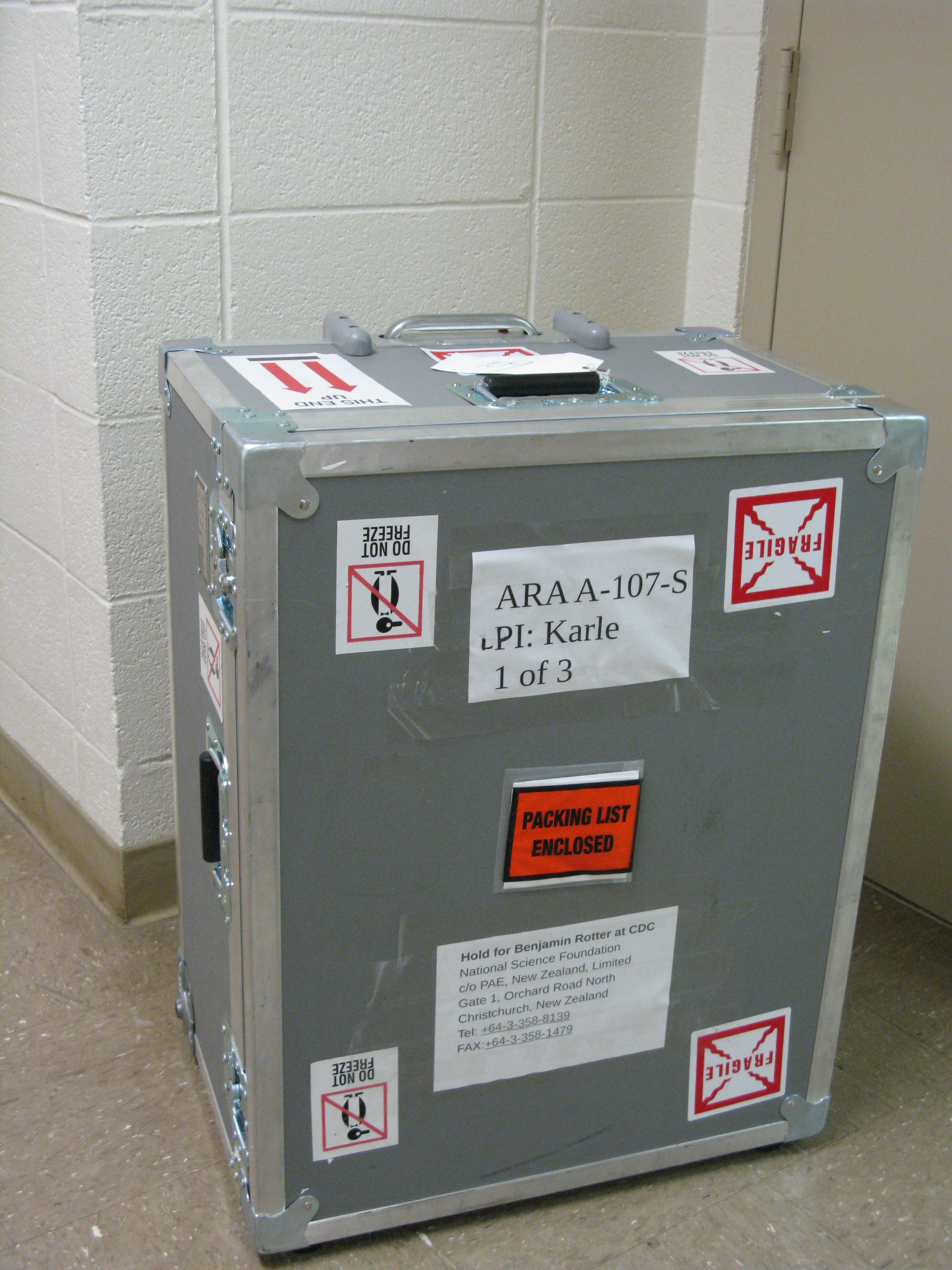
Amy Connolly | How to ship to Pole | Hardware | Here is an old email thread about how to ship a station to Pole.
|
| Attachment 1: Shipping_stuff_to_Pole__a_short_how_to_from_you_would_be_nice_.pdf
|
| Attachment 2: ARA_12-13_UH_to_CHC_Packing_List_Box_2_of_3.pdf
|
| Attachment 3: ARA_12-13_UH_to_CHC_Packing_List_Box_1_of_3.pdf
|
| Attachment 4: ARA_12-13_UH_to_CHC_Packing_List_Box_3_of_3.pdf
|
| Attachment 5: IMG_4441.jpg
|  |
|
4
|
Fri Mar 31 11:36:54 2017 |
Brian Clark, Hannah Hasan, Jude Rajasekera, and Carl Pfendner | Installing Software Pre-Requisites for Simulation and Analysis | Software | Instructions on installing simulation software prerequisites (ROOT, Boost, etc) on Linux computers. |
| Attachment 1: installation.pdf
|
| Attachment 2: Installation-Instructions.tar.gz
|
|
3
|
Wed Mar 22 18:01:23 2017 |
Brian Clark | Advice for Using the Ray Trace Correlator | Analysis | If you are trying to use the Ray Trace Correlator with AraRoot, you will probably encounter some issues as you go. Here is some advice that Carl Pfendner found, and Brian Clark compiled.
Please note that it is extremely important that your AntennaInfo.sqlite table in araROOT contain the ICRR versions of both Testbed and Station1. Testbed seems to have fallen out of practice of being included in the SQL table. Also, Station1 is the ICRR (earliest) version of A1, unlike the ATRI version which is logged as ARA01. This will cause seg faults in the intial setup of the timing and geometry arrays that seem unrelated to pure geometry files. If you get a seg-fault in the "setupSizes" function or the Detector call of the "setupPairs" function, checking your SQL file is a good idea. araROOT branch 3.13 has such a source table with Testbed and Station1 included.
Which combination of Makefile/Makefile.arch/StandardDefinitions.mk works can be machine specific (frustratingly). Sometimes the best StandardDefinitions.mk is found int he make_timing_arrays example.
Common Things to Check
1: Did you "make install" the Ray Trace Correlator after you made it?
2: Do you have the setup.txt file?
3: Do you have the "data" directory?
Common Errors
1: If the Ray Trace Correlator compiles, and you execute a binary, and get the following:
******** Begin Correlator ********, this one!
Pre-icemodel test
terminate called after throwing an instance of 'std::out_of_range'
what(): basic_string::substr
Aborted
Check to make sure have the "data" directory.
|
|
2
|
Thu Mar 16 10:39:15 2017 |
Amy Connolly | How Do I Connect to the ASC VPN Using Cisco and Duo? | | For Mac and Windows:
https://osuasc.teamdynamix.com/TDClient/KB/ArticleDet?ID=14542
For Linux, in case some of your students need it:
https://osuasc.teamdynamix.com/TDClient/KB/ArticleDet?ID=17908
From Sam 01/25/17: It doesn't work from my Ubuntu 14 machine. My VPN setup in 14 does not have the "Software Token Authentication" option on the screen as shown in the instructions. It fails on connection attempt.
The instructions specify Ubuntu 16; perhaps there is a way to make it work on 14, but I don't know what it is.
|
|
1
|
Thu Mar 16 09:01:50 2017 |
Amy Connolly | Elog instructions | Other | Log into kingbee.mps.ohio-state.edu first, then log into radiorm.physics.ohio-state.edu.
From Keith Stewart 03/16/17: It appears that radiorm SSH from offsite is closed. So you will need to be on an OSU network physically or via VPN. fox is also blocked from offsite as well. Kingbee should still be available for now. If you want to use it as a jump host to get to radiorm without VPN. However, you will want to get comfortable with the VPN before it is a requirement.
Carl 03/16/17: I could log in even while using a hard line and plugged in directly to the network.
From Bryan Dunlap 12/16/17: I have set up the group permissions on the elog directory so you and your other designated people can edit files. I have configured sudo to allow you all to restart the elogd service. Once you have edited the file [/home/elog/elog.cfg I think], you can then type
sudo /sbin/service elogd restart
to restart the daemon so it re-reads the config. Sudo will prompt you for your password before it executes the command. |
|