| |
ID |
Date |
Author |
Subject |
|
|
Draft
|
Mon Apr 20 02:05:11 2026 |
Alex M | Daily Update 7/23/20 |
| Quote: |
| Name |
Update |
Plans for Tomorrow |
| Alex M |
Leo and I continued working on the roulette algorithm for the asymmetric bicone to try to get the evolved generations to match the original and database ones. We went through the mutation part of the algorithm and made sure we were rrunning all of the random number sequences in the correct order (for example, we need to make sure that if we define variables A and B from a random number generator, that in both cases we define A first, then B). We also had to make sure that we were using these random sequences the same number of times (for example, we don't want to define A once in the original/database versions and twice in the asymmetric version when the asymmetric version is set to evolve symmetric antennas--this puts the random number generator "off sequence" relative to how it is in the original/database version). We tested this with the gen 0 DNA and effective volumes (which matched with the results from the original/database runs) to evolve generation 1 and got it to match. I'm currently running the loop to test this over multiple generations.
Julie and I met with Ben to talk about AREA. Yesterday, Ben was able to generate the 0th generation of individuals and then run AraSim from a job to get effective volumes. Today, we focused on editing the scripts to work for OSC job submissions (he wrote the one he used yesterday; we modified the main script today and will continue to do so). We edited it so that we could submit the main script as a job which then submits other jobs for the arasim portion and waits for those jobs to finish before continuing on (since it needs those effective volumes for its fitness score). We're going to keep incrementally fixing the main script so that it can run over multiple generations as a job submission without errors.
|
I have a doctor's appointment in the morning, but maybe Leo can continue my current run. Once it's done, optimally we would work with Julie to get everything merged so that we can start a real run (we also have to implement the changes I outlined in the ELOG post a couple days ago before we do a real run/merge--most of those are pretty simple).
Julie and I will take a look at the paperclip script Ryan's been writing to see if we can help him figure out why the roulette algorithm is giving such worse fitness scores than the tournament algorithm (~ fact of 2 worse).
|
| Alex P |
|
|
| Eliot |
|
|
| Leo |
Alex covered it above for the most part. I just worked with him today trying to correct roulette so we get the same DNA for gen 1. Just to reiterate, the last step that was hanging us up was making sure the new GA used the random number generator the same amount of times and in the same order as the old GA. After that, Alex started another run to make sure everything is running smoothly. |
Tomorrow, Alex and I will make sure the results for the first few generations match. Then, Alex, Julie and I will move on to merging. |
| Evelyn |
|
|
| Ryan |
|
|
| Ben |
|
|
| Ethan |
|
|
|
|
|
|
Draft
|
Mon Apr 20 01:57:35 2026 |
Julie Rolla | ONBOARDING: Tutorial Projects, Reading, Setup, etc. for New Students |
| Quote: |
|
For each new student joining the group, we ask them to onboard by completing each of the following items in the order given:
(1) Go to osc.edu and request an account
(2) Complete the following tutorials and reading. Note that the order of these does not matter, however, I would suggest "how to use Git" comes last, as it is the lease important for you to start. Finally, I advise you work on a tutorial concurrently with reading the pages assigned below from my Dissertation.
- OSC tutorials
- Because this project uses a lot of computation power, we run on the Ohio Super Computing Center's clusters. Please utilize these tutorials to learn more.
- Read Julie's Dissertation pages 1-9, 12-20 (starting at section 1.5.2), 28-37 (starting at section 2.3)
- Feel free to read chapter 3, as it has the history of this project and goes into details of our most up-to-date endeavors. This is optional and not mandatory.
- Complete the introduction to Bash project
- Complete the introduction to Python Project
- How to use Git (optional)
- Make sure to get an XFdtd license on OSC
(3) Finally, review the full manual and complete the bullets below. The full manual is Appendix A of Julie's Dissertation.
- Appendix A of my dissertation is our manual and acts as the holy grail of our research. Anything you need can be found here (from where our info exists on the web, to how to run the code).
- Once you have read this through entirely, we advise you log on to OSC and explore the code for PAEA in PAS1960. Once you have done so, complete this homework by making a copy of this google doc and filling it out on your own.
Once these are completed, the students are ready to start helping. This is all of the coding information and basic background information on evolutionary algorithms students must know to be proficient in assisting.
Other useful materials we have may include:
- Our old GENETIS manual
- This is somewhat out of date; however, it does have information on the general working on the loop.
- Julie's candidacy paper
- Complete the writing a genetic algorithm in C++ project
- This is still a work in progress! I'll complete it shortly!
- Read chapter 3 of this book (more if you have time) by Eiben and Smith, "Introduction to Evolutionary Computation" for a quick introduction. The book should be available electronically from a university library. Let us know if you can't find it there.
- Get to know XFdtd
- XFdtd manual is also attached; however, the link above (in 5) is more useful for coding a .xmacro.
Important notes:
MAC USERS: Using a GUI when connecting to OSC via SSH from your terminal.
You will need to set up X11 forwarding. Otherwise, when you go to plot via SSH, they will not display (they don't forward from OSC to your machine). If you are unable to run GUI's on OSC through your computer's terminal, follow these instructions:
- In your own system's terminal, type: sudo vi /etc/ssh/sshd_config
- Search for the following line: X11Forwarding no
- Change it to: X11 Forwarding yes. Save the file and exit.
- In your own system's terminal, type: sudo systemctl restart sshd
- For a Mac, download and install XQuartz.
- Connect to OSC using ssh -XY username@hostname.
- You can test that this works by typing 'xeye' or 'xclock' in the terminal when logged into OSC.
Now you should be able to use OSC's GUIs.
PC USERS:
As a PC user, there are a few things you need to do:
(1) Enable the Windows Subsystem for Linux on your device (https://developerinsider.co/stepwise-guide-to-enable-windows-10-subsystem-for-linux/#:~:text=To%20enable%20the%20Windows%20Subsystem,list%20here%20and%20click%20OK.)
(2) Get Bash on Ubuntu installed on your machine. You are going to need to have Bash on Ubuntu installed prior to starting these trainings; otherwise Bash commands will not be recognized.
(3) Get X11 forwarding working. Otherwise, when you go to plot via SSH, they will not display (they don't forward from OSC to your machine).
- Follow these steps here.
- Change your config file. To do so, in terminal (with Bash on Ubuntu open)
- type: sudo vi /etc/ssh/sshd_config
- Then change '#X11Forwarding no' to '#X11Forwarding yes' and save it.
- Make sure Putty and Xming are running every time before you ssh in. Use Xlaunch application to run Xming and press yes to everyrthing.
- Xming should now be running as a background task.
- Open PuTTY and open the pre-saved like you saved in PuTTY. (This will open a Bash terminal that asks for your OSC login password.)
|
|
|
|
Draft
|
Mon Apr 20 00:59:46 2026 |
Julie Rolla | GENETIS Working Meeting |
| Quote: |
|
Today's Tasks
Julie: Write bash practice assignment, assist others when they have questions, work on Git lecture. (Will finish bash assignments early next week)
Evelyn, Mitchell, Eliot: Make progress on the "Learn the Command Line" course on Code Academy. (Should be done by the end of the week?)
Leo: Start gathering information for the "physics of antennas" lecture series! Note: Remember that Leo wants to be an educator, and would like us to find opportunities to work on "teaching" items. Most of the students don't have any background on how antennas work. He started learning about them and is going to do a lecture series (likely the first 20 minutes of every meeting) starting in a few weeks! (Should start series by hopefully 2/21)
Alex M: Clean up unused code. Fix hard-coded directories (likely finished & tested by end of day 2/11)
Alex P: Fix hard-coded variables (likely finished & tested by end of day 2/11)
I've tacked on our to-do list in the meantime so we can keep carrying the items still pending along with us. As we complete them, I will drop them off the list!
TO-DO List
The following is our coding to-do list:
-
Get our Ara sim error fixed (Alex, Julie)
-
It seems that if AraSim jobs are left to run while the user is away, it doesn't properly write one or more of the flags, and makes the loop get stuck at AraSim. We must then re-run from that state by manually editing the Save State text file.
-
We are going to try to get XF to run at the command line so that we can submit it as a job. This would alleviate us using an interactive job. We *hope* this would fix the error since the user wouldn't be "gone" while utilizing a GPU in an interactive job.
-
Alex emailed XF to ask a few questions! Stay tuned!
-
Make Hardcoded directories variables.
-
Xmacros (use sed command)
-
All over bash script functions.
-
AraSim job files (sed command?)
-
Make the following variables in the bash script:
In xmacros/simulationPECmacroskeleton_prototype.txt (use sed command):
Grid spacing=0.1
Frequency= factor of n higher
This factor of "n" higher in frequency has to be the same as the Multiplier_factor in the roulette algorithm AND the same as GeoFactor in fitnessFunction_ARA_amy.cpp.
In roulette_algirithm.cpp
Length = 50cm/Multiplier_factor;
STD= 15cm/Multiplier_factor
Radius = 1.5cm/Multiplier_factor;
STD= 0.75cm/Multiplier_factor
Also the "Multiplier_factor" line 89.
This "Multiplier_factor"has to be the same as the GeoFactor in fitnessFunction_ARA_amy.cpp AND the same as the factor higher in frequency in the xmacro.
NOTE:THIS MUST BE RECOMPILED AFTER CHANGING.
In fitnessFunction_ARA_amy.cpp:
GeoFactor=2
This GeoFactor has to be the same as the Multiplier_factor in the roulette algorithm AND the same as the factor higher in frequency in the xmacro
NOTE: THIS MUST BE RECOMPILED AFTER CHANGING.
-
Get rid of all code we are not using anymore.
-
Currently using: XF_loop_AraSeed.sh
-
Look at what items are being called in here, and remove old versions such as XF_loop_Prototype.sh, XF_loop_Functionized.sh, and the related scripts.
-
These can temporarily moved to on "old code" directory and we can delete once we finalize the loop.
-
Turn tournament on in the GA.
-
Parallelize the AraActualBicone job.
-
The AraSim run in Gen 0 that gets Veff for the ARA actual bicone input file is not currently being seeded.
|
|
|
|
Draft
|
Mon Apr 20 00:52:34 2026 |
Alex M | Daily Update 8/3/20 |
| Quote: |
| Name |
Update |
Plans for Tomorrow |
| Alex M |
I fixed the issues I outlined a little while ago that we needed to resolve before starting a real run. I started a real run with 10 individuals for up to 20 generations using the database for a symmetric bicone. The name of the run is Machtay_20200803_Master_Symmetric_Database_Real (whew!). Right now it's on gen 2 and plots are on drop box (see the link at the bottom). |
I'm going to keep the run going and hopefully be most of the way to 10 generations by the end of tomorrow. Julie and I also discussed some potential improvements that can be made to the loop. For one, there's some consolidation and cleaning up that should be done of the main directory. We were also speculating about a way that we could quickly see when AraSim jobs fail and rerun them in real time rather than waiting for all the jobs to finish to realize we need to rerun. |
| Alex P |
|
|
| Eliot |
|
|
| Leo |
|
|
| Evelyn |
|
|
| Ryan |
Continued working on the bash script to automate runs for paperclips. |
Finish the bash script and do the runs and start combing through the results. |
| Ben |
|
|
| Ethan |
|
|
Dropbox link: https://www.dropbox.com/home/GP_Antennas/Updates/DailyFitnessScoreImages/Machtay_20200803_Master_Symmetric_Database_Real
|
|
|
|
Draft
|
Sun Apr 19 18:00:16 2026 |
Alex Patton | Daily GENETIS Update 6/5/20 |
| Quote: |
| Name |
Today's Update |
Plans for Monday |
| Alex M. |
Helped Alex P try to figure out how to get data Amy was asking us to get for comparing antennas in AraSim. We've been stuck trying to figure out where all of the data is printed (there are a bunch of .cc files and quantities we aren't familiar with--for example, vmmhz in Report.cc sounds like the V/Mhz with the effective heights folded in, but we aren't sure).
I worked on some things in the paper that were mentioned in the minutes from last week's meeting, but I didn't see Amy's comments til the GENETIS meeting.
|
Monday morning Amy might stop by to talk to Alex and I about AraSim so we can try to find some of the info we haven't been able to print out. We'll also watch out for anything she posts in slack about it.
We'll present an outline of the paper at 12 on monday to the Ara group meeting to see if it needs to be an ARA paper or not.
I'm also going to keep looking for how to use the automatic grid spacing (and I'm planning on enlisting Eliot and Leo's help in being able to look at models in XF to make sure XF is designing antennas correctly).
|
|
Alex P.
|
Worked with Alex to find the volts/MHz after folding in the effective heights. While doing this we noticed a possible bug in AraSim. Currently our settings have a blank value for SIMULATION_MODE and a documentation we found says the default should be 0 but inside of AraSim the default is actually 1. Now Report.cc only uses volts/MHz if the SIMULATION MODE is set equal to 0 so this could've been an oversight when making the setup file if someone assumed leaving it blank would be zero. |
After checking whether the simulation mode is intended or an oversight, we want to check on the Volts/MHz and then also work on automatically setting the grid spacing and possibly work on implementing a penalty in the fitness score for antennas that get too small. |
| Eliot & Leo |
|
|
| Evelyn |
|
|
| Ryan |
|
|
|
|
|
|
Draft
|
Sun Apr 19 16:19:40 2026 |
Alex Machtay | Daily ELOG Update 5/22/20 |
| Quote: |
| Name |
Update for today |
Plans for tomorrow |
| Alex M |
Worked with Alex P on fixing a new issue that appeared in AraSim. We were getting effective volumes of 0 in generation 4, despite getting nonzero fitness scores in previous generations. We made a fix that seems to give *some* non-zero effective volumes. The sequence of zero and non-zero fitness scores appears to correspond exactly with the length of the cones, but oddly it's preferring the shorter ones so I'm skeptical. |
I'm going to continue this run for another generation to see if generation 4 was a fluke, but because the change we made was substantial, we need to perform another run since previous generations may have been affected by this bug. |
| Alex P |
Worked a little bit to fix error with graphs submitting, worked with Alex M on fixing some problems and submitted long job of the ARA actual bicone so that we can get a worthy vEff from that change the graphing software to include it automatically rather than generating a new one each run. Started with just 100,000 neutrinos but hope to do a million but wanted to do 100,000 to see how long it takes before running something that large. Found XFintoARA error with Alex too that could've caused new 0 vEff error. |
Over the weekend check on the 100,000 neutrino run and possibly run a 1,000,000 run, but also continue to run our full runs over the weekend, possible focusing on getting our 9 generation database run up to 13 or more gens. |
| Leo |
Finished work on the 2 chromosome method. We fixed the issues with the roulette algorithm so that we get a second generation that we expect. |
Next week, Eliot and I hope to start looking, at and working with XF to see where we will need to make adjustments. |
| Eliot |
|
|
| Evelyn |
|
|
| Ryan |
|
|
|
|
|
|
Draft
|
Sun Apr 19 15:27:42 2026 |
Julie Rolla | Week 11/12/19 Update |
| Quote: |
|
Attendance for today's session: Cade, Julie, Alex M, Alex P, Mitchell, Scott.
Monday was a holiday, and we will be replaceing that meeting later this week. Today we worked on the following tasks:
Tasks:
- Check continuity of loop
- Alex M will try another run tonight, and has already requested a virtual desktop.
- Install Arasim to /fs/projects/PAS0654/BiconeEvolutionOCS to be edited and messed with
- Cade is testing whether or not this is running within the loop. He had gotten a few errors, and it is not completing. It's submitting the job with the new bash script, but it is not actually running.
- Found an error. The bash script was not grabbing the correct AraSim directory. More updates to come.
- Clean bash script
- Mitchell and Alex M are putting all current functions hard-coded in into their own .sh scrips that are now being called in the main bash script.
- Update Manual
Right now Elliot and Leo have decided to focus on working with Keith. They will not be contributing to this project for the remainder of the semester. Students have been posting individual updates here: https://www.dropbox.com/home/GP_Antennas/Updates
I've also attached the meeting minutes from the call last week, in order to keep track of updates.
|
|
|
|
Draft
|
Sun Apr 19 05:53:13 2026 |
Alex M | Daily Update 7/1/20 |
| Name |
Today's Update |
Plans for Tomorrow |
| Alex M |
Worked to make the frequency plots up to ~2.5 GHz. Amy said we should put a cut off for the length of the antennas based on the minimum frequency, but right now I'm not sure how to find what that minimum length should be based on the frequency (we should be using the lowest frequency for this calculation though, since it corresponds to the highest minimum length). |
I'll keep looking at how to figure out the minimum length and implement it into the loop. |
| Alex P |
|
|
| Eliot |
Implemented the asymmetric radius and separation parameter throughout the rest of the loop. Began a first test. |
Will check on and fix any errors and either tonight or tomorrow do a run for Alex to see about length convergence. |
| Leo |
|
|
| Evelyn |
Continued working on code academy, got about 3/4 of the way done |
Try to finish the code academy class before my free trial runs out! |
| Ryan |
Fixed the issues in the roulette function from Monday and integrated it into the rest of the code. seems to be running fine so far. |
Next step is to code in a user input for how many of ten individuals get selected by tournament vs roulette. Once this is complete I will try to run some tests and probably try to have the results output to a file to save results for comparisons. |
| Ben |
|
|
| Ethan |
|
|
|
|
|
Draft
|
Sat Apr 18 02:21:30 2026 |
Dylan Wells | Template Run Results Slide Deck |
|
|
|
Draft
|
Sat Apr 18 00:27:41 2026 |
Amy | info on format for PUEO antenna files |
| Quote: |
|
William Luszczak 1:30 PM
This is the directory with the current PUEO antenna data files: https://github.com/PUEOCollaboration/pueoSim/tree/main/data/antennas. Each type of antenna will need several files:
- vv_0 and hh_0 describe the on axis v and h pol gain as a function of frequency. Gain is listed as a multiplicative factor (not in dB, if I'm remembering correctly)
- hv_0 and vh_0 describe the on axis cross polarization gain
- vv_az and hh_az describe the off-axis gain via multiplicative factors of the boresight gain. These are currently listed as a function of frequency for reference angles of 0,10,20,30,40,50,60,70,80, and 90 degrees, though we can always adjust the reference angles if needed.
- vv_el and hh_el are similar to above, but for gain as a function of elevation angle instead of azimuthal angle.
So for example, the total vpol gain in a particular frequency bin for a signal incident at azimuthal angle az and elevation angle el would be vv_0(f)*vv_az(f, az)*vv_el(f, el)
New
1:31
We can also potentially adjust this if it would be more convenient for the GENETIS people to output antenna information in a different format (or at different reference angles or whatever). The important thing is that the boresight h, v, and cross pol gains are all defined, as well as the off-axis response (as a function of azimuth and elevation)
|
|
|
|
Draft
|
Fri Apr 17 21:30:16 2026 |
Amy | slides from building meeting 8/2/23 |
| Quote: |
|
Slides shown at experts building meeting Aug. 2nd, 2023.
|
|
|
|
Draft
|
Fri Apr 17 17:04:21 2026 |
Julie Rolla | GENETIS Google Drive with Talks/Posters, Grant writings, Papers |
|
|
|
Draft
|
Fri Apr 17 16:26:59 2026 |
Alex M | Daily Update 8/5/20 |
| Quote: |
| Name |
Update |
Plans for Tomorrow |
| Alex M |
Continued running the loop up to gen 15. I also adjusted the LRTPlot script so that it can slightly spread the points along the generation axis so that you can see overlapping points, but I still need to implement this in the loop.
Helped Ryan design the bash script for running through paperclip many times. It's working and he ran it for a while to get ~1000 outputs checking the performance of different mutation sizes. Next he'll parse through them to find what sigma appears best.
|
Amy suggested that I make it possible for the roulette algorithm to record the mutations and parents for each individual so that we can get a better sense of the history of the evolution, so I'll work on that tomorrow. If it looks to be working, I'll start a run with an asymmetric length. |
| Alex P |
|
|
| Eliot |
|
|
| Leo |
|
|
| Evelyn |
|
|
| Ryan |
Completed bash script for automating runs and generated 1100 txt and csv (each) files of runs to be able to see how the ratio of roulette to tournament and standard deviation in the mutation function affect the fitness scores after 100 generations. |
Work on writing a program to go through the txt files and collect the information of the highest fitness score, stored in line 6 of each one, and figure out which combination of parameters gives the highest average. |
| Ben |
|
|
| Ethan |
|
|
|
|
|
|
Draft
|
Thu Apr 16 01:52:01 2026 |
Alex M | Curved Run With Realized Gain |
| Quote: |
|
We are beginning a new run with several improvements to the ARA VPol loop to try to evolve antennas that are optimally matched just by their geometry. To do this, we are evolving with the RealizedGain instead of just Gain in the Xmacros (thus taking into account impedance mismatch). We also have the speed up that parallelizes the AraSim jobs on each run. Attached is the run_details.txt file, but the GA parameters are subject to change. Here is what they are to begin:
We have a population size of 50 individuals per generation.
Selection operators (NUMBER selected by each):
- Roulette: 10
- Tournamente: 10
- Rank: 30
Genetic Operators (NUMBER generated by each):
- Reproduction: 6
- Crossover: 36
- Immigration: 8
- Mutation: 2
|
|
|
|
Draft
|
Sun Apr 12 00:08:49 2026 |
Alex M | Daily Update 7/1/20 |
| Name |
Today's Update |
Plans for Tomorrow |
| Alex M |
Worked to make the frequency plots up to ~2.5 GHz. Amy said we should put a cut off for the length of the antennas based on the minimum frequency, but right now I'm not sure how to find what that minimum length should be based on the frequency (we should be using the lowest frequency for this calculation though, since it corresponds to the highest minimum length). |
I'll keep looking at how to figure out the minimum length and implement it into the loop. |
| Alex P |
|
|
| Eliot |
Implemented the asymmetric radius and separation parameter throughout the rest of the loop. Began a first test. |
Will check on and fix any errors and either tonight or tomorrow do a run for Alex to see about length convergence. |
| Leo |
|
|
| Evelyn |
Continued working on code academy, got about 3/4 of the way done |
Try to finish the code academy class before my free trial runs out! |
| Ryan |
Fixed the issues in the roulette function from Monday and integrated it into the rest of the code. seems to be running fine so far. |
Next step is to code in a user input for how many of ten individuals get selected by tournament vs roulette. Once this is complete I will try to run some tests and probably try to have the results output to a file to save results for comparisons. |
| Ben |
|
|
| Ethan |
|
|
|
|
|
Draft
|
Sat Apr 11 22:16:40 2026 |
Alex Patton | Daily Update 7/13/20 |
| Name |
Update |
Plans for Tomorrow |
| Alex M |
|
|
| Alex P |
The name of this run is Data_Base_Test_7_10.
The name of the previous run we are comparing against is Length_Cutoff_Test_3.
|
|
| Eliot |
|
|
| Leo |
|
|
| Evelyn |
|
|
| Ryan |
|
|
| Ben |
|
|
| Ethan |
|
|
|
|
|
Draft
|
Mon Apr 6 03:03:14 2026 |
Dylan Wells | Instructions for Running IceMC | Running IceMC:
Go into the directory ../anitaBuildTool/build/components/icemc/
And run the command
*May need to chmod -R 775 ../anitaBuildTool/comonents/icemc/ if you get a permissions error
inputFile:
Must be the full path to the file
Config files are found in ../anitaBuildTool/components/icemc
Ex: /users/PAS1960/dylanwells1629/anitaBuildTool/components/icemc/inputs.anita4.conf
Config files are found in ../anitaBuildTool/components/icemc
outputDirectory:
Will be made in ../anitaBuildTool/build/components/icemc/ by default, specify full path otherwise.
runNumber:
The run number.
numberOfNeutrinos:
The number of neutrinos generated in the simulation.
Can be found in inputs.conf
Default is 2,000,000.
#How many neutrinos to generate
triggerThreshold:
Threshold for each band for the trigger.
Default is 2.3
#thresholds for each band- this is only for the frequency domain voltage trigger. If using a different trigger scheme then keep these at the default values of 2.3 because the max among them is used for the chance in hell cuts
energyExponent:
The exponent of the energy for the neutrinos
Can be found in input.conf
Default is 1020
# Select energy (just enter the exponent) or (30) for baseline ES&S (1) for E^-1 (2) for E^-2 (3) for E^-3 (4) for E^-4 (5) for ES&S flux with cosmological constant (6) for neutrino GZK flux from Iron nuclei (16-22)not using spectrum but just for a single energy (101-114)use all kinds of theoretical flux models |
|
|
Draft
|
Sun Apr 5 21:41:25 2026 |
Alex Patton | GENETIS Daily Updates | Today's Summer 2020 daily update:
As a note, today OSC was down so productivity was more limited
| Name |
Update for Today |
Plans for Tomorrow |
| Alex M. |
Mostly just wrote more on the paper in the Genetic Algorithm section. I added some citation that we used in ICRC but there are still more places that should have citations.
|
I might check tonight when OSC is back up to try to push in more updates to the loop because I wanna get Evelyn and Ryan started on running the loop. Putting in those fixes is a big priority because we want to be able to correct the potential issue with XF simulation folders being overwritten and thus uan data not corresponding to the write individuals. The two big things for me in the loop are getting the simulation data to save correctly (and also putting that in the database) and testing that we can replicate results using the specific seed. I'll probably only focus on loop stuff tomorrow.
|
| Alex P. |
Got up before OSC was down to check progress of overnight run, it seems to have worked but I noticed a problem with the database that it wasn't writing to it probably due to a permissions issue but I would have to run another time to see. Shouldn't have affected data but just the use of the database. Run got up to 8 generations with non-zero fitness score which is positive and seems to have fixed the error we originally encountered. Talked to Eliot about pointers and possible errors but was unable to look at the specific error because it is on OSC.
|
Tomorrow plan is to continue to work on database functionality and continue run to get more generations, also want to add the ability to add more plots than just the fitness score to the dropbox automatically. Plots: upload all plots (Fitness, LRT, vEff), remove legend, upload penalized red/green plot too, take off legend, add units to Fitness |
| Leo |
|
|
| Eliot |
Read about pointers and vectors in C++. Talked to Alex P a bit, and have some ideas of things to change to get the GA running. Began reading about antennas. Mostly a down day due to OSC being down.
|
Will implement changes to GA and continue familiarizing myself with how XF reads these values.
|
| Evelyn |
|
|
| Ryan |
|
|
|
|
|
Draft
|
Sun Apr 5 15:07:50 2026 |
Aidan Snyder | AREA - frequency linear dependence correlation test run - 04/05/2022 |
- Run Type
- Run Date
- Run Name
- Why are we doing this run?
- to see if the linear dependence on frequency was properly implemented
- What is different about this run from the last?
- Under closer examination, the previous run of AREA appeared to not linearly depend on frequency, so we recompiled the GA in order to fix this
- Symmetric, asymmetric, linear, nonlinear?
- Number of individuals (NPOP)
- Number of neutrinos
- Operators / Selection methods used (% of each)
- roulette crossover 50%
- roulette mutation 16%
- tournament crossover 18%
- tournament mutation 16%
- Are we using the database?
- Result
- There is a problem with how the GA has assigned the Veff values, resulting in many individuals being assigned zero Veff, however the linear dependence seems to have been implemented successfully
Note: We also ran a run called 20220405fahimi5run1, which was a short test run with a very low amount of individuals and neutrinos which seemed to work fine; as in the linear dependence seemed to work. |
|
|
Draft
|
Sat Apr 4 11:04:28 2026 |
Dylan Wells | Matching Circuits Slides | Slides contatining my notes on matching circuits.
https://docs.google.com/presentation/d/1x25nhiqaW7LvPZ1pNZ5O4ZzsWZbtgqxBQ5haB9uWgQY/edit?usp=sharing |
|
|
Draft
|
Fri Apr 3 05:24:59 2026 |
Alex M | GENETIS Hackathon Summary and Next Steps | This entry will serve to summarize what tasks we've completed and still need to complete after last week's GENETIS hackathon.
Alex
My focus was on the XF scripting for making the PUEO antenna. Before last week, we had a script which made the geometry of a PUEO-like antenna. The xmacro script has been modified in the following ways:
- Now includes power sources connecting the ridges that are opposite each other.
- Generalized to use variables without hardcoding.
- Reads in data from the output files of the PUEO GA.
- Loops over all read in antennas to set up all of the simulations at once.
At this point, the script for setting up the simulations of the PUEO loop is just about ready for use. The only change to be made is to the frequency list. The script for printing out the gain data is also ready, though it only prints out the gain in theta and phi, not the cross polarization.
Here are some outstanding points that need to be hammered out, though they impede the quality and accuracy of a run rather than the actual functioning of the loop.
- The shape of the ridges in the generated antennas from the GA are considerably different from the PUEO antenna.
- This is likely something that can be fixed by adjusting the constraints--the subspace of the parameter space that leads to PUEO-like ridges may be very small as-is.
- You can see an example of an antenna from the GA attached (viewed from slightly below). It looks dramatically different. This seems to be due to constraints on the height and width being too small, but the ridges are also clearly misshapen.
- The curve on the ridges looks like it needs some work.
- For very PUEO-like antennas, the slopes look reasonable, but they do flare in or out slightly. This is more dramatic for ridges that deviate from PUEO's significantly.
- My best guess is that the parametric form of the curves is placing the curves in a plane that is different from the rest of the ridge. This should be fixable by somehow constraining the curve to a given plane.
- The simulation still only outputs polarization data for theta and phi, not the cross polarization.
- It looks like XF naturally gives us the theta and phi polarization. It's not clear how to get the cross polarization gain (which we think means the gain when the signal is at 45 degrees).
- One idea is to redo the simulation but with the antenna rotated 45 degrees in the azimuth. But I'm not certain that that iwll work.
- Amy indicated that the correct way to do this is by simulating the antenna with just one power source at a time.
- Leaving the VPol source would produce the VV and VH data and leaving the HPol would produce the HH and HV data (HV and VH could be flipped!).
- Currently, the antennas have a fixed opening angle. We'd like to add this as a parameter, though at the moment it might be ok to forego that.
- We need to make sure that the power sources aren't too close together (fixed!).
To do for this week:
1. Modify the script to make two simulations for each antenna, each with only one power source.
2. Adjust the constriants on the parameters to fix the curvature.
3. When we begin a run, we will want to just evolve the height and the inner side length (these determine both the inner side length and the outer side length).
Dylan and Jacob
Dylan and Jacob focused on getting PUEOsim/icemc working, which will be the simulation software needed for the PUEO loop. Here's a summary from Dylan:
- Plotting and bash scripts should be mostly good to go.
- Currently have 4/5 of the PUEO prerequisites for pueoBuilder, and the GENETIS-specific code is ready to implement and test when it's built. I’m trying to build the correct root version one more time before today’s meeting, and if it fails again I’m going to ask Will.
- The main thing left is to get the correct version of root installed, which while annoying, shouldn't take too long
To do for this week:
1. Once PUEOsim is working, run it with the usual settings to get the default performance. It will need to be submitted as a job array (ask Alex for help with this if you need; ask Will for advice on how many neutrinos to run).
|
|
|
Draft
|
Wed Apr 1 02:33:44 2026 |
Jacob Weiler | pueoSim Input Files | Input File Format for pueoSim (Also ICEMC)
Frequency Range: From 200 MHz to 1500 MHz incrementing by 10 MHz steps
There are 8 different files that are required for pueoSim. They are:
vv_0: Max Gain at each Frequency, Vertical Polarization
hh_0: Max Gain at each Frequency, Horizontal Polarization
vh_0: Max Gain at each Frequency, Vertical to Horizontal Polarization
hv_0: Max Gain at each Frequency, Horizontal to Vertical Polarization
vv_el: Gain at Theta Angles [5, 10, 20, 30, 45, 90] for each Frequency, Vertical Polarization
vv_az: Gain at Phi Angles [5, 10, 20, 30, 45, 90] for each Frequency, Vertical Polarization
hh_el: Gain at Theta Angles [5, 10, 20, 30, 45, 90] for each Frequency, Horizontal Polarization
hh_az: Gain at Phi Angles [5, 10, 20, 30, 45, 90] for each Frequency, Horizontal Polarization
Currently XF doesn't output all the information we need to create all these files. The only files able to be made from current XF outputs are vv_0, vv_el, and vv_az. Once we have the correct XF Outputs, it shouldn't be too much of a hassle to fix the current translation code.
Format for each of the files are the same. One column is Frequency (Hz) and the other is Gain. Attached are example files vv_0 and vv_el to visually see the format, though the frequency range is the current ARA range and not the final PUEO range as I am using ARA data to make these files. The files are named vv_0 (no .txt or .csv or any extension) and vv_el
Link to Google Doc with this information: https://docs.google.com/document/d/1iRUF6hIEyQfMK0LL21caRuHPgXYP30ZdkSkFv_-Y8R0/edit |
|
|
Draft
|
Sun Mar 29 08:55:02 2026 |
Dylan Wells | Guide to Updating pueoSim | How To Update PueoSim For GENETIS:
First, whoever updates pueoSim needs access to pueoBuilder, pueoSim, and niceMC on GitHub (ask Will for permissions).
Once you do, go into the peuoSim directory at /fs/ess/PAS1960/buildingPueoSim/
and source set_env.sh
`source set_env.sh`
Then, we want to make copies of the files we are currently modifying for the GENETIS loop.
For PueoSim v1.1.0 these are:
-
nicemc/src/EventGenerator.cc # Modified to create custom output root files to calculate errors
-
pueosim/test/simulatePueo.cc # Modified to stop the simulation of the LF antenna which is not needed for GENETIS
-
pueosim/src/Seavey.cc # Modified to read in custom gain files
-
pueosim/src/pueo.cc # Modified to read in custom gain files
-
pueosim/include/Seavey.hh # Modifies to read in custom gain files
Currently, I store copies of these in the `/fs/ess/PAS1960/buildingPueoSim/backups` directory in case somebody accidentally overwrites the files in pueoBuilder.
Once you’ve made the copies, you can run `./pueoBuilder.sh` from the `/fs/ess/PAS1960/buildingPueoSim/pueoBuiler` directory. This will rebuild pueoSim and niceMC, pulling the latest updates from GitHub.
You may need to delete the pueoSim and niceMC directories in order for the builder to pull the latest version from GitHub. Or, if it’s being really stubborn, move the whole pueoBuilder directory to a temporary location and run the builder from scratch with
`git clone git@github.com:PUEOCollaboration/pueoBuilder` and then `./pueoBuilder.sh`
Then, you will need to reference the copies of the changed files to make changes to the new version of pueoSim. Hope this doesn’t cause too much of a headache, and when you’re done, return to the /fs/ess/PAS1960/buildingPueoSim/pueoBuiler directory.
Then you simply type
`make install`
then
`make`
And now, pueoSim should be ready to run!
EventGeneratior.cc Changes and Rationale:
PueoSim’s default output ROOT files are very large and therefore time-consuming to parse through to get the information we need to calculate effective volume and errors. So, we want to create a custom ROOT file with only the variables we want, greatly increasing the speed of the analysis.
To do this, we want to create a new TFile with corresponding TTree and TBranches that will store the loop.positionWeight, loop.directionWeight, and neutrino.path.weight. Then, we want to fill the Tree when a detector is triggered and write the results to the file at the end of the loop.
Sample code for initializing the TFile:

simulatePueo.cc Changes and Rationale:
By default, pueoSim v1.1.0 runs a simulation for the normal antenna and a low-frequency (LF) antenna. As GENETIS is evolving for the main antenna, we are not interested in using computation time to simulate the LF antenna. So, we comment out the lines that initialize the LF detector in this file.
Seavey.cc, Seavey.hh, and pueo.cc Changes and Rationale:
As of pueoSim v1.1.0, the simulation software only has the ability to read in one antenna. This is a problem, as we want it to be able to read in files for any antenna we make. So, we need to change these scripts to be able to read in whatever gain files we want.
The convention the loop uses is to input gain files in the format of
vv_0_Toyon{runNum}
hh_0_Toyon{runNum}
…
In the ./pueoBuilder/components/pueosim/data/antennas/simulated directory
So, the main change is getting the runNum variable into Seavey.cc file where the gains are read. Currently, we define a global variable at the stary of pueo.cc and pass it into where Seavey is called. This means we have to add runNum as a parameter in Seavey.cc as well as Seavey.hh. Finally, we change the name of the read-in files to be in the above format AFTER dividing runNum by 1000 (this is because pueoSim uses the run number as a random number generating seed, so we divide runNum by 1000 to be able to read in the same gain patterns for multiple seeds of the same individual).
Note: We used to change pueoSim to output a veff.csv file. We now handle this calculation by analyzing ROOT files, so this change is no longer necessary. |
|
|
Draft
|
Fri Mar 27 01:38:52 2026 |
Jacob Weiler | XF Antenna Drawing Progress 08/02/2023 |
| Quote: |
|
I've been building in XF and have ran into some issues but currently have the following completed:
- Struts are placed, though they are not evenly spaced and the same. I have contacted XF to try and figure out how to get rotation/patterns to do what we need
- Circuit components and circuit board are in the xf file, though the components are not on the circuit board (I'm not totally sure how to put them on, that's the next step). The circuit components should be of spec, I looked up the part numbers from the previous ELOG post and grabbed the values from the manufacturer.
Here are the things that have not been completed/need answered:
- How to evenly space the struts connecting the shape (as stated previously, I've contacted XF to figure out how to do this easily. Im just bad at modeling in XF)
- Add circuit components to circuit board
- Add voltage and ground connections to the circuit board
- On the circuit diagram, figure out J1 and J2 connections. Meaning, which one connects to the signal from the cable and which connects to the other cone that is used as ground?
To see current antenna build go to: " /users/PAS1977/jacobweiler/GENETIS/XFzone/straightened_antenna_for_Jack.xf "
Attached are pictures in case there are issues pulling up model in XF. :)
|
|
|
|
Draft
|
Thu Mar 26 15:56:22 2026 |
Julie Rolla | GENETIS Planning Meeting |
| Quote: |
|
Attendance: Julie Rolla, Alex M.
Today Alex and I met to discuss how to move forward given the COVID-19 restrictions. We have resent out a message polling people's schedules to create online working sessions. Here is what we are planning:
| Group name |
Tasks |
Participants |
Times per week to meet |
| Loop Group |
Running the loop, updating software, getting plots |
Julie, Alex M., Alex P. |
2 |
| Lecture |
Attend Leo's lectures |
Full group |
1 |
| Training (Python, c++, and Bash projects) |
Completing the training modules (Alex M. and Julie will be answering questions) |
Mitchell, Ryan, Evelyn, Eliot, Julie, Alex M. |
2 |
Once we collect times for each group, we will have separate meetings for all of these entities. This way it's easier for us to meet without all having different items to discuss/work on. All of these will be zoom meetings moving forward. Meeting info will be announced shortly!
Tasks for "the Loop Group":
- Make wall time a variable for XF sim.
- Test current software edits.
- Such as item #1 above
- Make sure the bottleneck function is working.
- Right now it seems to be working; however, we keep hitting a wall time error. If we can make the wall time a variable then we can be sure the bottleneck function is working, and the wall time is truly the error.
- Get Ruby working on XF
- when I type:
/usr/local/xfdtd/7.8.1.4/remcom/bin/xfdtd I get:
Info: Using latest available version (7.8.1.4)
Info: Running /usr/local/xfdtd/7.8.1.4/remcom/XFdtd_7.8.1.4/bin/xfdtd
Error: Unable to find executable to run.  This command must exist
- Get Alex's account of Ruby working.
- He received an email and is still unable to log in. He is touching base with them again.
Tasks for "the Training Group":
- Julie and Alex need to finish the C++ project!
|
|
|
|
Draft
|
Thu Mar 26 02:18:17 2026 |
Ryan Debolt | Multigenerational Narrative draft 2 | This is a multigenerational tracing of our second-best individual's parents and children:
The second-best individual in this evolution was Bicone 22 from generation 40. This individual is, in fact, a fascinating case as we shall see. But to start the story of this individual we will go back to generation 38 in order to demonstrate some of the peculiarities.
In generation 38 there were two bicones of no renown, Bicone 11 and Bicone 17. Bicone 11 was a fairly average individual that was ranked 23rd with a fitness score of 4.72016. Its DNA was {*6.16084, ***79.663, 0.0015434, -0.107765} for side one , and {0.308809, 39.6742, -0.0084247, 0.40629} for side two. One day, by chance it met Bicone 17, another average bicone ranked 24th with a score of 4.71877 and DNA {**2.32499, 79.663, -0.00224948, 0.192602} for side one, and {0.308809, 39.6742, -0.0084247, 0.40629} for side two. These two individuals eventually became the parents of two antennas: Bicone 16 and Bicone 17 of generation 39.
Bicone 16 eventually grew to have been ranked 3rd in fitness score of 4.95323. It’s DNA ended up being a complete balance of its parents sharing side one with Bicone 38.11{2.32499, 79.663, -0.00224948, 0.192602} and side two with bicone 38.17 {0.308809, 39.6742, -0.0084247, 0.40629}. Bicone 16 was an individual with high aspirations and hoped to be reproduced. But alas, it was not meant to be. But bicone 16 came upon some amazing luck, it was selected with itself for crossover. This meant that bicone 16 was able to provide two identical surrogates to survive into the next generation. This is where this Bicone fulfilled its full potential.
The twin bicones were named Bicone 22 and Bicone 23 in generation 40. Being clones, they shared all their DNA with Bicone 39.16. However, due to some circumstances, they had slightly different fitness scores. Bicone 23 managed a very respectable 5.0117 fitness score and was ranked 2nd in the generation. But not to be outdone Bicone 22 managed to score a 5.17014 and ended up being the second-best performing individual of all time. Being so successful, the two bicones ended up producing 8 children between the two groups.
Bicone 23 was the first to crossover and had 2 children with its partner. These were Bicones 4 and 5. Bicone 4 was ranked 39th with a fitness score of 4.60251 and still shared the DNA of its second side with its grandparent Bicone 38.17 as well as most of its first side with Bicone 38.11 {2.32499, 79.663, -0.00213879, 0.192602} {0.308809, 39.9608, -0.0084247, 0.40629}. Bicone 5 on the other hand, was ranked 14th with a fitness score of 4.80535 and it still shared a lot of DNA with its grandparents {6.16084,53.0851,-0.00224948,0.0534469} {0.966617,39.6742,-0.0084247,0.40629}.
Bicone 22 had 6 children of its own with various other Bicones. These were; Bicone 8, ranked 11th with a fitness Score of 4.81784 and DNA {2.32499, 75.9855, -0.00224948, 0.192602} {0.966617, 39.6742, -0.00320023, 0.213833}; Bicone 9, ranked 7th with a fitness score of 4.88966 and DNA {6.10508, 79.663, -0.000594616, 0.0351901} {0.308809, 42.4246, -0.0084247, 0.40629}; Bicone 12, ranked 12th with a fitness score of 4.81705 and DNA {6.42695, 75.9855, 0.0015434, -0.107765} {0.308809, 39.6742, -0.00320023, 0.213833}; Bicone 13, ranked 2nd with a fitness score of 5.0344 and DNA {2.32499, 79.663, -0.00224948, 0.192602} {0.966617, 42.4246, -0.0084247, 0.40629}; Bicone 34 ranked 3rd with a fitness score of 4.99864 and DNA {0.66148, 73.5522, -0.000594616, 0.00582814} {0.966617, 39.6742, -0.0084247, 0.40629}; and finally Bicone 35, ranked 22nd with fitness score 4.74955 and DNA {2.32499, 79.663, -0.00224948, 0.192602} {0.308809, 42.4246, -0.0084247, 0.40629}
Bellow, I have attached the rainbow plot with the parameters occupied by individual 4 in gen 41 which was again ranked 39th in that generation. From this, we can see that while in its own generation it was a poor performer, overall it was upper middle of the pack. However, because of the density of other better performing antennas in this region, it is hard to distinguish which genes in this antenna are contributing the most to the drop in fitness score compared to its siblings and parents.
*Gene originating from Bicone 38.11
**Gene originating from Bicone 38.17
***Gene originating from Bicone 38.11 and 38.17 that is shared between the two. |
|
|
Draft
|
Wed Mar 25 21:22:00 2026 |
Ryan Debolt | How many individuals to use in the GA. |
| Quote: |
|
One of our foundational questions tied to the optimization of the GA has been "How many individuals should we simulate". Up to now, our minds were made up for us by the speed of arasim being great enough that the time cost of simulating individuals was great enough that the improvements made from having more were not enough to justify the slowdown. However, with the upgrade to the faster, more recent version of arasim, I decided to re-examine this. This was also spurred on by the fact that the last time I ran this test we were testing GA performance by final generation metrics rather than by how many generations it took to reach a benchmark. So in one of my optimization tests, I tracked this data.
To start, using the same run proportions, using a .5 chi-squared benchmark, the average time across all 89 run types used in this run was 25.4 generations for 50 individuals as compared to 8.3 generations running the same test for 100. Furthermore, the minimum number of generations for 50 individuals was 4.8 while using 100 individuals yielded 2.4. So on average running 100 individuals was about 3 times fast at reaching this benchmark than with 50. And when comparing the best result regardless of run type, 100 individuals was still 2 times quicker than the min for 50 individuals. Finally, the run that yielded an average of 2.4 generations for 100 individuals took an average of 29.2 generations with 50 individuals or roughly 12 times the generations.
For the test we will discuss, we ran 89 different run types that all used 60% rank, 20% roulette, and 20% tournament selection respectively. These test had the following ranges:
6-18% of individuals through reproduction (steps of 3%)
64-88% of individuals through crossover (steps of 12%)
0-10% mutation rate (steps of 5%)
1-5% sigma on mutation (steps of 1%)
These tests also used our fitness scores with simulated error of .1 to imitate arasim's behavior and as such we used the chi-squared value to evaluate these scores as there is no error on those values.
Comparing this same test with a tighter chi-squared benchmark of .25, we see similar results. On average 50 individuals took 37.1 generations to reach this point while 100 individuals took 16.0 generations. Similarly, the minimums amount of gens for 50 individuals was 15.4 while 100 individuals was 5. Finally, the corresponding run for the 5 generation min with 100 individuals took 41.8 generations with 50 individuals. These correspond to speed up's of 2.3, 3.08, and 8.36 respectively.
This data implies that on average, independent of run type, we should expect to have to use 2-3 times fewer generations while running 100 individuals than we would running 50 individuals but we could see up to 8-12 times fewer generations to reach benchmarks. Another data set using a different set of selection methods was also tested for this and again yielded similar results, though overall the runs from the first batch were better across both 50 and 100 individuals and so those results are likely to be more indicative of the parameters we use in a true run.
The data being examined in these results can be found here: https://docs.google.com/spreadsheets/d/1GlfnjQSO6VI8MuUGYTUcLkjwDZU98nyFFysgTTfVFOE/edit?usp=sharing
|
|
|
|
Draft
|
Wed Mar 25 02:48:02 2026 |
Alex Patton | GENETIS Daily Updates | Today's Summer 2020 daily update:
As a note, today OSC was down so productivity was more limited
| Name |
Update for Today |
Plans for Tomorrow |
| Alex M. |
Mostly just wrote more on the paper in the Genetic Algorithm section. I added some citation that we used in ICRC but there are still more places that should have citations.
|
I might check tonight when OSC is back up to try to push in more updates to the loop because I wanna get Evelyn and Ryan started on running the loop. Putting in those fixes is a big priority because we want to be able to correct the potential issue with XF simulation folders being overwritten and thus uan data not corresponding to the write individuals. The two big things for me in the loop are getting the simulation data to save correctly (and also putting that in the database) and testing that we can replicate results using the specific seed. I'll probably only focus on loop stuff tomorrow.
|
| Alex P. |
Got up before OSC was down to check progress of overnight run, it seems to have worked but I noticed a problem with the database that it wasn't writing to it probably due to a permissions issue but I would have to run another time to see. Shouldn't have affected data but just the use of the database. Run got up to 8 generations with non-zero fitness score which is positive and seems to have fixed the error we originally encountered. Talked to Eliot about pointers and possible errors but was unable to look at the specific error because it is on OSC.
|
Tomorrow plan is to continue to work on database functionality and continue run to get more generations, also want to add the ability to add more plots than just the fitness score to the dropbox automatically. Plots: upload all plots (Fitness, LRT, vEff), remove legend, upload penalized red/green plot too, take off legend, add units to Fitness |
| Leo |
|
|
| Eliot |
Read about pointers and vectors in C++. Talked to Alex P a bit, and have some ideas of things to change to get the GA running. Began reading about antennas. Mostly a down day due to OSC being down.
|
Will implement changes to GA and continue familiarizing myself with how XF reads these values.
|
| Evelyn |
|
|
| Ryan |
|
|
|
|
|
Draft
|
Wed Mar 25 00:11:25 2026 |
Alex M | Daily Update 7/24/20 |
| Name |
Update |
Plans for Monday |
| Alex M |
|
|
| Alex P |
|
|
| Eliot |
|
|
| Leo |
|
|
| Ryan |
|
|
| Evelyn |
|
|
| Ben |
|
|
| Ethan |
|
|
|
|
|
243
|
Mon Jun 2 14:10:59 2025 |
Jacob Weiler | Building Status 06/02/2025 | We are almost to where we can start the physical building of the antenna!
I've attached all the information I currently have regarding the building project. Some of it is messy work notes and some is well-structured.
I’ve attached the following files for the GENETIS building project:
- Building Dump.txt
- My working notes that I used while trying to simulate the antenna in XFdtd (very messy)
- Building Dump of Useful Materials.txt
- List of materials that I found regarding the building project like slides, elogs, etc.
- Simulating Building Model.txt
- A writeup I made describing my process for simulating the antenna in XFdtd
- Done with change materials.zip
- Solidworks model of antenna
I also made a slide deck that contains the directory locations + has graphs HERE. |
| Attachment 1: Building_Dump_of_Useful_Materials.txt
|
Building Dump:

For Initial Building Run:
Generation 13, individual 84 seems to be result being used (this assumption is based on the fact that when trying to straighten the sides for building they used this individual)
	/fs/ess/PAS1960/BiconeEvolutionOSC/BiconeEvolution/current_antenna_evo_build/XF_Loop/Evolutionary_Loop/Run_Outputs/2022_12_29

Elog Links for first building runs:
	- Run Details: https://radiorm.physics.ohio-state.edu/elog/GENETIS/188
	- Run Results + Gain Patterns: https://radiorm.physics.ohio-state.edu/elog/GENETIS/189
	- Matching Circuit PCB: https://radiorm.physics.ohio-state.edu/elog/GENETIS/193
	- Matching Circuit Parts: https://radiorm.physics.ohio-state.edu/elog/GENETIS/191
	- Matching Circuit Schematic: https://radiorm.physics.ohio-state.edu/elog/GENETIS/230
	- Matching Circuit Initial Design: https://radiorm.physics.ohio-state.edu/elog/GENETIS/183
	- PoR Plots 1: https://radiorm.physics.ohio-state.edu/elog/GENETIS/194
	- PoR Plots 2: https://radiorm.physics.ohio-state.edu/elog/GENETIS/196
	- Straightened Sides 1: https://radiorm.physics.ohio-state.edu/elog/GENETIS/229
	- Straightened Sides 2: https://radiorm.physics.ohio-state.edu/elog/GENETIS/236
	- Engineering Call: https://docs.google.com/presentation/d/1Lo_6mFTmPbkToTrEeOpvznSdbxyPZexPag1qijTeYyM/edit?usp=sharing


At some point for some reason, another run seems to have been created for building with the crazy sides run here:
/fs/ess/PAS1960/BiconeEvolutionOSC/BiconeEvolution/current_antenna_evo_build/XF_Loop/Evolutionary_Loop/Run_Outputs/2023_09_05_realized_curved_run

Top 5 vEffective Scores:
Value: 5.09897, Generation: 41, Individual: 44 (Seems to be this one, modified)
Value: 5.07746, Generation: 37, Individual: 16
Value: 5.05508, Generation: 37, Individual: 5
Value: 5.04558, Generation: 38, Individual: 12
Value: 5.04026, Generation: 48, Individual: 5


GENETIS Useful Links:
	- GENETIS Google Drive: https://drive.google.com/drive/folders/1iDamk46R2_oOLHtvsOg4jNy05mCiB7Sn?dmr=1&ec=wgc-drive-hero-goto
	- Onboarding Materials: https://radiorm.physics.ohio-state.edu/elog/GENETIS/41
	- Julie's Dissertation: https://radiorm.physics.ohio-state.edu/elog/Write-Ups/220404_161525/Julie_Rolla_Dissertation.pdf
	- Julie's Candidacy: https://as-phy-radiorm.asc.ohio-state.edu/elog/Write-Ups/44
	- ICRC Proceedings: https://arxiv.org/pdf/2112.00197
	- Phys Rev D Paper: https://journals.aps.org/prd/abstract/10.1103/PhysRevD.108.102002
	- ARA Loop GitHub: https://github.com/osu-particle-astrophysics/GENETIS-ARA
	- PUEO Loop GitHub: https://github.com/osu-particle-astrophysics/GENETIS_PUEO
	- Shared Code GitHub: https://github.com/osu-particle-astrophysics/Shared-Code
	- AraSim GitHub: https://github.com/ara-software/AraSim/tree/master
	- pueoSim GitHub: https://github.com/PUEOCollaboration/pueoSim
|
| Attachment 2: Simulating_Building_Model.txt
|
Simulating Building Model

Getting the model we want to build from Solidworks into XF ready for simulations took a bit of work. Here are the steps and things I did to get it to finally work with materials and everything enabled (minus conductors in the coax cable).

General Instructions to setup the antenna the same as I did. Saving after each of these steps.

Getting out of Solidworks:
To get out of Solidworks, I used .step file under the assumption that it would carry the material data over into XF (this assumption was based on what I had read online, though I was looking at the wrong places for that information as I found out later). With this assumption, we spent time getting the materials correct in Solidworks before exporting out into the .step file. I spent considerable time double checking the materials in Solidworks to make sure that everything was defined correctly with at least good enough approximations of the materials to get a simulation working.

Material definitions:

    Shells: Plastic wrapped in Copper Foil, approximated by just having the whole shell as Copper

    Screws Connecting horizontal halves: ABS (PEEK Plastic)

    Supports Connecting vertical halves: ABS

    Other screws: Non-magnetic stainless steel (Passivated 18-8 Stainless Steel)

    Coax Cable:

        Dielectric: Foam Polyethylene (FPE)

        Inner Conductor: Solid Bare Copper Covered Aluminum

        Outer Conductor: Aluminum Tape

        Outer Braid: Tinned Copper

        Jacket: Polyethylene

    Everything else: Approximated as copper (not entirely sure if they are copper fully or if they are just wrapped with copper foil)

Importing into XFdtd:
After having the step file exported, I put the file onto OSC and opened a new XFdtd project. I then clicked the "Import -> Cad Models" to select my file and have it imported. I did not import in the material data as I found out it did not import in correctly to each part, so I ignored it and manually added the material definitions later.

I now have the model into XFdtd, but it’s rotated 90 degrees to be in the horizontal plane. This isn’t inherently bad, but I want my surrounding scripts to not have to be changed much so I rotate the model to have the wire pointing in the +z direction in XFdtd. Once I’ve done this, I right click on the Braid and Inner + Outer conductors in the coax cable and select something similar to "Do not include in meshing." This now makes sure that these are NOT in the simulation.

Then, I manually added material properties into XFdtd from definitions I looked up online for the electric + magnetic properties of:

    Copper

    Plastic (ABS)

    Foam Polyethylene (dielectric)

    Polyethylene

    Aluminum

    Stainless Steel

After creating these material definitions, I applied them to the appropriate parts.

Feed adjustments:
I want the feed to be in the same location as the coax cable for the best results, problem is that there are holes in the place where the coax cable would be split (which I disabled to prevent shorting!). So, I setup two copper pucks (not much thicker than the copper pieces that cover the tops by the feeds) to fill out the holes and make sure each half is connected to each corresponding side of the feed. After I place these in the correct location, I use the same 50-ohm feed setup script used in the GENETIS Vpol loop.

Now we have everything almost ready to simulate.

Simulation Setup:
There are various things needed to be done to setup the script, and while you can use the GUI, I’m not familiar enough with it so I just used the corresponding scripts in the GENETIS loop that would be needed before an XF simulation takes place. After I run this, we are now ready to simulate.

Running Simulation:
Again, not familiar with the GUI so I just used the GENETIS XFdtd job scripts and modified them for this purpose (which was just adjusting directories of outputs). Then I submitted the job and waited for it to complete (I believe it took around 8 min per simulation for this antenna).

Getting uan files:
I then opened the simulation and ran the same code used to output UANs as used in the GENETIS loop to output all 60 uan files at the frequencies we want.

Now you should have the files for the building model that was made in CAD!

Debugging Steps I took:
This took me a while over spring break, at least a lot longer than I thought it would.

    I found out that the material data from .step file does not translate as I had expected into XFdtd so I had to manually input the material data as shown above

    I found out that hiding a part in XF does NOT exclude it from simulation, you have to remove it from meshing or it still remains there

    I did compare the geometries between the as-evolved antenna and this building model, there are differences but they are slight. Overall they are very similar

    Removing the conductors for the coax cable is necessary as it will just short the two pieces (leading back to 2) which makes sense

Final:
After doing all this, I ended up getting what I deemed reasonable for the outputs for the building model after 28 runs in my 03_13_2025_manual.xf xf file on my user. Run28 is the run that I describe setting up above this text.

The material is not 1-1 with what will be built as I found it difficult to find exact electro-magnetic properties for all of these, so maybe the discrepancies in gain could be resolved through more rigorous definitions. It could actually technically make it worse, but maybe when this is physically built this will need to be done to get more accurate results to compare against.

Simulating both of these with higher statistics in AraSim resulted in the antennas actually performing worse than the base Vpol antenna, which stinks but it is both of the antennas not just one!

After (delayed) emails back and forth with Christian Miki from University of Hawaii, he found these same issues while he was looking at the model from CAD before I went through the XFdtd simulation steps.

Material Definitions in XF:
For critique, here are the material definitions I used in the XF simulation (using XF material definition windows). You should be able to look at them in the actual xf project I mentioned above in my user (full path in slide decks)

All setup with the following:
Type: Physical
Electric: Isotropic
Magnetic: Isotropic

Passivated 18-8 Stainless Steel:
Electric Tab
Type: Nondispersive
Entry Method: Normal
Good Conductor: Automatic
Conductivity: 1.1e+06 S/m
Relative Permittivity: 1
Infinite Dielectric Strength: Yes

Magnetic Tab
Type: Nondispersive
Entry Method: Normal
Conductivity: 0
Relative Permeability: 1.03

PEEK Plastic
Electric Tab
Type: Nondispersive
Entry Method: Loss Tangent
Good Conductor: Automatic
Relative Permittivity: 3.3
Loss Tangent: 0.003
Evaluation Frequency: 1 MHz
Infinite Dielectric Strength: Yes

Magnetic Tab
Type: Nondispersive
Entry Method: Normal
Conductivity: 0
Relative Permeability: 1

Foam Polyethylene
Electric Tab
Type: Nondispersive
Entry Method: Loss Tangent
Good Conductor: Automatic
Relative Permittivity: 1.6
Loss Tangent: 0.0004
Evaluation Frequency: 1 MHz
Infinite Dielectric Strength: Yes

Magnetic Tab
Type: Nondispersive
Entry Method: Normal
Conductivity: 0
Relative Permeability: 1

Polyethylene
Electric Tab
Type: Nondispersive
Entry Method: Loss Tangent
Good Conductor: Automatic
Relative Permittivity: 2.25
Loss Tangent: 0.0004
Evaluation Frequency: 1 MHz
Infinite Dielectric Strength: Yes

Magnetic Tab
Type: Nondispersive
Entry Method: Normal
Conductivity: 0
Relative Permeability: 1

ABS Plastic
Electric Tab
Type: Nondispersive
Entry Method: Loss Tangent
Good Conductor: Automatic
Relative Permittivity: 3.2
Loss Tangent: 0.005
Evaluation Frequency: 1 MHz
Infinite Dielectric Strength: Yes

Magnetic Tab
Type: Nondispersive
Entry Method: Normal
Conductivity: 0
Relative Permeability: 1

Copper Foil
Electric Tab
Type: Nondispersive
Entry Method: Normal
Good Conductor: Automatic
Conductivity: 5.96e+07 S/m
Relative Permittivity: 1
Infinite Dielectric Strength: Yes

Magnetic Tab
Type: Nondispersive
Entry Method: Normal
Conductivity: 0
Relative Permeability: 1
|
| Attachment 3: Building_Dump.txt
|
Building Dump:
Debugging Issues with Antenna model simulation:

Graphs to get (compared to Curved_Sides Antenna Run):
- Gain Plots
	- Look at frequencies where dips. Could be due to: dielectric loss, mismatched impedance or structural changes
- Impedance Over Frequency Plots
	- Want impedance to be around 50 Ohm for resistive components and 0 for reactance at operational frequencies
- S11 Plots (Return Loss VS Frequency)
	- Look for where the S11 dips to determine where the antenna is resonant
- Total Efficiency Vs Frequencies
	- Drops at certain frequencies indicates problems!
- VSWR vs Frequency
	- Lower VSWR means better matching


in 03_13_2025_manual.xf:
Run1 = wrong material defs (deleted)
Run2 = glitched it
Run3 = wrong material def again slightly changed tho
Run4 = wrong material, with conductor gone
Run5 = wrong material, with full wire gone
Run6 = right material, full wire gone
Run7 = right material, conductor gone
Run8 = right material, everything there feed shifted to side
Run9 = right material, feed in middle of conductor
Run10 = right material, wire gone feed offset reduced (putting closer to center). this failed because the top of the feed was disconnected
Run11 = right material, feed with correct max feed offset allowed, coax gone
Run12 = trying the same thing but with the coax gone with building the feed
Run13 = with coax cable back, feed shifted closer to middle (apparently forgot to save and it's just the same thing.. as run12)
Run14 = adding pads and putting feed in the middle of the antenna, leave dielectric and jacket turned on
Run16 = pads, feed in middle, removing dielectric and jacket (-300 thing again.. not sure why)
Run17 = same thing but ABS material changed and adjusted pucks a little
Run18 = same ABS material change but with only inner conductor removed (I am testing why I am getting -300..)
Run19 = removed supports, still  with pucks + only inner conductor removed
Run20 = removing pucks, with conductor removed and new ABS material (no more -300 but very low again...)
run21 = removed pucks, conductors(PLURAL) with new ABS Material
run23 = back to just supports, offset feed new ABS Material
run24 = coax gone, og ABS material, with the offset feed closer to the middle
run25 = everything back to normal coax gone (something wrong)
run26 = trying to fix the issue I'm seeing (FIXED) you have to uncheck that materials are included in meshing :/
run27 = actually removing the outer and inner conductors (yields worse gains!)
run28 = moving to feed center w/ copper plates and with the jacket + dielectric

Seems like the wire in the middle should be plastic (or non-conducting)? based off document wangjie sent me
"If we 3D print the metal, Chi-Chih thought that we could keep them together through a plasic rod running
through the middle" (It's not!)

maybe not, named LMR600 in solidworks which have the following material properties:
https://www.awcwire.com/lmr-cable/lmr-75-ohm-cable/lmr-600-75

screws connecting halves needed to be plastic

all other screws needed to be non-magnetic stainless steel

everything else is copper (?)

Trying to change materials of the wire and supports (03_13_2025_building_sim_2.xf): still bad
Trying again with same materials and putting feed down center of coax cable(03_13_2025_building_sim_3.xf): everything is -300 dBi :(
removing the copper middle part (03_13_2025_building_sim_4.xf): still bad
manually adding materials into XFdtd (03_13_2025_manual.xf): still bad, but different bad actually numbers-wise worse
	- Passivated 18-8 Stainless Steel
	- PEEK Plastic
	- Dielectric: Foam Polyethylene (FPE)
	- Inner Conductor: Solid Bare Copper Covered Aluminum
	- Outer Conductor: Aluminum Tape
	- Outer Braid: Tinned Copper
	- Jacket: Polyethylene
	- ABS Plastic
	- Copper foil

I believe the feed replaces the coax cable in the middle so I am removing the inner conductor and assuming that it will be the same as the feed.

Dimensions of Curved Antenna (model based off this): (in cm for relevant parts)
	- r1 = 3.20675
	- height1 = 39.3683
	- a1 = -0.0123505
	- b1 = 0.418171
	- r2 = 3.6116
	- height2 = 18.605
	- a2 = -0.0233028
	- b2 = 0.369081
	- Total height = 60.9733
Dimensions of Model in XF: (ignoring a's and b's as that's harder to measure..) (again in cm) (rough measurements in XF)
	- r1 = 3.7
	- h1 = 33.7441
	- r2 = 3.4
	- h2 = 18.71
	- total height = 55.45 (no cable) 60.6459 (including cable)

Reference run XF settings:

- Removed the wire in the middle that was connecting the two sides: no difference (need to redo with it actually deleted + having the top plates copper) (03_11_2025_building_sim_1.xf)
- Removed middle wire AGAIN (03_13_2025_building_sim_0.xf): no difference, same issue
- Removed Supports and simulated(03_12_2025_building_sim_0.xf): This seems to have fixed the issue I'm seeing, so either the supports or the wire are shorting the antenna (or both!)
- Removed Supports ONLY(03_13_2025_building_sim_1.xf): still happening, though less extreme

For Initial Building Run:
Generation 13, individual 84 seems to be result being used (this assumption is based on the fact that when trying to straighten the sides for building they used this individual)
	/fs/ess/PAS1960/BiconeEvolutionOSC/BiconeEvolution/current_antenna_evo_build/XF_Loop/Evolutionary_Loop/Run_Outputs/2022_12_29

Elog Links for first building runs:
	- Run Details: https://radiorm.physics.ohio-state.edu/elog/GENETIS/188
	- Run Results + Gain Patterns: https://radiorm.physics.ohio-state.edu/elog/GENETIS/189
	- Matching Circuit PCB: https://radiorm.physics.ohio-state.edu/elog/GENETIS/193
	- Matching Circuit Parts: https://radiorm.physics.ohio-state.edu/elog/GENETIS/191
	- Matching Circuit Schematic: https://radiorm.physics.ohio-state.edu/elog/GENETIS/230
	- Matching Circuit Initial Design: https://radiorm.physics.ohio-state.edu/elog/GENETIS/183
	- PoR Plots 1: https://radiorm.physics.ohio-state.edu/elog/GENETIS/194
	- PoR Plots 2: https://radiorm.physics.ohio-state.edu/elog/GENETIS/196
	- Straightened Sides 1: https://radiorm.physics.ohio-state.edu/elog/GENETIS/229
	- Straightened Sides 2: https://radiorm.physics.ohio-state.edu/elog/GENETIS/236


At some point, another run seems to have been created for building with the crazy sides run here with REALIZED GAIN:
/fs/ess/PAS1960/BiconeEvolutionOSC/BiconeEvolution/current_antenna_evo_build/XF_Loop/Evolutionary_Loop/Run_Outputs/2023_09_05_realized_curved_run

- Run is using the same freq of interest as what we currently use!!

Top 5 vEffective Scores of Realized Gain run:
Value: 5.09897, Generation: 41, Individual: 44 (Seems to be this one, modified)
Value: 5.07746, Generation: 37, Individual: 16
Value: 5.05508, Generation: 37, Individual: 5
Value: 5.04558, Generation: 38, Individual: 12
Value: 5.04026, Generation: 48, Individual: 5


GENETIS Useful Links:
	- GENETIS Google Drive: https://drive.google.com/drive/folders/1iDamk46R2_oOLHtvsOg4jNy05mCiB7Sn?dmr=1&ec=wgc-drive-hero-goto
	- Onboarding Materials: https://radiorm.physics.ohio-state.edu/elog/GENETIS/41
	- Julie's Dissertation: https://radiorm.physics.ohio-state.edu/elog/Write-Ups/220404_161525/Julie_Rolla_Dissertation.pdf
	- Julie's Candidacy: https://as-phy-radiorm.asc.ohio-state.edu/elog/Write-Ups/44
	- ICRC Proceedings: https://arxiv.org/pdf/2112.00197
	- Phys Rev D Paper: https://journals.aps.org/prd/abstract/10.1103/PhysRevD.108.102002
	- ARA Loop GitHub: https://github.com/osu-particle-astrophysics/GENETIS-ARA
	- PUEO Loop GitHub: https://github.com/osu-particle-astrophysics/GENETIS_PUEO
	- Shared Code GitHub: https://github.com/osu-particle-astrophysics/Shared-Code
	- AraSim GitHub: https://github.com/ara-software/AraSim/tree/master
	- pueoSim GitHub: https://github.com/PUEOCollaboration/pueoSim
|
| Attachment 4: done_with_change_materials.zip
|
|
|
242
|
Sun Oct 20 13:11:09 2024 |
Dylan Wells | OSU Physics Scholarship Opportunities | Here are some scholarships available to physics majors I've been lucky enough to receive throughout undergrad that allowed me to work on this project unpaid without needing supplemental income from a separate job or loans.
1. OSU Arts and Sciences Merit Scholarship Pooled Application
- 500 word personal statement
- 1 letter of recommendation from a faculty member (Amy wrote mine)
- Varying amounts awarded (I got the $3,300 David and Velva Zarley Scholarship)
- Can be used for any education related expensed (tution, rent, food, ...)
2. James L. Smith Scholarship for Physics Majors
- 3 short essays (~200 words)
- Probably varying amounts (I got $4,000)
- Can be used for any education related expensed (tution, rent, food, ...)
3. Physics Class Awards
- No application, chosen by department (just get good grades, honors might help. I didn't really talk to any of my professors or go to office hours, so milage might vary there)
- Freshman: $50, Sophomore: $250, Junior: $500, Senior: $?
- Can be used for any education related expensed (tution, rent, food, ...)
4. OSU Scholarship Universe
- A couple ~500 word essay
- Very few awarded, I've applied twice: $1,000 the first time and completely ghosted the second
- Can be used for any education related expensed (tution, rent, food, ...)
5. Licking County Foundation (If anyone is from licking county, I HIGHLY RECOMMEND APPLYNG TO THIS. I think there are similar ones for other counties)
- ~500 word essay
- Varying awards (I've applied 3 times and gotten $2,375, $5,000, and $7,500)
- Can be used for any education related expensed (tution, rent, food, ...)
Here is a link to a google drive with all my winning scholarship essays:
https://drive.google.com/drive/folders/1qJKpBf4by9wlReU5l_XjxjVsDIfXR4Jc
|
|
|
241
|
Mon Oct 7 15:35:01 2024 |
Dylan Wells | Template Run Results Slide Deck | Copy this slide deck to use when presenting on run updates!
https://docs.google.com/presentation/d/1Tk-B1QbFTP_5pQZovfn0_wbTswZTmOrJURpi374xJWo/edit?usp=sharing |
|
|
240
|
Tue May 21 09:55:57 2024 |
Jacob Weiler | AraSim CSE Spring 2024 Work | # AraSim CSE Spring 2024 Work
## Goals
The main goal was to get a working multithreaded version of the AraSim codebase working. Doing this, the hope was to learn how to multithread the code and get it in a good place to hopefully also integrate GPU's at a later date.
## Where is it at currently?
A bulk of the work done was to functionalize the Connect_Interaction_Detector_V2 to allow for multithreading and to cleanup codebase.
### Going through code added/changed
Helper functions for multiple parts of code. They went through and split it up into multiple parts. Putting line numbers when needed
Part 1: Clearning Antenna Data
Part 2: Determine gain channel
Part 3: solve ray tracing (Not Done)
Part 4: Process Ray Tracing Solution (Not Done)
Part 5: Calculate Signal Factors (Not Done)
Part 6: Calculate Antenna Gain Factors (Not Done)
Part 7: Process Frequency Domain Signal
Part 8A: Process Neutrino Events. Lines 908 - 1208 (Not Done)
Part 8B: Process Arbitrary Events. Lines 1209 - 1475
Part 8C: Process Simple Pulser Simulation. Lines 1478 - 1747 (Not Done)
Part 8D: Process PVA Pulser Simulation. Lines 1751 - 2110 (Not Done)
Part 8E: Process Calpulser Event. Lines 2113 - 2445
Part 9A: Process Noise. Lines 2593 - 2955
Part 9B: Process Trigger and Mimic Waveforms. Lines 2994 - 3624
## What still needs to be done?
- Multithreading still isn't working, multiple threads are writing data to the same place causing the program to crash. This need to be resolved to at least have a working prototype.
- I believe for multithreading we need to mark explicitly where file/data writing is happening to be able to adjust to make thread-safe
- Double checking that new functions are passing variables in the correct way. The CSE students had this has a slight fear.
- Some helper functions are still not completed (3-6, 8A, 8C, 8D)
- Current completed parts of code are all in separate branches and need to be merged after double checking that variable passing is correct |
|
|
Draft
|
Fri Sep 1 09:16:30 2023 |
Alex M | Curved Run With Realized Gain | We are beginning a new run with several improvements to the ARA VPol loop to try to evolve antennas that are optimally matched just by their geometry. To do this, we are evolving with the RealizedGain instead of just Gain in the Xmacros (thus taking into account impedance mismatch). We also have the speed up that parallelizes the AraSim jobs on each run. Attached is the run_details.txt file, but the GA parameters are subject to change. Here is what they are to begin:
We have a population size of 50 individuals per generation.
Selection operators (NUMBER selected by each):
- Roulette: 10
- Tournamente: 10
- Rank: 30
Genetic Operators (NUMBER generated by each):
- Reproduction: 6
- Crossover: 36
- Immigration: 8
- Mutation: 2
|
| Attachment 1: run_details_curved_realized.txt
|
####### VARIABLES: LINES TO CHECK OVER WHEN STARTING A NEW RUN ###############################################################################################
RunName='2023_08_30_realized_curved'	## This is the name of the run. You need to make a unique name each time you run.
TotalGens=100			## number of generations (after initial) to run through
NPOP=50				## number of individuals per generation; please keep this value below 99
Seeds=5			## This is how many AraSim jobs will run for each individual## the number frequencies being iterated over in XF (Currectly only affects the output.xmacro loop)
FREQ=60				## the number frequencies being iterated over in XF (Currectly only affects the output.xmacro loop)
NNT=1500			## Number of Neutrinos Thrown in AraSim
exp=18				## exponent of the energy for the neutrinos in AraSim
ScaleFactor=1.0			## ScaleFactor used when punishing fitness scores of antennae larger than the drilling holes
GeoFactor=1			## This is the number by which we are scaling DOWN our antennas. This is passed to many files
num_keys=4			## how many XF keys we are letting this run use
database_flag=0			## 0 if not using the database, 1 if using the database
				## These next 3 define the symmetry of the cones.
RADIUS=0			## If 1, radius is asymmetric. If 0, radius is symmetric
LENGTH=0			## If 1, length is asymmetric. If 0, length is symmetric
ANGLE=0				## If 1, angle is asymmetric. If 0, angle is symmetric
CURVED=1			## If 1, evolve curved sides. If 0, sides are straight
A=0				## If 1, A is asymmetric
B=1				## If 1, B is asymmetric
SEPARATION=0    		## If 1, separation evolves. If 0, separation is constant
NSECTIONS=1 			## The number of chromosomes
DEBUG_MODE=0			## 1 for testing (ex: send specific seeds), 0 for real runs
				## These next variables are the values passed to the GA
REPRODUCTION=6			## Number (not fraction!) of individuals formed through reproduction
CROSSOVER=36			## Number (not fraction!) of individuals formed through crossover
MUTATION=2			## Probability of mutation (divided by 100)
SIGMA=5				## Standard deviation for the mutation operation (divided by 100)
ROULETTE=10			## Percent of individuals selected through roulette (divided by 10)
TOURNAMENT=10			## Percent of individuals selected through tournament (divided by 10)
RANK=30				## Percent of individuals selected through rank (divided by 10)
ELITE=0				## Elite function on/off (1/0)
ParallelAra=1 ## Sets whether AraSim is being run on multiple threads or not
|
|
|
238
|
Mon Aug 21 15:47:13 2023 |
Amy | OSC license agreement to be able to use XF | Attached is the license agreement that each person should sign to be able to use XF on OSC. You can sign it, send it to Amy, and she will return it to OSC with her signature on it. |
| Attachment 1: User_Software_Agreement-1.pdf
|
| Attachment 2: xfdtd.pdf
|
|
|
237
|
Wed Aug 2 22:33:18 2023 |
Amy | slides from building meeting 8/2/23 | Slides shown at experts building meeting Aug. 2nd, 2023. |
| Attachment 1: GENETIS_building_080223.pdf
|
|
|
236
|
Wed Aug 2 12:49:57 2023 |
Dylan Wells | Line of Best-Fit Straightened Sides Antenna | Previously, we have tried to straighten the sides of the best-evolved curved antenna in elog 229. However, there were potential issues with how closely this line resembled the curve of the antenna.
So, I attempted to create another straightened sides antenna using a linear regression model to find the best fitting line for the curve to create an antenna.
I made a Python notebook to separate the equations for each curve into 1000 discrete points. Then I ran a linear regression model to fit a curve of the points 1 - n, and a second curve of the n - 1000 points, looping from n = 2 to n = 999.
These results are from the combined output with the least squared error compared to the original.
Pictured is a plot showing the two sides of the curved bicone in red and blue, with the best fitting lines for each in black as well as a model in XF.
Results:
The antenna has a fitness score of 3.80627 with an error of 0.0759725.
This is much lower than the 5.71 of the curved antenna and 5.11 of the other attempt at straightening.
For the next attempt, we could consider constraining the endpoints to be the same as the original antenna to conserve the radius, and/or adding an extra line to fit the curve.
I've also attached a picture of what my notebook found for fitting 3 lines to the curve (not modeled or tested).
Professor Chen recommended using 3 sides and constraining the outer radii of the cones to match the original curved design.
Path to linear regression notebook: /users/PAS1960/dylanwells1629/developing/notebook.ipynb
Path to XF project: /users/PAS1960/dylanwells1629/straightened.xf |
| Attachment 1: output.png
| 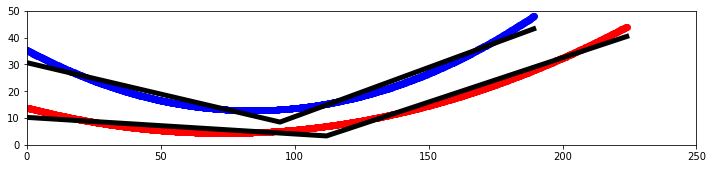 |
| Attachment 2: image_(3).png
| .png "image_(3).png") |
| Attachment 3: output.png
| 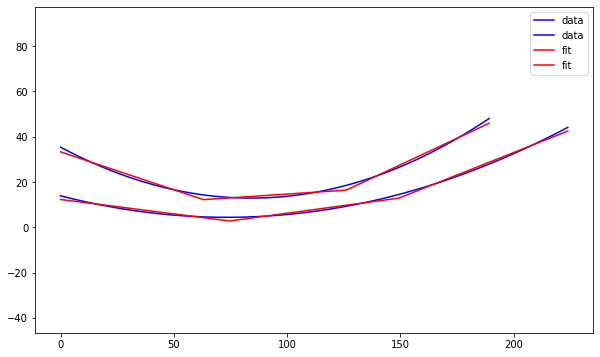 |
|
|
235
|
Wed Aug 2 00:17:32 2023 |
Jacob Weiler | XF Antenna Drawing Progress 08/02/2023 | I've been building in XF and have ran into some issues but currently have the following completed:
- Struts are placed, though they are not evenly spaced and the same. I have contacted XF to try and figure out how to get rotation/patterns to do what we need
- Circuit components and circuit board are in the xf file, though the components are not on the circuit board (I'm not totally sure how to put them on, that's the next step). The circuit components should be of spec, I looked up the part numbers from the previous ELOG post and grabbed the values from the manufacturer.
Here are the things that have not been completed/need answered:
- How to evenly space the struts connecting the shape (as stated previously, I've contacted XF to figure out how to do this easily. Im just bad at modeling in XF)
- Add circuit components to circuit board
- Add voltage and ground connections to the circuit board
- On the circuit diagram, figure out J1 and J2 connections. Meaning, which one connects to the signal from the cable and which connects to the other cone that is used as ground?
To see current antenna build go to: " /users/PAS1977/jacobweiler/GENETIS/XFzone/straightened_antenna_for_Jack.xf "
Attached are pictures in case there are issues pulling up model in XF. :)
|
| Attachment 1: sidepic.PNG
| 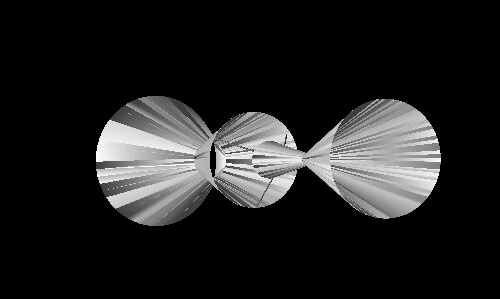 |
| Attachment 2: circuitboardplacement.PNG
| 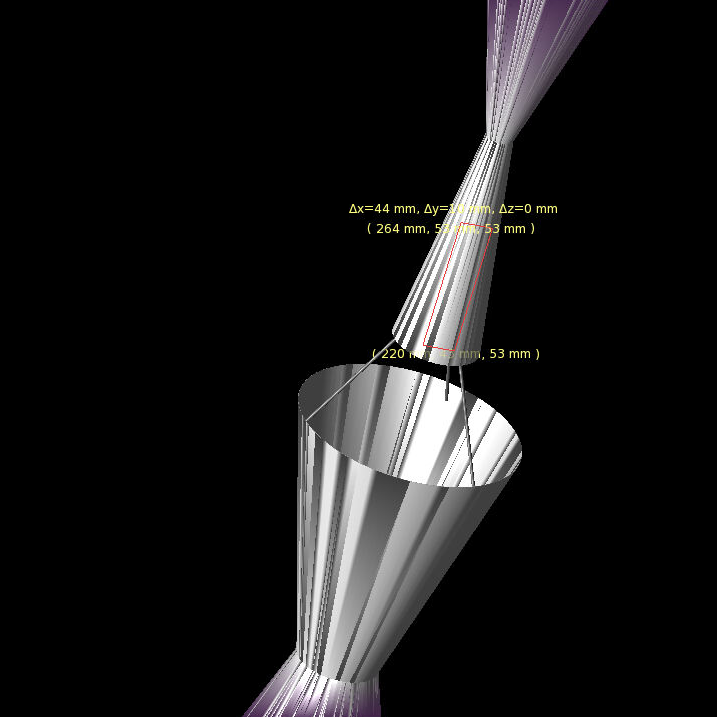 |
| Attachment 3: fullpic.PNG
| 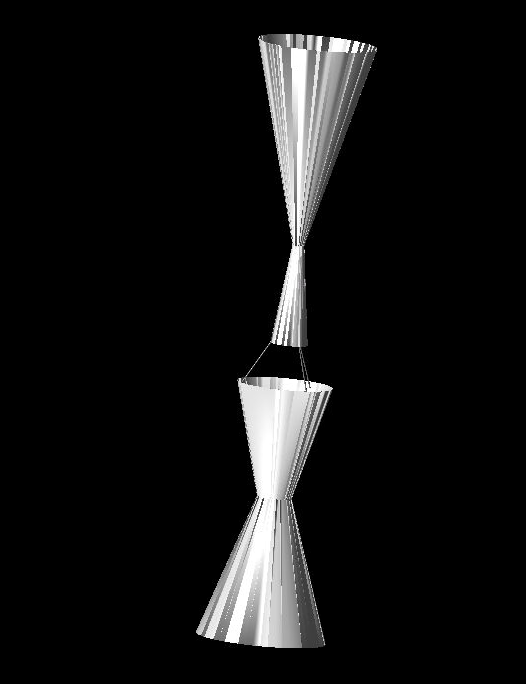 |
| Attachment 4: struts.PNG
| 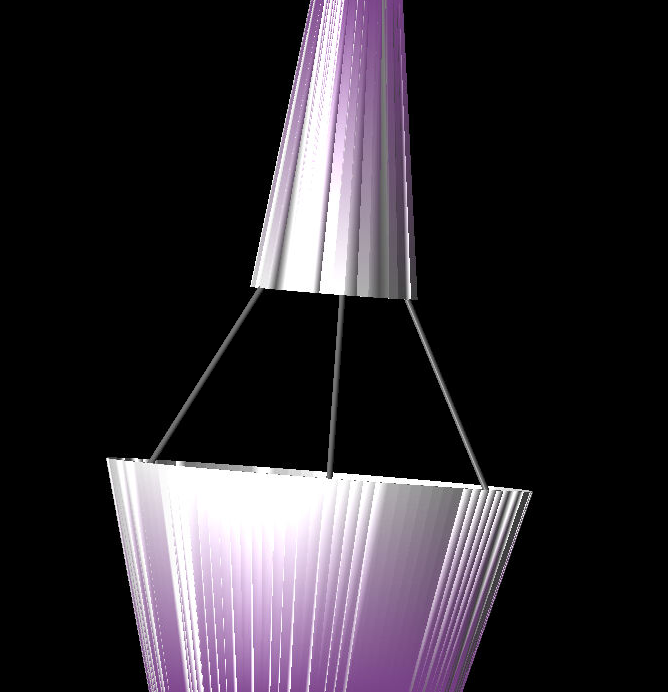 |
|