| ID |
Date |
Author |
Type |
Category |
Subject |
Project |
|
5
|
Tue Jan 17 09:38:52 2017 |
J.C. Hanson | Analysis | Analysis | n(z) from other section of ELOG | | see attached. |
| Attachment 1: January11_plot1.pdf
|
| Attachment 2: January11_plot2.pdf
|
| Attachment 3: January11_plot3.pdf
|
|
1
|
Fri Dec 16 11:11:55 2016 |
J.C. Hanson | Problem Fixed | General | Welcome to ELOG :) | | Note: Please use a consistent name when you write your name as author.
J.C.Hanson |
|
23
|
Fri Sep 15 23:25:07 2017 |
Amy Connolly (for Suren) | Modeling | General | Using spherical harmonics to search for ideal antenna beam patters | Other | Suren put a bunch of info about the work he did this summer on github:
https://github.com/osu-particle-astrophysics/Spherical-Harmonics
He added this in an email:
I added more spherical harmonics into the Chi^2 code so now we can test up to L=12. Adding the additional harmonics brought the chi^2 for the first frequency gain fit down about 30%. However, I also fit the first phase, and it seems to be much harder to fit, especially at the poles. The Chi^2 in in the 200s. Therefore, I am unsure how you wish to proceed with the phases. Perhaps just avoiding the 0 degree and 5 degree theta cones is the way to go. This would involve modifying the chi^2 code and the data to not have those 0 and 5 degree cones.
|
|
13
|
Thu Mar 23 21:43:12 2017 |
Abdullah Alhag | Analysis | Analysis | The results from running Karoo on the inelasticity data | | See attatchd file. |
| Attachment 1: The_result_of_using_Karoo_on_inelasticity_data.pdf
|
|
28
|
Tue Oct 10 11:04:05 2017 |
Brian Clark | Analysis | Analysis | Testbed Channel Mapping and Antenna Information | ARA | This is the Testbed polarization channel mapping. This is the polarization result if you use the getGraphfromRFChan Function:
/* Channel mappings for the testbed
Channel 0: H Pol
Channel 1: H Pol
Channel 2: V Pol
Channel 3: V Pol
Channel 4: V Pol
Channel 5: H Pol
Channel 6: V Pol
Channel 7: H Pol
Channel 8: V Pol
Channel 9: H Pol
Channel 10: V Pol
Channel 11: H Pol
Channel 12: H Pol
Channel 13: H Pol
Channel 14: Surface
Channel 15: Surface
*/
Also, the Testbed has a somewhat bizarre menagerie of antennas. Here's how to understand it:
Basically the testbed was weird. There are four bowtie slotted cylinders deployed at ~30 m (these are the "deep hpol") and four bicones deployed at ~30 m (these are the "deep vpol"). So 8 total there: four V, four H.
Then, there are two quad slotted cylinders deployed at ~30m, but because they are different from bowties, they are technically hpol, but aren't counted as deep hpol. That brings us to 10. Four V, six H.
Then, there are two discones at ~2m, which count as vpol, but because they are different than the bicones and deployed shallow, they aren't deep. That brings us to 12 total: six vpol, six hpol.
Then, there are two batwings at ~2m, which counts as hpol, but because they are different than the bowtie and the quad slot and deployed shallow, they're in a class of their own. That brings us to fourteen: six vpol, eight hpol.
Finally, there are two fat dipoles right on the surface, which count as neither polarization, which brings us up to 16 total. |
|
11
|
Sun Mar 19 14:14:10 2017 |
Amy Connolly | Analysis | Analysis | Search for interstellar/interplanetary travel by alien civilizations | Other | See the attached papers. I wonder if we could look for these with ANITA and distinguish between natural and artificial origin.
Here are some estimates that I did last night.
The paper quotes that for an FRB at a distance ~10-20 kpc, we would see at S_nu=10^10-10^11 Jy where 1 Jy=10^-26 W/m^2/Hz.
For a BW=1 GHz and taking 1 m^2 effective area antennas, we get 10^-7-10^-6=V^2/R where R=50 Ohms, then taking the lower end of the range of S_nu gives V=2.2E-3 V.
For anita V(thermal noise) is roughly V_rms=sqrt(k_B*T*BW*R)=sqrt(1.38E-23 * ~340 K * 10^9 Hz * 50 Ohms) = 1.5E-5 V.
So let's say roughly we can hope to see signals down to the thermal noise level. Then as expected, an FRB in our own galaxy should be easily observable.
The paper estimates that in a galaxy there are ~10^-5 FRBs/day. Wikipedia tells me that within 3.59 Mpc there are 127 known galaxies. Given the observed voltage would go like 1/r, then the furthest ones from that group of 127 would be seen at voltages a factor of ~4 Mpc/20 kpc=200 lower, so the furthest ones would be right at the thermal noise level.
When ANITA is at altitude, we perform our searches below the horizontal, and can hope to see radio signals directly from horizontal down to the horizon at about -6 deg. So we view a sort of disk from 0 to 6 deg. in all directions in azimuth in payload coordinates. This intersects the galactic plane at some angle but we can not just look for FRBs in our own galaxy but also in the other galaxies which we pretend to be uniformly distributed in a spherical volume. If we could view from +90 deg. to -90 deg. then we would be able to see in all directions, so the fraction of the galaxy we can see is about 6/180=1/30. So the probability that over roughly 100 total days of livetime over all flights, ANITA sees an FRB can be estimated as:
Prob(seeing a FRB from within 3.59 Mpc)=10^-5 FRBs/day * 100 days * 127 galaxies * 1/30 = 0.004.
If the intensity received is on the upper end of the range given (S_nu=10^11 Jy), then maybe we can see out to 40 Mpc. Assuming the same density of galaxies as within 4 Mpc, since we're looking in a disk the # of galaxies goes like r^2, so we get a factor of 100 increase in prob-> prob=0.4, not bad.
But, we haven't accounted for the beam of the FRBs. It appears at first glance in their paper that power increases at lower frequencies, and the beam width increases at lower frequencies, I'm not sure, and those two things would both be good for us since FRBs have been observed above a GHz and so we could see them at lower frequencies.
Some things to look into:
Understanding their calculations of the beam width and power, and the frequency dependence
03/20: It seems the beamwidth is based on some multiple of the diffraction limit lambda/D where D is the size of the source.
How they are proposing one would be able to distinguish between natural and artificially produced FRBs
03/20: The beam would be shadowed by the sail, and maybe you would see fringes. Also a repeater could be a signature of the relatively short acceleration and deceleration phase.
Is ANITA unique is how much sky we can see at these frequencies with this sensitivity?
Would the fact that we digitize so quickly help in distinguishing natural from artificial?
Is there any time when ANITA is orientied in such a way that we look along the plane of the MW and thus see the whole galaxy?
Can we extend analyses above horizontal and increase sensitivity that way?
Can we look for reflections from the surface?
Note that the signals would extend ~1 ms in time. |
| Attachment 1: FRBs.pdf
|
| Attachment 2: Guillochon_2015_ApJL_811_L20.pdf
|
|
16
|
Sun Apr 23 14:54:50 2017 |
Hannah Hasan | Other | Simulation | Plotting ShelfMC Parameter Space | Other | I am trying to write a script that will plot a 2d histogram of effective volume versus two of ShelfMC's parameters.
The script prompts the user for which two parameters (out of five that we vary in our parameter space scan) to plot along the x- and y-axes, as well as what values to hold the other 3 parameters constant at. It then collects the necessary root files from simulation results, generates a plotting script, and runs the plotting script to produce a plot in pdf form.
After many struggles I have the script written to the point where it functions, but the plots don't look right. Some plots look like they could be actual data (like Veff_A_I), and others just look flat-out wrong (like Veff_R_S).
I have yet to pin down the cause of this, but hopefully will be able to sometime in the near future. |
| Attachment 1: Veff_A_I.pdf
|
| Attachment 2: Veff_R_S.pdf
|
|
Draft
|
Fri Oct 6 12:40:57 2017 |
Hannah Hasan | Other | Simulation | Plotting ShelfMC Parameter Space | Other |
| Quote: |
|
I am trying to write a script that will plot a 2d histogram of effective volume versus two of ShelfMC's parameters.
The script prompts the user for which two parameters (out of five that we vary in our parameter space scan) to plot along the x- and y-axes, as well as what values to hold the other 3 parameters constant at. It then collects the necessary root files from simulation results, generates a plotting script, and runs the plotting script to produce a plot in pdf form.
After many struggles I have the script written to the point where it functions, but the plots don't look right. Some plots look like they could be actual data (like Veff_A_I), and others just look flat-out wrong (like Veff_R_S).
I have yet to pin down the cause of this, but hopefully will be able to sometime in the near future.
|
|
|
27
|
Fri Oct 6 15:15:53 2017 |
Hannah Hasan | Other | Simulation | Plotting ShelfMC Parameter Space | Other | Attached are instructions and scripts for carrying out a parameter space scan with ShelfMC, the simulation package for the ARIANNA detector.
Because some of the plotted outputs looked like colored stripes and did not offer any insight into how effective volume changed with some variables, I made some changes to the simulation and plotting scripts so that different maximum, minimum, and increment values can be chosen for each variable. Now rather than having fixed, hard-coded values for all variables, the parameter space scan and plotting is more flexible for use with variable inputs.
| Quote: |
|
I am trying to write a script that will plot a 2d histogram of effective volume versus two of ShelfMC's parameters.
The script prompts the user for which two parameters (out of five that we vary in our parameter space scan) to plot along the x- and y-axes, as well as what values to hold the other 3 parameters constant at. It then collects the necessary root files from simulation results, generates a plotting script, and runs the plotting script to produce a plot in pdf form.
After many struggles I have the script written to the point where it functions, but the plots don't look right. Some plots look like they could be actual data (like Veff_A_I), and others just look flat-out wrong (like Veff_R_S).
I have yet to pin down the cause of this, but hopefully will be able to sometime in the near future.
|
|
| Attachment 1: ParameterSpaceScan_instructions.txt
|
This document will explain how to dowload, configure, and run a parameter space search for ShelfMC on a computing cluster.
These scripts explore the ShelfMC parameter space by varying ATTEN_UP, REFLECT_RATE, ICETHICK, FIRNDEPTH, and STATION_DEPTH for certain rages.
The ranges and increments can be found in setup.sh.

In order to vary STATION_DEPTH, some changes were made to the ShelfMC code. Follow these steps to allow STATION_DEPTH to be an input parameter.
1.cd to ShelfMC directory
2.Do $sed -i -e 's/ATDepth/STATION_DEPTH/g' *.cc
3.Open declaration.hh. Replace line 87 "const double ATDepth = 0.;" with "double STATION_DEPTH;"
4.In functions.cc go to line 1829. This is the ReadInput() method. Add the lines below to the end of this method.
   GetNextNumber(inputfile, number); // new line for station Depth
   STATION_DEPTH  = (double) atof(number.c_str()); //new line
5.Do $make clean all

#######Script Descriptions########
setup.sh -> This script sets up the necessary directories and setup files for all the runs
scheduler.sh -> This script submits and monitors all jobs.


#######DOWNLOAD########
1.Download setup.sh and scheduler.sh
2.Move both files into your ShelfMC directory
3.Do $chmod u+x setup.sh and $chmod u+x scheduler.sh

######CONFIGURE#######
1.Open setup.sh
2.On line 4, modify the job name
3.On line 6, modify group name
4.On line 11, specify your ShelfMC directory
5.On lines 15-33, specify the minimum and maximum values you wish to simulate for each variable, as well as what value to increment by
6.On line 36, modify your run name
7.On line 37, specify the NNU per run
8.On line 38, specify the starting seed
9.On line 40, specify the number of processors per node on your cluster
10.On lines 42-79, edit the input.txt parameters that you want to keep constant for every run
11.On line 80, specify the location of the LP_gain_manual.txt
12.On line 143, change walltime depending on total NNU. Remember this wall time will be 20x shorter than a single processor run.
13.On line 144, change job prefix
14.On line 146, change the group name if needed
15.Save file
16.Open scheduler.sh
17.On line 4, specify your ShelfMC directory
18.On line 5, modify run name. Make sure it is the same runName as you have in setup.sh
19.Ensure that lines 15-33 match with setup.sh
20.On lines 62 and 66, replace cond0092 with your username for the cluster
21.On line 69, you can pick how many nodes you want to use at any given time. It is set to 6 intially.
22.Save file

#######RUN#######
1.Do $qsub setup.sh
2.Wait for setup.sh to finish. This script is creating the setup files for all runs. This may take about an hour.
3.When setup.sh is done, there should be a new directory in your home directory. Move this directory to your ShelfMC directory.
4.Do $screen to start a new screen that the scheduler can run on. This is incase you lose connection to the cluster mid run.
5.Make sure that the minimum, maximum, and increment values for each variable match those in setup.sh
6.Do $./scheduler.sh to start script. This script automatically submits jobs and lets you see the status of the runs. This will run for several hours.
7.The scheduler makes a text file of all jobs called jobList.txt in the ShelfMC dir. Make sure to delete jobList.txt before starting a whole new run.


######RESULT#######
1.When Completed, there will be a great amount of data in the run files, about 460GB (This amount varies depending on how many values looped over for all variables.
2.The run directory is organized in tree, results for particular runs can be found by cd'ing deeper into the tree.
3.In each run directory, there will be a resulting root file, all the setup files, and a log file for the run.
|
| Attachment 2: setup.sh
|
#!/bin/bash
#PBS -l walltime=04:00:00
#PBS -l nodes=1:ppn=1,mem=4000mb
#PBS -N hannah_SetupJob
#PBS -j oe
#PBS -A PCON0003
#Jude Rajasekera 3/20/17
#Modified by Hannah Hasan on 09/17/2017

#directories
WorkDir=$TMPDIR
tmpShelfmc=$HOME/ShelfMC/git_shelfmc #set your ShelfMC directory here


AttenMin=600                      # MINIMUM attenuation length for the simulation      *****ALL UNITS ARE IN METERS*****
AttenMax=1000                     # MAXIMUM attenuation length
AttenInc=400                      # INCREMENT for attenuation length

RadiusMin=3                       # MINIMUM radius
RadiusMax=31                      # MAXIMUM radius
RadiusInc=7                       # INCREMENT

IceMin=500                        # etc...
IceMax=2900
IceInc=400

FirnMin=60
FirnMax=120
FirnInc=60

StDepthMin=0
StDepthMax=200
StDepthInc=50

#controlled variables for run
runName='e18_ParamSpaceScan' #name of run
NNU=10000000 #NNU per run
seed=42 #starting seed for every run, each processor will recieve a different seed (42,43,44,45...)
NNU="$(($NNU / 20))" #calculating processors per node, change 20 to however many processors your cluster has per node
ppn=20 #number of processors per node on cluster
########################### input.txt file ####################################################
input1="#inputs for ARIANNA simulation, do not change order unless you change ReadInput()"
input2="$NNU #NNU, setting to 1 for unique neutrino"
input3="$seed      #seed Seed for Rand3"
input4="18.0    #EXPONENT, !should be exclusive with SPECTRUM"
input5="1000    #ATGap, m, distance between stations"
input6="4       #ST_TYPE, !restrict to 4 now!"
input7="4 #N_Ant_perST, not to be confused with ST_TYPE above"
input8="2 #N_Ant_Trigger, this is the minimum number of AT to trigger"
input9="30      #Z for ST_TYPE=2"
input10="$T   #ICETHICK, thickness of ice including firn, 575m at Moore's Bay"
input11="1       #FIRN, KD: ensure DEPTH_DEPENDENT is off if FIRN is 0"
input12="1.30    #NFIRN 1.30"
input13="$FT      #FIRNDEPTH in meters"
input14="1 #NROWS 12 initially, set to 3 for HEXAGONAL"
input15="1 #NCOLS 12 initially, set to 5 for HEXAGONAL"
input16="0       #SCATTER"
input17="1       #SCATTER_WIDTH,how many times wider after scattering"
input18="0       #SPECTRUM, use spectrum, ! was 1 initially!"
input19="0       #DIPOLE,  add a dipole to the station, useful for st_type=0 and 2"
input20="0       #CONST_ATTENLENGTH, use constant attenuation length if ==1"
input21="$L     #ATTEN_UP, this is the conjuction of the plot attenlength_up and attlength_down when setting REFLECT_RATE=0.5(3dB)"
input22="250     #ATTEN_DOWN, this is the average attenlength_down before Minna Bluff measurement(not used anymore except for CONST_ATTENLENGTH)"
input23="4 #NSIGMA, threshold of trigger"
input24="1      #ATTEN_FACTOR, change of the attenuation length"
input25="0.85    #REFLECT_RATE,power reflection rate at the ice bottom"
input26="0       #GZK, 1 means using GZK flux, 0 means E-2 flux"
input27="0       #FANFLUX, use fenfang's flux which only covers from 10^17 eV to 10^20 eV"
input28="0       #WIDESPECTRUM, use 10^16 eV to 10^21.5 eV as the energy spectrum, otherwise use 17-20"
input29="1       #SHADOWING"
input30="1       #DEPTH_DEPENDENT_N;0 means uniform firn, 1 means n_firn is a function of depth"
input31="0 #HEXAGONAL"
input32="1       #SIGNAL_FLUCT 1=add noise fluctuation to signal or 0=do not"
input33="4.0     #GAINV  gain dependency"
input34="1       #TAUREGENERATION if 1=tau regeneration effect, if 0=original"
input35="$AR     #ST4_R radius in meters between center of station and antenna"
input36="350     #TNOISE noise temperature in Kelvin"
input37="80      #FREQ_LOW low frequency of LPDA Response MHz #was 100"
input38="1000    #FREQ_HIGH high frequency of LPDA Response MHz"
input39="/users/PCON0003/cond0092/ShelfMC/git_shelfmc/GainFiles/LP_gain_manual.txt     #GAINFILENAME"
input40="$SD     #STATION_DEPTH"
#######################################################################################################

cd $TMPDIR
mkdir $runName
cd $runName

initSeed=$seed
counter=0

for ((L=$AttenMin;L<=$AttenMax;L+=$AttenInc)) #Attenuation length
do
    mkdir Atten_Up$L
    cd Atten_Up$L
    for ((AR=$RadiusMin;AR<=$RadiusMax;AR+=$RadiusInc)) #Station radius (measured from center of radius to antenna
    do
	mkdir AntennaRadius$AR
        cd AntennaRadius$AR
	for ((T=$IceMin;T<=$IceMax;T+=$IceInc)) #Ice thickness
        do
            mkdir IceThick$T
            cd IceThick$T
            for ((FT=$FirnMin;FT<=$FirnMax;FT+=$FirnInc)) #Firn thickness
            do
		mkdir FirnThick$FT
                cd FirnThick$FT
		for ((SD=$StDepthMin;SD<=$StDepthMax;SD+=$StDepthInc)) #Station depth
                do
                    mkdir StationDepth$SD
                    cd StationDepth$SD
                    #####Do file operations###########################################
                    counter=$((counter+1))
                    echo "Counter = $counter ; L = $L ; AR = $AR ; T = $T ; FT = $FT ; SD = $SD " #print variables

                    #define changing lines
                    input21="$L     #ATTEN_UP, this is the conjuction of the plot attenlength_up and attlength_down when setting REFLECT_RATE=0.5(3dB)"
		    input35="$AR     #ST4_R radius in meters between center of station and antenna"
                    input10="$T   #ICETHICK, thickness of ice including firn, 575m at Moore's Bay"
                    input13="$FT      #FIRNDEPTH in meters"
                    input40="$SD       #STATION_DEPTH"

		    for (( i=1; i<=$ppn;i++)) #make 20 setup files for 20 processors
                    do

                        mkdir Setup$i #make setup folder
                        cd Setup$i #go into setup folder
                        seed="$(($initSeed + $i -1))" #calculate seed for this iteration
                        input3="$seed      #seed Seed for Rand3"

                        for j in {1..40} #print all input.txt lines
                        do
                            lineName=input$j
                            echo "${!lineName}" >> input.txt
                        done

                        cd ..
                    done

		    pwd=`pwd`
                    #create job file
		    echo '#!/bin/bash' >> run_shelfmc_multithread.sh
		    echo '#PBS -l nodes=1:ppn='$ppn >> run_shelfmc_multithread.sh
		    echo '#PBS -l walltime=00:10:00' >> run_shelfmc_multithread.sh #change walltime as necessary
		    echo '#PBS -N hannah_'$runName'_job' >> run_shelfmc_multithread.sh #change job name as necessary
		    echo '#PBS -j oe'  >> run_shelfmc_multithread.sh
		    echo '#PBS -A PCON0003' >> run_shelfmc_multithread.sh #change group if necessary
		    echo 'cd ' $tmpShelfmc >> run_shelfmc_multithread.sh
		    echo 'runName='$runName  >> run_shelfmc_multithread.sh
		    for (( i=1; i<=$ppn;i++))
		    do
			echo './shelfmc_stripped.exe $runName/'Atten_Up$L'/'AntennaRadius$AR'/'IceThick$T'/'FirnThick$FT'/'StationDepth$SD'/Setup'$i' _'$i'$runName &' >> run_shelfmc_multithread.sh
		    done
		   # echo './shelfmc_stripped.exe $runName/'Atten_Up$L'/'AntennaGap$ATGap'/'IceThick$T'/'FirnThick$FT'/'StationDepth$SD'/Setup1 _01$runName &' >> run_shelfmc_multithread.sh
		    echo 'wait' >> run_shelfmc_multithread.sh
		    echo 'cd $runName/'Atten_Up$L'/'AntennaRadius$AR'/'IceThick$T'/'FirnThick$FT'/'StationDepth$SD >> run_shelfmc_multithread.sh
		    echo 'for (( i=1; i<='$ppn';i++)) #20 iterations' >> run_shelfmc_multithread.sh
		    echo 'do' >> run_shelfmc_multithread.sh
		    echo '  cd Setup$i #cd into setup dir' >> run_shelfmc_multithread.sh
		    echo '  mv *.root ..' >> run_shelfmc_multithread.sh
		    echo '  cd ..' >> run_shelfmc_multithread.sh
		    echo 'done' >> run_shelfmc_multithread.sh
		    echo 'hadd Result_'$runName'.root *.root' >> run_shelfmc_multithread.sh
		    echo 'rm *ShelfMCTrees*' >> run_shelfmc_multithread.sh
		    echo 'rm -rf Setup*' >> run_shelfmc_multithread.sh

		    chmod u+x run_shelfmc_multithread.sh # make executable

                    ##################################################################
                    cd ..
                done
                cd ..
            done
            cd ..
        done
        cd ..
    done
    cd ..
done
cd

mv $WorkDir/$runName $HOME
|
| Attachment 3: scheduler.sh
|
#!/bin/bash
#Jude Rajasekera 3/20/17

tmpShelfmc=$HOME/ShelfMC/git_shelfmc #location of Shelfmc
runName=e18_ParamSpaceScan #name of run


cd $tmpShelfmc #move to home directory


AttenMin=500                      # MINIMUM attenuation length for the simulation
AttenMax=1000                     # MAXIMUM attenuation length
AttenInc=100                      # INCREMENT for attenuation length

RadiusMin=3                       # MINIMUM radius
RadiusMax=31                      # MAXIMUM radius
RadiusInc=7                       # INCREMENT

IceMin=500                        # etc...
IceMax=2900
IceInc=400

FirnMin=60
FirnMax=140
FirnInc=20

StDepthMin=0
StDepthMax=200
StDepthInc=50


if [ ! -f ./jobList.txt ]; then #see if there is an existing job file
    echo "Creating new job List"
    for ((L=$AttenMin;L<=$AttenMax;L+=$AttenInc)) #Attenuation length
    do
	for ((AR=$RadiusMin;AR<=$RadiusMax;AR+=$RadiusInc)) #Station radius (measured from center of radius to antenna
	do
            for ((T=$IceMin;T<=$IceMax;T+=$IceInc)) #Ice thickness
            do
		for ((FT=$FirnMin;FT<=$FirnMax;FT+=$FirnInc)) #Firn thickness
		do
                    for ((SD=$StDepthMin;SD<=$StDepthMax;SD+=$StDepthInc)) #Station depth
                    do
		    echo "cd $runName/Atten_Up$L/AntennaRadius$AR/IceThick$T/FirnThick$FT/StationDepth$SD" >> jobList.txt
                    done
		done
            done
	done
    done
else
    echo "Picking up from last job"
fi


numbLeft=$(wc -l < ./jobList.txt)
while [ $numbLeft -gt 0 ];
do
    jobs=$(showq | grep "cond0092") #change username here
    echo '__________Current Running Jobs__________'
    echo "$jobs"
    echo ''
    runningJobs=$(showq | grep "cond0092" | wc -l) #change username here
    echo Number of Running Jobs = $runningJobs
    echo Number of jobs left = $numbLeft
    if [ $runningJobs -le 20 ];then
	line=$(head -n 1 jobList.txt)
	$line
	echo Submit Job && pwd
	qsub run_shelfmc_multithread.sh
	cd $tmpShelfmc
	sed -i 1d jobList.txt
    else
	echo "Full Capacity"
    fi
    sleep 1
    numbLeft=$(wc -l < ./jobList.txt)
done
|
| Attachment 4: colorplot_instructions.txt
|
------------------------------------------------------------------------------------------------------------
------------------------------------------------------------------------------------------------------------
***Summary/Instructions for colorplot.sh (followed by same for colorplot_loop.sh)
------------------------------------------------------------------------------------------------------------
------------------------------------------------------------------------------------------------------------

colorplot
------------------------------------------------------------------------------------------------------------
  ______         __                        __         __
 /  ___/  _____ |  | _____  __ ___ __ ___ |  | _____ |  |__
|  /     /  _  \|  |/  _  \|  `__/|  `_  \|  |/  _  \|   _/
|  \____|  (_)  |  |  (_)  |  |   |  |_)  |  |  (_)  |  |__
 \______|\_____/|__|\_____/|__|   |  .___/|__|\_____/ \____\
                                  |__|
------------------------------------------------------------------------------------------------------------

Interactive script - to be run after parameter space scan has been performed. Produces a single plot.


Will plot, for a user-selected ShelfMC scan, the effective volume versus any two variables of the user's
choice out of the 5 parameters we vary:
   attenuation length, antenna radius, ice thickness, firn depth, and station depth


Also will allow user to choose what values to hold the other 3 variables constant at

Will add together necessary files, create root script for plotting, and execute root script


------------------------------------------------------------------------------------------------------------


***To use colorplot.sh:

- On line 6 of colorplot.sh, set $shelfmc to your ShelfMC directory. This directory should hold the
  parameter space scan directory, and a directory called "outputs". The "outputs" directory may be empty.

- In the variable lines, on line23, line27, and line30, change 20 to the number of processors your ShelfMC runs were
  split across ($ppn in setup.sh)

- Ensure that the parameter values on lines 8-26 match those for the run you wish to plot


Make sure colorplot.sh has execute permission - if not, type 'chmod u+x colorplot.sh'

Run the script by typing './colorplot.sh'

The following instructions will also be provided in the execution of the script.
- Enter the name of the run as prompted
- Make your selections for the two variables to plot along the X- and Y- axes. Your options are:
  A - Attenuation Length
  R - Antenna Radius
  I - Ice Thickness
  F - Firn Thickness
  S - Station Depth
*****Please only use capital letters in your selection
- Select values at which to hold the remaining parameters constant. Please select only the numbers allowed
  as prompted.
- Your plot will be in the $shelfmc/outputs/[name of scan]_[x variable]_[y variable] directory


If you wish to keep the root file and/or the plotting script, comment out line 488 and/or line 489
accordingly in colorplot.sh


------------------------------------------------------------------------------------------------------------


colorplot_loop
------------------------------------------------------------------------------------------------------------

  ______         __                        __         __             __
 /  ___/  _____ |  | _____  __ ___ __ ___ |  | _____ |  |__         |  | _____   _____  __ ___
|  /     /  _  \|  |/  _  \|  `__/|  `_  \|  |/  _  \|   _/         |  |/  _  \ /  _  \|  `_  \
|  \____|  (_)  |  |  (_)  |  |   |  |_)  |  |  (_)  |  |__         |  |  (_)  |  (_)  |  |_)  |
 \______|\_____/|__|\_____/|__|   |  .___/|__|\_____/ \____\ ______ |__|\_____/ \_____/|  .___/
                                  |__|                                                 |__|
------------------------------------------------------------------------------------------------------------

A more flexible extension of colorplot!
Interactive script to be run after the parameter space scan has been performed. Produces multiple plots.


Like colorplot.sh, colorplot_loop.sh will prompt the user for two variables against which to plot the
effective volume, from the options:
   attenuation length, antenna radius, ice thickness, firn depth, and station depth


Unlike colorplot.sh, colorplot_loop.sh does not prompt for constant values of the remaining three variables,
but instead loops over all combinations of constants to produce many plots with the selected X- and Y- axes


Before using this script, please ensure that you have space for hundreds of thousands of files (some
clusters may have a file limit for each user - for instance, Ruby has a 1 million file limit per user).
The script will delete all files except the .pdf plots, but prior to this deletion there could be a few
hundred thousand new files in your system.


------------------------------------------------------------------------------------------------------------


***To use colorplot_loop.sh:

- On line 6 of colorplot.sh, set $shelfmc to your ShelfMC directory. This directory should hold the
  parameter space scan directory, and a directory called "outputs". The "outputs" directory may be empty.

- Ensure that lines 8-26 match lines 15-33 of setup.sh and scheduler.sh for the desired parameter space scan

- On lines 50, 54, and 57, change 20 to the number of processors your ShelfMC runs were
  split across ($ppn in setup.sh)


Make sure colorplot_loop.sh has execute permission - if not, type 'chmod u+x colorplot_loop.sh'

OPTIONAL: Since colorplot_loop can take several minutes to run, it may be desirable to do $screen prior to
executing the script, in case the connection to the host is interrupted.

Run the script by typing ./colorplot_loop.sh

The following instructions will also be provided in the execution of the script.
- Enter the name of the run as prompted
- Make your selections for the two variables to plot along the X- and Y- axes. Your options are:
  A - Attenuation Length
  R - Antenna Radius
  I - Ice Thickness
  F - Firn Thickness
  S - Station Depth
*****Please only use capital letters in your selection

- Your plots will be in the $shelfmc/outputs/[name of scan]_[x variable]_[y variable] directory


If you wish to keep the collected root files and/or plotting scripts, comment out line 1034
and/or line 1035 accordingly in colorplot_loop.sh


------------------------------------------------------------------------------------------------------------
------------------------------------------------------------------------------------------------------------
------------------------------------------------------------------------------------------------------------

                                  __ -- __
                              _-`         --_
                            /             ___\
                          /         -```-``   \
                         /        /   /..\     -_
                         |        |   \``/       --__
                         |         \                  - ____
                         |          |_-``--___       o |    --_
                          |           ``--____``--__   |       \
                           \              -`` ``--__`-- \       |
                             \             ``-_     \     \     |
                               \                `_    --___ \  /
                                |                  \.        |/
                          -_    |                    \
                             -_/                      \
                                                       \
                                                        )
                                                        )
                                                        )
                                                        |
                                                       /
                                                      /
                                                    /
                                                  /
                                               -`
|
| Attachment 5: colorplot.sh
|
#!/bin/bash
#04/18/2017
# script will collect root files and plot as dictated by user
#Hannah Hasan

shelfmc=$HOME/ShelfMC/git_shelfmc ##set to your ShelfMC directory - should have the parameter space scan directory and a directory called "outputs". outputs may be empty

AttenMin=500
AttenMax=1000
AttenInc=100

RadiusMin=3
RadiusMax=31
RadiusInc=7

IceMin=500
IceMax=2900
IceInc=400

FirnMin=60
FirnMax=140
FirnInc=20

StDepthMin=0
StDepthMax=200
StDepthInc=50

line1='{'
line2='  TFile *f = new TFile("'"Veff_${xvar}_${yvar}.root"'");'   #set later
line3='  TTree *SimParam = (TTree*)f->Get("sim_parameters");'
line4='  TCanvas *c = new TCanvas("c", "V_{eff}", 2000, 1000);'
line5='  TPad* p = new TPad("p","p",0.0,0.0,1.0,1.0);'
line6='  p->Draw();'
line7='  p->SetLeftMargin(0.15);'
line8='  p->SetRightMargin(0.15);'
line9='  p->cd();'
line10='  TH2F *h = new TH2F("''h''", "''V_{eff} vs '"$var1"' vs '"$var2"'"'",$xbins,$xmin,$xmax"', '"$ybins,$ymin,$ymax);"   set later
line11='  double x;'
line12='  double y;'
line13='  double z;'
line14='  double veff=0;'
line15='  double energy;'
line16="  double avgs[$SIZE];"   #set later; SIZE varies depending on which variables we are plotting
line17='  SimParam->SetBranchAddress("'"$xbranch"'", &x );'   #set later
line18='  SimParam->SetBranchAddress("'"$ybranch"'", &y );'   #set later
line19='  SimParam->SetBranchAddress("Veff", &z);'
line20='  int v=0;'
line21="  for(int k=1; k<=$SIZE; k++){"   #set later for SIZE
line22='    veff = 0;'
line23='    for(v; v<(k*20.0); v++){'       #change 20 to number of processors ShelfMC runs were split across
line24='      SimParam->GetEntry(v);'
line25='      veff += z;'
line26='    }'
line27='    avgs[(k-1)] = (veff/20.0);'      #change 20 to number of processors
line28='  }'
line29="  for(int i=0; i<$SIZE; i++){"   #set later for SIZE
line30='    SimParam->GetEntry((i*20));'       #change 20 to number of processors
line31='    h->Fill(x,y,avgs[i]);'
line32='  }'
line33='  gStyle->SetPalette(1,0);'
line34='  h->GetXaxis()->SetTitle("'"$var1"' (m)");'   #set later
line35='  h->GetYaxis()->SetTitle("'"$var2"' (m)");'   #set later
line36='  h->GetZaxis()->SetTitle("V_{eff} (km^{3} str)");'
line37='  h->GetXaxis()->SetTitleOffset(1.2);'
line38='  h->GetYaxis()->SetTitleOffset(1.0);'
line39='  h->GetZaxis()->SetTitleOffset(1.3);'
line40='  gStyle->SetOptStat(0);'
line41='  h->Draw("COLZ");'
line42='  double const1;'
line43='  double const2;'
line44='  double const3;'
line45='  SimParam->SetBranchAddress("'"$const1br"'", &const1);'   #set later
line46='  SimParam->SetBranchAddress("'"$const2br"'", &const2);'   #set later
line47='  SimParam->SetBranchAddress("'"$const3br"'", &const3);'   #set later
line48='  SimParam->SetBranchAddress("exponent", &energy);'
line49='  SimParam->GetEntry(0);'
line50='  char const_1[30];'
line51='  char const_2[30];'
line52='  char const_3[30];'
line53='  char enrgy[30];'
line54='  sprintf(enrgy, "Energy (exponent): %d", energy);'
line55='  sprintf(const_1, "'"$const1br"' %d m", const1);'
line56='  sprintf(const_2, "'"$const2br"' %d m", const2);'
line57='  sprintf(const_3, "'"$const3br"' %d m", const3);'    #set later
line58='  TPaveText *t = new TPaveText(0,0,0.07,0.3,"brNDC");'
line59='  t->SetLabel("Simulation Parameters:");'
line60='  t->AddText(enrgy);'
line61='  t->AddText(const_1);'
line62='  t->AddText(const_2);'
line63='  t->AddText(const_3);'
line64='  t->Draw();'
line65='  c->Modified();'
line66='  c->Update();'
line67='  c->SaveAs("'"Veff_${xvar}_${yvar}.pdf"'");'   #set later
line68='}'


echo
echo
echo 'This script will allow you to choose two variables to plot effective volume against.'
echo
echo 'Enter the name of the run you wish to plot data for.'
echo
read -p 'Name of run: ' runName
echo
echo 'Thank you!'
echo
echo 'Please make your selections from the following list:'
echo '(A) - Attenuation Length'
echo '(R) - Antenna Radius'
echo '(I) - Ice Thickness'
echo '(F) - Firn Thickness'
echo '(S) - Station Depth'
echo
echo '** please use capital letters in your selection **'
echo
read -p 'Select the variable you wish to plot along the X-axis: ' xvar
read -p 'Now select the variable you wish to plot along the Y-axis: ' yvar
echo


cd $shelfmc/outputs
mkdir ${runName}_${xvar}_${yvar}

cd $shelfmc/$runName

attenprompt='Select what value at which to hold constant Attenuation Length'
atteninc=' > Choose only values between 500-1000, at increments of 100: '

radiusprompt='Select what value at which to hold constant Antenna Radius'
radiusinc=' > Choose only values between 3-31, at increments of 7: '

iceprompt='Select what value at which to hold constant Ice Thickness'
iceinc=' > Choose only values between 500-2900, at increments of 400: '

firnprompt='Select what value at which to hold constant Firn Thickness'
firninc=' > Choose only values between 60-140, at increments of 20: '

stprompt='Select what value at which to hold constant Station Depth'
stinc=' > Choose only values between 0-200, at increments of 50: '

if ([ "$xvar" = "A" ] && [ "$yvar" = "R" ]) || ([ "$yvar" = "A" ] && [ "$xvar" = "R" ]); then
     echo $iceprompt
     echo $iceinc
     read const1
    const1br='icethick'
     echo $firnprompt
     echo $firninc
     read const2
    const2br='firndepth'
     echo $stprompt
     echo $stinc
     read const3
    const3br='station_depth'
    echo
    echo 'Adding files...'
    echo
    for ((L=$AttenMin;L<=$AttenMax;L+=$AttenInc))
    do
	cd Atten_Up$L
	for ((AR=$RadiusMin;AR<=$RadiusMax;AR+=$RadiusInc))
	do
	    cd AntennaRadius$AR/IceThick$const1/FirnThick$const2/StationDepth$const3
            cp *.root $shelfmc/outputs/${runName}_${xvar}_${yvar}/Result_${L}_${AR}.root
	    cd ../../../../
	done
	cd ..
    done

elif ([ "$xvar" = "A" ] && [ "$yvar" = "I" ]) || ([ "$yvar" = "A" ] && [ "$xvar" = "I" ]); then
     echo $radiusprompt
     echo $radiusinc
     read const1
    const1br='st4_r'
     echo $firnprompt
     echo $firninc
     read const2
    const2br='firndepth'
     echo $stprompt
     echo $stinc
     read const3
    const3br='station_depth'
    echo
    for ((L=$AttenMin;L<=$AttenMax;L+=$AttenInc))
    do
        cd Atten_Up$L/AntennaRadius$const1
        for ((Ice=$IceMin;Ice<=$IceMax;Ice+=$IceInc))
        do
            cd IceThick$Ice/FirnThick$const2/StationDepth$const3
            cp *.root $shelfmc/outputs/${runName}_${xvar}_${yvar}/Result_${L}_${Ice}.root
            cd ../../../
        done
        cd ../../
    done

elif ([ "$xvar" = "A" ] && [ "$yvar" = "F" ]) || ([ "$yvar" = "A" ] && [ "$xvar" = "F" ]); then
     echo $radiusprompt
     echo $radiusinc
     read const1
    const1br='st4_r'
     echo $iceprompt
     echo $iceinc
     read const2
    const2br='icethick'
     echo $stprompt
     echo $stinc
     read const3
    const3br='station_depth'
    echo
    for ((L=$AttenMin;L<=$AttenMax;L+=$AttenInc))
    do
	cd Atten_Up$L/AntennaRadius$const1/IceThick$const2
	for ((FT=$FirnMin;FT<=$FirnMax;FT+=$FirnInc))
	do
	    cd FirnThick$FT/StationDepth$const3
	    cp *.root $shelfmc/outputs/${runName}_${xvar}_${yvar}/Result_${L}_${FT}.root
	    cd ../..
	done
	cd ../../..
    done

elif ([ "$xvar" = "A" ] && [ "$yvar" = "S" ]) || ([ "$yvar" = "A" ] && [ "$xvar" = "S" ]); then
     echo $radiusprompt
     echo $radiusinc
     read const1
    const1br='st4_r'
     echo $iceprompt
     echo $iceinc
     read const2
    const2br='icethick'
     echo $firnprompt
     echo $firninc
     read const3
    const3br='firndepth'
    echo
    for ((L=$AttenMin;L<=$AttenMax;L+=$AttenInc))
    do
	cd Atten_Up$L/AntennaRadius$const1/IceThick$const2/FirnThick$const3
	for ((SD=$StDepthMin;SD<=$StDepthMax;SD+=$StDepthInc))
	do
	    cd StationDepth$SD
	    cp *.root $shelfmc/outputs/${runName}_${xvar}_${yvar}/Result_${L}_${SD}.root
	    cd ../
	done
	cd ../../../..
    done

elif ([ "$xvar" = "R" ] && [ "$yvar" = "I" ]) || ([ "$yvar" = "R" ] && [ "$xvar" = "I" ]); then
     echo $attenprompt
     echo $atteninc
     read const1
    const1br='atten_up'
     echo $firnprompt
     echo $firninc
     read const2
    const2br='firndepth'
     echo $stprompt
     echo $stinc
     read const3
    const3br='station_depth'
    echo
    for ((AR=$RadiusMin;AR<=$RadiusMax;AR+=$RadiusInc))
    do
	cd Atten_Up$const1/AntennaRadius$AR
	for ((Ice=$IceMin;Ice<=$IceMax;Ice+=$IceInc))
	do
	    cd IceThick$Ice/FirnThick$const2/StationDepth$const3
            cp *.root $shelfmc/outputs/${runName}_${xvar}_${yvar}/Result_${AR}_${Ice}.root
	    cd ../../..
	done
	cd ../..
    done

elif ([ "$xvar" = "R" ] && [ "$yvar" = "F" ]) || ([ "$yvar" = "R" ] && [ "$xvar" = "F" ]); then
     echo $attenprompt
     echo $atteninc
     read const1
    const1br='atten_up'
     echo $iceprompt
     echo $iceinc
     read const2
    const2br='icethick'
     echo $stprompt
     echo $stinc
     read const3
    const3br='station_depth'
    echo
    for ((AR=$RadiusMin;AR<=$RadiusMax;AR+=$RadiusInc))
    do
	cd Atten_Up$const1/AntennaRadius$AR/IceThick$const2
	for ((FT=$FirnMin;FT<=$FirnMax;FT+=$FirnInc))
	do
	    cd FirnThick$FT/StationDepth$const3
            cp *.root $shelfmc/outputs/${runName}_${xvar}_${yvar}/Result_${AR}_${FT}.root
	    cd ../..
	done
	cd ../../..
    done

elif ([ "$xvar" = "R" ] && [ "$yvar" = "S" ]) || ([ "$yvar" = "R" ] && [ "$xvar" = "S" ]); then
... 215 more lines ...
|
| Attachment 6: colorplot_loop.sh
|
#!/bin/bash
#04/18/2017
#script will collect root files and plot as dictated by user
#Hannah Hasan

shelfmc=$HOME/ShelfMC/git_shelfmc ##set to your ShelfMC directory - should have the parameter space scan directory and a directory called "outputs". outputs may be empty

AttenMin=500                      # MINIMUM attenuation length for the simulation
AttenMax=1000                     # MAXIMUM attenuation length
AttenInc=100                      # INCREMENT for attenuation length

RadiusMin=3                       # MINIMUM radius
RadiusMax=31                      # MAXIMUM radius
RadiusInc=7                       # INCREMENT

IceMin=500                        # etc...
IceMax=2900
IceInc=400

FirnMin=60
FirnMax=140
FirnInc=20

StDepthMin=0
StDepthMax=200
StDepthInc=50

line1='{'
line2='  TFile *f = new TFile("'"Veff_${xvar}_${yvar}_c1${const1}_c2${const2}_c3${const3}.root"'");' ##set later
line3='  TTree *SimParam = (TTree*)f->Get("sim_parameters");'
line4='  TCanvas *c = new TCanvas("c", "V_{eff}", 2000, 1000);'
line5='  TPad* p = new TPad("p","p",0.0,0.0,1.0,1.0);'
line6='  p->Draw();'
line7='  p->SetLeftMargin(0.15);'
line8='  p->SetRightMargin(0.15);'
line9='  p->cd();'
line10='  TH2F *h = new TH2F("''h''", "''V_{eff} vs '"$var1"' vs '"$var2"'"'",$xbins,$xmin,$xmax"', '"$ybins,$ymin,$ymax);" ##set later
line11='  double x;'
line12='  double y;'
line13='  double z;'
line14='  double veff=0;'
line15='  double energy;'
line16="  double avgs[$SIZE];" ##set later; SIZE varies depending on which variables we are plotting
line17='  SimParam->SetBranchAddress("'"$xbranch"'", &x );' ##set later
line18='  SimParam->SetBranchAddress("'"$ybranch"'", &y );' ##set later
line19='  SimParam->SetBranchAddress("Veff", &z);'
line20='  int v=0;'
line21="  for(int k=1; k<=$SIZE; k++){" ##set later for SIZE
line22='    veff = 0;'
line23='    for(v; v<(k*20.0); v++){'     ##change 20 to number of processors ShelfMC runs were split across
line24='      SimParam->GetEntry(v);'
line25='      veff += z;'
line26='    }'
line27='    avgs[(k-1)] = (veff/20.0);'    ##change 20 to number of processors
line28='  }'
line29="  for(int i=0; i<$SIZE; i++){" ##set later for SIZE
line30='    SimParam->GetEntry((i*20));'     ##change 20 to number of processors
line31='    h->Fill(x,y,avgs[i]);'
line32='  }'
line33='  gStyle->SetPalette(1,0);'
line34='  h->GetXaxis()->SetTitle("'"$var1"' (m)");' ##set later
line35='  h->GetYaxis()->SetTitle("'"$var2"' (m)");' ##set later
line36='  h->GetZaxis()->SetTitle("V_{eff} (km^{3} str)");'
line37='  h->GetXaxis()->SetTitleOffset(1.2);'
line38='  h->GetYaxis()->SetTitleOffset(1.0);'
line39='  h->GetZaxis()->SetTitleOffset(1.3);'
line40='  gStyle->SetOptStat(0);'
line41='  h->Draw("COLZ");'
line42='  double const1;'
line43='  double const2;'
line44='  double const3;'
line45='  SimParam->SetBranchAddress("'"$const1br"'", &const1);' ##set later
line46='  SimParam->SetBranchAddress("'"$const2br"'", &const2);' ##set later
line47='  SimParam->SetBranchAddress("'"$const3br"'", &const3);' ##set later
line48='  SimParam->SetBranchAddress("exponent", &energy);'
line49='  SimParam->GetEntry(0);'
line50='  char const_1[30];'
line51='  char const_2[30];'
line52='  char const_3[30];'
line53='  char enrgy[30];'
line54='  sprintf(enrgy, "Energy (exponent): %d", energy);'
line55='  sprintf(const_1, "'"$const1br"' %d m", const1);' ##
line56='  sprintf(const_2, "'"$const2br"' %d m", const2);' ##
line57='  sprintf(const_3, "'"$const3br"' %d m", const3);' ## set later
line58='  TPaveText *t = new TPaveText(0,0,0.07,0.3,"brNDC");'
line59='  t->SetLabel("Simulation Parameters:");'
line60='  t->AddText(enrgy);'
line61='  t->AddText(const_1);'
line62='  t->AddText(const_2);'
line63='  t->AddText(const_3);'
line64='  t->Draw();'
line65='  c->Modified();'
line66='  c->Update();'
line67='  c->SaveAs("'"Veff_${xvar}_${yvar}.pdf"'");' ##set later
line68='}'


echo
echo
echo 'This script will allow you to choose two variables to plot effective volume against.'
echo
echo 'Enter the name of the run you wish to plot data for.'
## echo '***IMPORTANT*** please ensure there is no existing directory of this name in the "outputs" directory!'
echo
read -p 'Name of run: ' runName
echo
echo 'Thank you!'
echo
echo 'Please make your selections from the following list:'
echo '(A) - Attenuation Length'
echo '(R) - Antenna Radius'
echo '(I) - Ice Thickness'
echo '(F) - Firn Thickness'
echo '(S) - Station Depth'
echo
echo '** please use capital letters in your selection **'
echo
read -p 'Select the variable you wish to plot along the X-axis: ' xvar
read -p 'Now select the variable you wish to plot along the Y-axis: ' yvar
echo


cd $shelfmc/outputs
mkdir ${runName}_${xvar}_${yvar}

cd $shelfmc/$runName

#attenprompt='Select what value at which to hold constant Attenuation Length'
#atteninc=' > Choose only values between 500-1000, at increments of 100: '

#radiusprompt='Select what value at which to hold constant Antenna Radius'
#radiusinc=' > Choose only values between 3-31, at increments of 7: '

#iceprompt='Select what value at which to hold constant Ice Thickness'
#iceinc=' > Choose only values between 500-2900, at increments of 400: '

#firnprompt='Select what value at which to hold constant Firn Thickness'
#firninc=' > Choose only values between 60-140, at increments of 20: '

#stprompt='Select what value at which to hold constant Station Depth'
#stinc=' > Choose only values between 0-200, at increments of 50: '

if ([ "$xvar" = "A" ] && [ "$yvar" = "R" ]) || ([ "$yvar" = "A" ] && [ "$xvar" = "R" ]); then
#    echo $iceprompt
#    echo $iceinc
#    read const1
    const1br='icethick'
#    echo $firnprompt
#    echo $firninc
#    read const2
    const2br='firndepth'
#    echo $stprompt
#    echo $stinc
#    read const3
    const3br='station_depth'
    echo
    echo 'Collecting files...'
    echo
    for ((L=$AttenMin;L<=$AttenMax;L+=$AttenInc))
    do
	cd Atten_Up$L
	for ((AR=$RadiusMin;AR<=$RadiusMax;AR+=$RadiusInc))
	do
	    cd AntennaRadius$AR/
	    for ((const1=$IceMin;const1<=$IceMax;const1+=$IceInc))
	    do
		cd IceThick$const1/
		for ((const2=$FirnMin;const2<=$FirnMax;const2+=$FirnInc))
		do
		    cd FirnThick$const2/
	            for ((const3=$StDepthMin;const3<=$StDepthMax;const3+=$StDepthInc))
		    do
			cd StationDepth$const3
			cp *.root $shelfmc/outputs/${runName}_${xvar}_${yvar}/Result_${L}_${AR}_c1${const1}_c2${const2}_c3${const3}.root
                        rm *job.o*
                        rm *multithread*
			cd ..
		    done
		    cd ..
		done
		cd ..
            done
	    cd ..
	done
	cd ..
    done

elif ([ "$xvar" = "A" ] && [ "$yvar" = "I" ]) || ([ "$yvar" = "A" ] && [ "$xvar" = "I" ]); then
#    echo $radiusprompt
#    echo $radiusinc
#    read const1
    const1br='st4_r'
#    echo $firnprompt
#    echo $firninc
#    read const2
    const2br='firndepth'
#    echo $stprompt
#    echo $stinc
#    read const3
    const3br='station_depth'
    echo
    echo 'Collecting files...'
    echo
    for ((L=$AttenMin;L<=$AttenMax;L+=$AttenInc))
    do
        cd Atten_Up$L/
	for ((const1=$RadiusMin;const1<=$RadiusMax;const1+=$RadiusInc))
	do
	    cd AntennaRadius$const1
            for ((Ice=$IceMin;Ice<=$IceMax;Ice+=$IceInc))
            do
		cd IceThick$Ice/
		for ((const2=$FirnMin;const2<=$FirnMax;const2+=$FirnInc))
		do
		    cd FirnThick$const2/
		    for ((const3=$StDepthMin;const3<=$StDepthMax;const3+=$StDepthInc))
		    do
			cd StationDepth$const3
			cp *.root $shelfmc/outputs/${runName}_${xvar}_${yvar}/Result_${L}_${Ice}_c1${const1}_c2${const2}_c3${const3}.root
			rm *job.o*
			rm *multithread*
			cd ..
		    done
		    cd ..
		done
		cd ..
	    done
	    cd ..
        done
        cd ..
    done

elif ([ "$xvar" = "A" ] && [ "$yvar" = "F" ]) || ([ "$yvar" = "A" ] && [ "$xvar" = "F" ]); then
#    echo $radiusprompt
#    echo $radiusinc
#    read const1
    const1br='st4_r'
#    echo $iceprompt
#    echo $iceinc
#    read const2
    const2br='icethick'
#    echo $stprompt
#    echo $stinc
#    read const3
    const3br='station_depth'
    echo
    echo 'Collecting files...'
    echo

    for ((L=$AttenMin;L<=$AttenMax;L+=$AttenInc))
    do
	cd Atten_Up$L/
	for ((const1=$RadiusMin;const1<=$RadiusMax;const1+=$RadiusInc))
	do
	    cd AntennaRadius$const1
	    for ((const2=$IceMin;const2<=$IceMax;const2+=$IceInc))
	    do
		cd IceThick$const2
		for ((FT=$FirnMin;FT<=$FirnMax;FT+=$FirnInc))
		do
		    cd FirnThick$FT/
		    for ((const3=$StDepthMin;const3<=$StDepthMax;const3+=$StDepthInc))
		    do
			cd StationDepth$const3
			cp *.root $shelfmc/outputs/${runName}_${xvar}_${yvar}/Result_${L}_${FT}_c1${const1}_c2${const2}_c3${const3}.root
                        rm *job.o*
                        rm *multithread*
			cd ..
		    done
		    cd ..
		done
		cd ..
	    done
	    cd ..
	done
	cd ..
    done

elif ([ "$xvar" = "A" ] && [ "$yvar" = "S" ]) || ([ "$yvar" = "A" ] && [ "$xvar" = "S" ]); then
#    echo $radiusprompt
#    echo $radiusinc
#    read const1
    const1br='st4_r'
#    echo $iceprompt
#    echo $iceinc
#    read const2
    const2br='icethick'
#    echo $firnprompt
#    echo $firninc
#    read const3
    const3br='firndepth'
    echo
    echo 'Collecting files...'
    echo

    for ((L=$AttenMin;L<=$AttenMax;L+=$AttenInc))
    do
	cd Atten_Up$L
	for ((const1=$RadiusMin;const1<=$RadiusMax;const1+=$RadiusInc))
	do
... 762 more lines ...
|
|
Draft
|
Thu Feb 23 15:59:50 2017 |
Spoorthi Nagasamudram | Analysis | Analysis | Plots for inelasticity data using karoo gp | |
|
|
29
|
Tue Feb 27 23:13:15 2018 |
Amy Connolly | Other | Simulation | Plots for QC sites | | Hi All,
We need to revive the icemcQC and AraSimQC pages, and I thought that in the meantime we could keep a list and/or associated code for plots we'd like to see go in there.
Here are a couple plots I just made code attached is forstevenanddave.cc
event weight (attenuation factor) vs. angle that neutrino makes wrt up when standing under the anita balloon
event weight (attenuation factor) vs. angle that rf makes wrt up from an observer on the anita balloon
BC: Adding old Stephen Hoover plots from ANITA elog: https://www.phys.hawaii.edu/elog/anita_notes/32
|
| Attachment 1: forstevenanddave.cc
|
#include <iostream>
#include <fstream>
#include <math.h>
#include <string>
#include <stdio.h>
#include <stdlib.h>
#include <vector>
#include <time.h>
//#include <cmath>
#include "TH1.h"
#include "TFile.h"
#include "TLine.h"
#include "TTree.h"
#include "TROOT.h"
#include "TPostScript.h"
#include "TCanvas.h"
#include "TH2F.h"
#include "TText.h"
#include "TProfile.h"
#include "TGraphErrors.h"
#include "TRandom.h"
#include "TRandom2.h"
#include "TRandom3.h"
#include "TStyle.h"
#include "TVector3.h"

using namespace std;

TStyle* RootStyle();
TStyle *color=RootStyle();

double PI=3.1415926;

double R_EARTH=6.36E6;

TRandom3 *Rand3=new TRandom3();


int main(int argc, char *argv[]) {

  gStyle=color;
  gStyle->SetPalette(1);

  TFile *f = new TFile("/Users/amyc/icemc/outputs/icefinal.root");
  TTree *t1 = (TTree*)f->Get("passing_events");
  double logweight,theta_in,costhetanu,cosalpha,phi_in;
  double theta_rf_atbn;
  double e_component,h_component;
  double weight;

  t1->SetBranchAddress("logweight",&logweight);
  t1->SetBranchAddress("weight",&weight);
  // t1->SetBranchAddress("theta_in",&theta_in);
  //t1->SetBranchAddress("phi_in",&phi_in);
  //t1->SetBranchAddress("costhetanu",&costhetanu);
  t1->SetBranchAddress("cosalpha",&cosalpha);
  t1->SetBranchAddress("theta_rf_atbn",&theta_rf_atbn);
  t1->SetBranchAddress("e_component",&e_component);
  t1->SetBranchAddress("h_component",&h_component);

  TH2D *h2_weight_thetarf=new TH2D("h2_thetarf","h2_thetarf",100,50.,100.,100,-10.,1.);
  TH2D *h2_weight_alpha=new TH2D("h2_alpha","h2_alpha",100,90.0,130.,100,-10.,1.);
  TH1D *h2_ratio=new TH1D("h2_ratio","h2_ratio",100,-20.0,20.);

  for (int i=0;i<t1->GetEntries();i++) {
    t1->GetEvent(i);

    h2_weight_thetarf->Fill(theta_rf_atbn*180./PI,logweight);
    h2_weight_alpha->Fill(acos(cosalpha)*180./PI,logweight);
    h2_ratio->Fill(e_component/h_component,1E5*weight);
    cout << "weight, theta are " << logweight << "\t" << theta_rf_atbn << "\n";
  }

  TCanvas *c1=new TCanvas("c1","c1",800,800);
  c1->Divide(1,2);

  h2_weight_thetarf->SetXTitle("#theta_{rf at bn}");
  h2_weight_thetarf->SetYTitle("Weight");

  c1->cd(1);
  h2_weight_thetarf->SetMarkerSize(0.5);
  h2_weight_thetarf->Draw();

  c1->cd(2);
  h2_weight_alpha->SetXTitle("#theta_{#nu wrt up}");
  h2_weight_alpha->SetYTitle("Weight");
  h2_weight_alpha->Draw();

  c1->cd(2);
  h2_weight_alpha->SetXTitle("#alpha_{rf at bn}");
  h2_weight_alpha->SetYTitle("Weight");
  h2_weight_alpha->Draw();


  c1->Print("stevenanddave.eps");

  return 0;

}


TStyle* RootStyle() {

  //  const char* modified = "Borrowed and adapted from paus et al";

  TStyle *RootStyle = new TStyle("Root-Style","The Perfect Style for Plots ;-)");

#ifdef __CINT__
  TStyle *GloStyle;
  GloStyle = gStyle;                          // save the global style reference

  gStyle = RootStyle;
#endif
// otherwise you need to call TROOT::SetStyle("Root-Style")

  // Paper size

  RootStyle->SetPaperSize(TStyle::kUSLetter);

  // Canvas

  RootStyle->SetCanvasColor     (0);
  RootStyle->SetCanvasBorderSize(10);
  RootStyle->SetCanvasBorderMode(0);
  RootStyle->SetCanvasDefH      (600);
  RootStyle->SetCanvasDefW      (600);
  RootStyle->SetCanvasDefX      (10);
  RootStyle->SetCanvasDefY      (10);

  // Pads

  RootStyle->SetPadColor       (0);
  RootStyle->SetPadBorderSize  (10);
  RootStyle->SetPadBorderMode  (0);
  //  RootStyle->SetPadBottomMargin(0.13);
  RootStyle->SetPadBottomMargin(0.16);
  RootStyle->SetPadTopMargin   (0.08);
  RootStyle->SetPadLeftMargin  (0.15);
  RootStyle->SetPadRightMargin (0.15);
  RootStyle->SetPadGridX       (0);
  RootStyle->SetPadGridY       (0);
  RootStyle->SetPadTickX       (1);
  RootStyle->SetPadTickY       (1);

  // Frames

  RootStyle->SetFrameFillStyle ( 0);
  RootStyle->SetFrameFillColor ( 0);
  RootStyle->SetFrameLineColor ( 1);
  RootStyle->SetFrameLineStyle ( 0);
  RootStyle->SetFrameLineWidth ( 2);
  RootStyle->SetFrameBorderSize(10);
  RootStyle->SetFrameBorderMode( 0);


  // Histograms

  RootStyle->SetHistFillColor(0);
  RootStyle->SetHistFillStyle(1);
  RootStyle->SetHistLineColor(1);
  RootStyle->SetHistLineStyle(0);
  RootStyle->SetHistLineWidth(2);

  // Functions

  RootStyle->SetFuncColor(1);
  RootStyle->SetFuncStyle(0);
  RootStyle->SetFuncWidth(1);

  //Legends

  RootStyle->SetStatBorderSize(2);
  RootStyle->SetStatFont      (42);
  //  RootStyle->SetOptStat       (111111);
  RootStyle->SetOptStat       (0);
  RootStyle->SetStatColor     (0);
  RootStyle->SetStatX         (0.93);
  RootStyle->SetStatY         (0.90);
  RootStyle->SetStatFontSize  (0.07);
  //  RootStyle->SetStatW         (0.2);
  //  RootStyle->SetStatH         (0.15);

  // Labels, Ticks, and Titles

  RootStyle->SetTickLength ( 0.015,"X");
  RootStyle->SetTitleSize  ( 0.055,"X");
  RootStyle->SetTitleOffset( 1.00,"X");
  RootStyle->SetTitleBorderSize(0);
  //  RootStyle->SetTitleFontSize((float)3.);
  RootStyle->SetLabelOffset( 0.015,"X");
  RootStyle->SetLabelSize  ( 0.050,"X");
  RootStyle->SetLabelFont  ( 42   ,"X");

  RootStyle->SetTickLength ( 0.015,"Y");
  RootStyle->SetTitleSize  ( 0.055,"Y");
  RootStyle->SetTitleOffset( 1.300,"Y");
  RootStyle->SetLabelOffset( 0.015,"Y");
  RootStyle->SetLabelSize  ( 0.050,"Y");
  RootStyle->SetLabelFont  ( 42   ,"Y");

  RootStyle->SetTitleFont  (42,"XYZ");
  RootStyle->SetTitleColor  (1);

  // Options

  RootStyle->SetOptFit     (1);

  RootStyle->SetMarkerStyle(20);
  RootStyle->SetMarkerSize(0.8);

  //  cout << ">> Style initialized with the Root Style!" << endl;
  //  cout << ">> " << modified << endl << endl;
  return RootStyle;
}
//need to get expected limit with sprinkling (counting exp and binned), observed limit given the two observed in the bins we saw them, observed limit including clustered events in passing events.  try to do the same for dailey's?
|
| Attachment 2: plot_note.ps
|
|
Draft
|
Sat Apr 18 21:16:34 2026 |
Amy Connolly | Other | Simulation | Plots for QC sites | |
| Quote: |
|
Hi All,
We need to revive the icemcQC and AraSimQC pages, and I thought that in the meantime we could keep a list and/or associated code for plots we'd like to see go in there.
Here are a couple plots I just made code attached is forstevenanddave.cc
event weight (attenuation factor) vs. angle that neutrino makes wrt up when standing under the anita balloon
event weight (attenuation factor) vs. angle that rf makes wrt up from an observer on the anita balloon
BC: Adding old Stephen Hoover plots from ANITA elog: https://www.phys.hawaii.edu/elog/anita_notes/32
|
|
|
6
|
Fri Jan 20 15:50:50 2017 |
J.C. Hanson | Modeling | General | Near-Surface Ice Modeling, Data and Ray-Tracing | | See attached report. |
| Attachment 1: NearSurface_IceReport.pdf
|
|
18
|
Wed Jul 5 19:22:52 2017 |
Brian Clark and Ian Best | Lab Measurement | Hardware | Mac Addresses | | This is a "bank" of mac addresses that we obtained for the lab. They were taken by Ian Best (one of Jim' students) in summer 2017. We purchased 25 AT24MAC402 EEPROMS (https://www.arrow.com/en/products/at24mac402-stum-t/microchip-technology) and used a SOT-23 breakout board and a bus pirate to retrieve their internal mac addresses.
If you take one, please note where you used it so no one tries to take the same one twice:
| Serial Number |
EUI (Mac) Address |
Used? |
| 0x0A70080064100461105CA000A0000000 |
FC:C2:3D:0D:A6:71 |
Spare ADAQ (ADAQF002) |
| 0x0A70080064100460FC6DA000A0000000 |
FC:C2:3D:0D:A7:37 |
Spare ADAQ (ADAQF003) |
| 0x0A700800641004611C8DA000A0000000 |
FC:C2:3D:0D:A8:7C |
Spare ADAQ (ADAQF004) |
| 0x0A70080064100461E47FA000A0000000 |
FC:C2:3D:0D:BC:BF |
-- reserved for testing |
| 0x0A700800641004611C9FA000A0000000 |
FC:C2:3D:0D:BE:02 |
|
| 0x0A70080064100461D8D9A000A0000000 |
FC:C2:3D:0D:C0:2D |
|
| 0x0A700800641004611C6EA000A0000000 |
FC:C2:3D:0D:C6:62 |
|
| 0x0A70080064100460F0A0A000A0000000 |
FC:C2:3D:0D:C8:AF |
|
| 0x0A70080064100461F870A000A0000000 |
FC:C2:3D:0D:DC:22 |
|
| 0x0A700800641004612CC7A000A0000000 |
FC:C2:3D:0D:E9:F4 |
ARA3 ADAQ (ADAQG003) |
| 0x0A70080064100461EC43A000A0000000 |
FC:C2:3D:0D:EF:78 |
|
| 0x0A7008006410046228B7A000A0000000 |
FC:C2:3D:0D:FE:3D |
|
| 0x0A70080064100461F065A000A0000000 |
FC:C2:3D:0E:05:6F |
|
| 0x0A70080064100461E8CDA000A0000000 |
FC:C2:3D:0E:14:4F |
|
| 0x0A70080064100461E07AA000A0000000 |
FC:C2:3D:0E:3A:AB |
ARA6 ADAQ (ADAQG004) |
| 0x0A700800641004611813A000A0000000 |
FC:C2:3D:0E:6B:08 |
|
| 0x0A700800641004612014A000A0000000 |
FC:C2:3D:0E:6B:59 |
|
| 0x0A70080064100461E415A000A0000000 |
FC:C2:3D:0E:75:AE |
|
| 0x0A70080064100461F034A000A0000000 |
FC:C2:3D:0E:CB:03 |
PUEO TURF 2 (rsvd) |
| 0x0A700800641004623434A000A0000000 |
FC:C2:3D:0E:CB:23 |
PUEO TURF 2 (main) |
| 0x0A70080064100462A037A000A0000000 |
FC:C2:3D:0E:D5:55 |
PUEO TURF 1 (rsvd) |
| 0x0A700800641004610C0DA000A0000000 |
FC:C2:3D:0E:E9:4A |
PUEO TURF 1 (main) |
| 0x0A70080064100461E825A000A0000000 |
FC:C2:3D:0E:E9:DC |
PUEO TURF 0 (rsvd) |
| 0x0A700800641004617438A000A0000000 |
FC:C2:3D:0E:EA:9E |
PUEO TURF 0 (main) |
|
|
12
|
Thu Mar 23 20:08:52 2017 |
J. C. Hanson | Analysis | Analysis | Latest near-surface ice report | | Hello! See the attached report relating the compressibility of firn, the density profile, and the resulting index of refraction profile. The gradient of the index of refraction profile determines the curvature of classically refracted rays. |
| Attachment 1: NearSurface_IceReport.pdf
|
|
21
|
Fri Sep 8 16:51:28 2017 |
Julie Rolla | Modeling | Other | Jordan's Code Antenna Optimization/Evolution | Other | Below is the explaination regarding this code from Jordan. Attached is the code in its last form.
Hi Lucas,
I'll try to fit a bunch of stuff into this email, so hopefully some of it is useful/interesting.
As far as the evolutionary algorithm goes, I'll send you the code and let you look at it yourself. the paper that I am developing it from comes from https://www.researchgate.net/publication/282857432_INTEGRATION_OF_REMCOM_XFDTD_AND_OCTAVE_FOR_THE_AUTOMATED_OPTIMAL_DESIGN_OF_MICROWAVE_ANTENNAS. My code has a couple differences in that I didn't look at the past k iterations like the paper does, but instead I have 5 parallel designs being run and look at how many of those improve the output. This is subtly different and might not be good, because it considers each design at the same time, so the mean doesn't have time to adjust before it is reevaluated if that makes sense. Anyways, just something to think about.
The basic structure for the code is that it is run with command line arguments, so that you compile it with whatever name ( I usually call it evolved_dipole, but doesn't matter). So it is run as
$./evolved_dipole --start
for the first time in a run and then every subsequent time in a run
$./evolve_dipole --cont
The --start will create the initial population, and record the parameters in a .csv file called handshake.csv. The --cont will read in a file called handshook.csv that theoretically will have the output of the antenna simulations for each antenna.
The first obvious thing I can think of that is missing in this script is that it doesn't write a number to a txt file in the watch folder, but I'll explain that later. The second obvious thing that I didn't add to this is the checking of the exit condition d/do < some value (see paper if this is confusing). The third thing I can think of is that I don't have any constraints on the values that the script produces. It will probably be valuable to include some constraints on these values at the very least so that you don't get negative distances. In addition, this script should be easily generalizable by increasing NVAR and changing the mean and deviation vectors. The code is also not particularly pretty so I apologize for that. I tried to comment a decent amount.
Then, there is the XF script. So the XF script should input the antenna parameters, create the simulations and then start them. Then output the data. One of the things that I never ended up doing here is that the data output can only be done after the simulations have finished running, so you'll need to figure out how to get that to work if you use XF, so I'll include the scripts separately. For the output.xmacro script you will need to specify the simulation and run id each time it is used. I think it might be possible to just have a while function that will wait x seconds and then reevaluate and the condition is whether the data is available, but that might not be the best way.
Then, we get to the controlling portion of the code. I have a batch script which should control a bash script (batch submission for clusters is weird). so the bash script theoretically should load the xf module, run evolved_dipole --start, watch a folder and see if a certain number is written to a file, run the xf simulation, watch again for a different number, run the evolved_dipole --cont (or arasim first eventually) and then it creates a loop and should run theoretically until the exit condition is reached in which case --cont will need to write a different value than before and everything should end (i don't know that I've included this part yet).
The big problem here is that calling the XF script from the command line is more difficult than it originally appeared to be. According to Remcom (the company that creates XF), you should be able to run an XF script from the command line with the option --execute-macro-script=/path/to/macro. However, this isn't supported (we think) by the version of XF that we have on OSC, and so they are looking in (talk to Carl abou this) to updating XF and how much that would cost. I'm not entirely sure that this is a solution either, because this requires calling the GUI for XF and I'm not sure that this is able to be done in a batch submission (clusters don't like using cluster computing with GUIs). Thus, it might be worthwhile to look into using NEC or HFSS, which I don't know anything about.
Have fun and let me know if you need any clarification or help,
Jordan |
| Attachment 1: controller.sh
|
#!/bin/bash

module load xfdtd #load the XF module for use

cd Evolved_Dipole #move to Evolved_Dipole Directory

./Evolved_Dipole --start #Create First Gen

while inotifywait ~/Evolved_Dipole/watches -r -e modify -m; do #wait until watches directory is modified
    if tail -n1 ~/Evolved_Dipole/watches/watch.txt | grep 0; then #if a 0 is written to watch.txt then run xf macro
	xfui --execute-macro-script=/users/PAS0654/osu8742/XFScripts/dipole_PEC.xmacro
    elif tail -n1 ~/Evolved_Dipole/watches/watch.txt | grep 1; then #if a 1 has been written to watch.txt then make Gen 2 or higher
	./Evolved_Dipole --cont
    else #if anything else is written then end
    fi
done
|
| Attachment 2: dipole_PEC.xmacro
|
//Macro to build a dipole antenna made of PEC in XF
//J. Potter -- 06/17

var path = "/users/PAS0654/osu8742/Evolved_Dipole/handshake.csv";
var file = new File(path);
file.open(1);
var hands = file.readAll();
//hands=hands.replace(/,/g, '');
//hands=hands.replace(/[(]/g, '');
//hands=hands.replace(/[)]/g, '');
//Output.println(hands);
var radii=[];
var lengths=[];


//Only take the lines with functions
var lines = hands.split('\n');
for(var i = 0;i < lines.length;i++){
    if(i>=8)
    {
	var params = lines[i].split(",");
	    radii[i-8]=params[0];
		lengths[i-8]=params[1];
			Output.println(radii[i-8]);
				Output.println(lengths[i-8]);

					}
}
file.close();

// set variables for length of the dipoles, radius of the dipoles and units for the lengths
var dipoleLength = 10;
var dipoleRadius = 5;
var connectorLength=1.0;
var gridSize = .25;
var units = " cm" //don't delete the space
var frequency = .5;

//App.saveCurrentProjectAs("C:/Users/Jordan/Desktop/Emacs_Scripts/XFScripts/XFDipoleTest1.xf");


function CreateDipole()
{
	App.getActiveProject().getGeometryAssembly().clear();

	//create a new sketch
	var dipole = new Sketch();
	var base = new Ellipse( new Cartesian3D(0,0,0), new Cartesian3D( dipoleRadius + units,0,0 ), 1.0, 0.0, Math.PI*2 );
	dipole.addEdge(base);

	//add depth to the circle
	var extrude = new Extrude( dipole, dipoleLength + units );

	//create a recipe and model -- still need to figure what a recipe is...
	var dipoleRecipe = new Recipe();
	dipoleRecipe.append(extrude);
	var dipoleModel = new Model();
	dipoleModel.setRecipe(dipoleRecipe);
	dipoleModel.name = "Dipole Antenna Test";

	//set locations of the left and right dipole segments
	dipoleModel.getCoordinateSystem().translate( new Cartesian3D(0,0,1 + units));
	var dipoleInProject1 = App.getActiveProject().getGeometryAssembly().append(dipoleModel);
	dipoleModel.getCoordinateSystem().translate(new Cartesian3D(0,0,(-1 - dipoleLength) + units));
	var dipoleInProject2 = App.getActiveProject().getGeometryAssembly().append(dipoleModel);

	// Now set the material for the Dipole:
    	var pecMaterial = App.getActiveProject().getMaterialList().getMaterial( "PEC" );
    	if( null == pecMaterial )
    	{
		Output.println( "\"PEC\" material was not found, could not associate with the antenna." );
    	}
    	else
    	{
		App.getActiveProject().setMaterial( dipoleInProject1, pecMaterial );
		App.getActiveProject().setMaterial( dipoleInProject2, pecMaterial );
    	}

	//zoom to view the extent of the creation
	View.zoomToExtents();
}

function CreatePEC() //borrowed from XF demo
{
    //Make the material.  We will use PEC, or Perfect Electrical Conductor:
    var pec = new Material();
    pec.name = "PEC";

    var pecProperties = new PEC();      // This is the electric properties that defines PEC
    var pecMagneticFreespace = new MagneticFreespace();     // We could make a material that acts as PEC and PMC, but in this case we just care about electrical components.
    var pecPhysicalMaterial = new PhysicalMaterial();
    pecPhysicalMaterial.setElectricProperties( pecProperties );
    pecPhysicalMaterial.setMagneticProperties( pecMagneticFreespace );
    pec.setDetails( pecPhysicalMaterial );

    // PEC is historically a "white" material, so we can easily change its appearance:
    var pecBodyAppearance = pec.getAppearance();
    var pecFaceAppearance = pecBodyAppearance.getFaceAppearance();  // The "face" appearance is the color/style associated with the surface of geometry objects
    pecFaceAppearance.setColor( new Color( 255, 255, 255, 255 ) );  // Set the surface color to white. (255 is the maximum intensity, these are in order R,G,B,A).

    // Check for an existing material
    if( null != App.getActiveProject().getMaterialList().getMaterial( pec.name ) )
    {
        App.getActiveProject().getMaterialList().removeMaterial( pec.name );
    }
    App.getActiveProject().getMaterialList().addMaterial( pec );
}


function CreateAntennaSource()
{
    // Here we will create our waveform, create our circuit component definition for the feed, and create
    // a CircuitComponent that will attach those to our current geometry.
    var waveformList = App.getActiveProject().getWaveformList();
    // clear the waveform list
    waveformList.clear();

    var parameterList = App.getActiveProject().getParameterList();
    parameterList.clear();
    parameterList.addParameter("freq",".5");

    // Create a sinusoidal input wave
    var waveform = new Waveform();
    var sine = new RampedSinusoidWaveformShape();
    //sine.setFrequency("freq" + " GHz");  //Uncomment if using parameter sweep
    sine.setFrequency(frequency + " GHz"); //Comment if no parameter sweep
    waveform.setWaveformShape( sine );
    waveform.name ="Sinusoid";
    var waveformInList = waveformList.addWaveform( waveform );

    // Now to create the circuit component definition:
    var componentDefinitionList = App.getActiveProject().getCircuitComponentDefinitionList();
    // clear the list
    componentDefinitionList.clear();

    // Create our Feed
    var feed = new Feed();
    feed.feedType = Feed.Voltage; // Set its type enumeration to be Voltage.
    // Define a 50-ohm resistance for this feed
    var rlc = new RLCSpecification();
    rlc.setResistance( "50 ohm" );
    rlc.setCapacitance( "0" );
    rlc.setInductance( "0" );
    feed.setImpedanceSpecification( rlc );
    feed.setWaveform( waveformInList );  // Make sure to use the reference that was returned by the list, or query the list directly
    feed.name = "50-Ohm Voltage Source";
    var feedInList = componentDefinitionList.addCircuitComponentDefinition( feed );

    // Now create a circuit component that will be the feed point for our simulation
    var componentList = App.getActiveProject().getCircuitComponentList();
    componentList.clear();

    var component = new CircuitComponent();
    component.name = "Source";
    component.setAsPort( true );
    // Define the endpoints of this feed - these are defined in world position, but you can also attach them to edges, faces, etc.
    var coordinate1 = new CoordinateSystemPosition( 0, 0,0 );
    var coordinate2 = new CoordinateSystemPosition( 0, 0, "1" + units );
    component.setCircuitComponentDefinition( feedInList );
    component.setEndpoint1( coordinate1 );
    component.setEndpoint2( coordinate2 );
    componentList.addCircuitComponent( component );
}

function CreateGrid()
{
    // Set up the grid spacing for the dipole antenna
    var grid = App.getActiveProject().getGrid();
    var cellSizes = grid.getCellSizesSpecification();


    cellSizes.setTargetSizes( Cartesian3D( gridSize + units, gridSize + units, gridSize + units ) );
    // And we need to set the Minimum Sizes - these are the minimum deltas that we will allow in this project.
    // We'll use the scalar ratio of 20% here.
    cellSizes.setMinimumSizes( Cartesian3D( ".5", ".5", ".5" ) );
    cellSizes.setMinimumIsRatioX( true );
    cellSizes.setMinimumIsRatioY( true );
    cellSizes.setMinimumIsRatioZ( true );

    grid.specifyPaddingExtent( Cartesian3D( "20", "20", "20" ), Cartesian3D( "20", "20", "20" ), true, true );
}

function CreateSensors()
{
    // Here we will create a sensor definition and attach it to a near-field sensor on the surface of one of our objects.

    var sensorDataDefinitionList = App.getActiveProject().getSensorDataDefinitionList();
    sensorDataDefinitionList.clear();

    // Create a sensor
    var farSensor = new FarZoneSensor();
    farSensor.retrieveTransientData = true;
    farSensor.setAngle1IncrementRadians(Math.PI/12.0);
    farSensor.setAngle2IncrementRadians(Math.PI/12.0);
    farSensor.name = "Far Zone Sensor";


    var FarZoneSensorList = App.getActiveProject().getFarZoneSensorList();
    FarZoneSensorList.clear();
    FarZoneSensorList.addFarZoneSensor( farSensor );
}


function CreateAntennaSimulationData()
{
    // This function modifies the NewSimulationData parameters of the project.
    // They're called "New" because they get applied every time we create an instance of this
    // project and place it on our simulation queue.
    var simData = App.getActiveProject().getNewSimulationData();

    // These should already be set, however just to make sure the current project is set up correctly
    simData.excitationType = NewSimulationData.DiscreteSources;
    simData.enableSParameters = false;

    // Set convergence threshold to -40 dB, and maximum number of timesteps to 10000.
    var terminationCriteria = simData.getTerminationCriteria();
    terminationCriteria.convergenceThreshold = -40;
    terminationCriteria.setMaximumSimulationTime( "20000*timestep" );

    // Do not attempt to collect steady-state data
    simData.getFOIParameters().collectSteadyStateData = true;

    // Construct parameter sweep
    //var sweep = simData.getParameterSweep();
    //sweep.parameterName = "freq";
    //sweep.setParameterValuesByCount(.1, 2, 5); //(start value ,end value, # of steps)
    //simData.enableParameterSweep = true;


}

function QueueSimulation()
{
    // Create and start the simulation. Project must be saved in order to run.
    var simulation = App.getActiveProject().createSimulation( true );

    Output.println( "Successfully created the simualtion." );

    var projectId = simulation.getProjectId();
    var simulationId = simulation.getSimulationId();
    var numRuns = simulation.getRunCount();
}

for(var i = 0;i < 5;i++){
	var dipoleLength = lengths[i];
	var dipoleRadius = radii[i];
//Actually create the material and then the dipole
	CreatePEC();
	CreateDipole();
	CreateAntennaSource();
	CreateGrid();
	CreateSensors();
	CreateAntennaSimulationData();
	QueueSimulation();
}
|
| Attachment 3: Evolved_Dipole_CMD.cpp
|
/*
 * File:   Evolved_Dipole.cpp
 * Author: Jordan Potter
 *
 * Created on July 14, 2017, 11:07 AM
 */

#include <cstdlib>
#include <iostream>
#include <cmath>
#include <fstream>
#include <string>
#include <sstream>

using namespace std;

const int NVAR=2; //number of variables (r and l)
const int NPOP=5; //size of population


double rand_normal(double mean, double stddev)
{//Box muller method to generate normal numbers
    static double n2 = 0.0;
    static int n2_cached = 0;
    if (!n2_cached)
    {
        double x, y, r;
        do
        {
            x = 2.0*rand()/RAND_MAX - 1;
            y = 2.0*rand()/RAND_MAX - 1;

            r = x*x + y*y;
        }
        while (r == 0.0 || r > 1.0);
        {
            double d = sqrt(-2.0*log(r)/r);
            double n1 = x*d;
            n2 = y*d;
            double result = n1*stddev + mean;
            n2_cached = 1;
            return result;
        }
    }
    else
    {
        n2_cached = 0;
        return n2*stddev + mean;
    }
}


void GenerateSample(double new_val[][NVAR], double mean_val[], double std_dev[],int n){
    double u;
    for(int i=0;i<NVAR;i++)
    {
        //Create a sample of mean + stdev*(gaussian sample) to use
        u=rand_normal(0,.5);
        new_val[n][i]=mean_val[i]+std_dev[i]*u;

        //Include conditionals for bounds and constraints here
        int errors=0;
        if(new_val[n][i] <= 0)
        {
            i--; //If a parameter is less than 0, decrement so this value is created again
            errors++;
        }

        if(errors >= 50) //If there are 50 errors something is going wrong, so stop
        {
            cout << "Error: Sample Generation Failed" << endl;
            return;
        }
    }
}
void Simulation(double x[][NVAR], double y[NVAR], double mean[], double deviation[], double best[]){
    //Write to CSV file. Might need to slightly adjust for generations after #1...
    //For now, this will only write the last generation to file
    ofstream handshake;
    handshake.open("handshake.csv");
    handshake << "C++ ESTRA -- Jordan Potter" << "\n";
    handshake << "Mean Vector:" << "\n"; //Write the Current Mean Values to handshake.csv
    for(int i=0;i<NVAR;i++)
      {
	if(i==(NVAR-1))
	  {
	    handshake << mean[i] << "\n";
	  }
	else
	  {
	    handshake << mean[i] << ",";
	  }
      }
    handshake << "Deviation Vector:" << "\n"; //Write the Current Deviation Values to handshake.csv
    for(int i=0;i<NVAR;i++)
      {
	if(i==(NVAR-1))
	  {
	    handshake << deviation[i] << "\n";
	  }
	else
	  {
	    handshake << deviation[i] << ",";
	  }
      }
    handshake << "Best Antenna Vector:" << "\n"; //Write the Current Deviation Values to handshake.csv
    for(int i=0;i<(NVAR+1);i++)
      {
	if(i==(NVAR))
	  {
	    handshake << best[i] << "\n";
	  }
	else
	  {
	    handshake << best[i] << ",";
	  }
      }
    handshake << "Generation:" << "\n"; //Write the Generation Values to handshake.csv
    for(int i=0;i<NPOP;i++)
    {
        for(int j=0;j<NVAR;j++)
        {
            if(j==(NVAR-1))
            {
                handshake << x[i][j] << "\n";
            }
            else
            {
                handshake << x[i][j] << ",";
            }
        }
    }
    handshake.close();

    //Set Value in another file, so that controller.sh knows to start XF
}

void Read(double x[][NVAR], double y[NVAR], double mean[], double deviations[], double best[]){
    //Import values from Handshake for mean/x population/current deviations
  ifstream handshake;
  handshake.open("handshake.csv");
  string csvContent[NPOP+8]; //contain each line of csv
  string strToDbl; //gets overwritten to contain each cell of a line. Then transferred to x,y,mean,deviations,best
  for(int i=0;i<(NPOP+8);i++)
    {
      getline(handshake,csvContent[i]); //read in mean
      if(i==2)
	{
	  istringstream stream(csvContent[i]);
	  for(int j=0;j<NVAR;j++)
	    {
	      getline(stream,strToDbl,',');
	      mean[j] = atof(strToDbl.c_str());
	    }
	}
      else if(i==4) //read in deviations
	{
	  istringstream stream(csvContent[i]);
	  for(int j=0;j<NVAR;j++)
	    {
	      getline(stream,strToDbl,',');
	      deviations[j] = atof(strToDbl.c_str());
	    }
	}
      else if(i==6) //read in the current best values
	{
	  istringstream stream(csvContent[i]);
	  for(int j=0;j<NVAR+1;j++)
	    {
	      getline(stream,strToDbl,',');
	      best[j] = atof(strToDbl.c_str());
	    }
	}
      else if(i>=8) //read in the generation
	{
	  istringstream stream(csvContent[i]);
	  for(int j=0;j<NVAR;j++)
	    {
	      getline(stream,strToDbl,',');
	      x[i-8][j] = atof(strToDbl.c_str());
	    }
	}
    }


    //Import Values from Simulation from Handshook that XF (or eventually ARASim) will write
    //May need to adjust if format of handshook changes
  ifstream handshook;
  handshook.open("handshook.csv");
  string strToDbl2[NPOP+2];
  for(int i=0;i<(NPOP+2);i++)
    {
      getline(handshook,strToDbl2[i]);
      if(i>=2)
        {
	  y[i-2] = atof(strToDbl2[i].c_str());
        }
    }

  handshook.close();
}

int Mutate(double x[][NVAR],double out[], double best[], double mean[]){
    //check to see if the output from x[i][] is larger than the output from x[m].
    //i.e. output[i]>mean_output
    int count=0;
    for(int i=0;i<NPOP;i++)
    {
        if(out[i]>best[0])
        {
            best[0]=out[i];
            for(int j=0;j<NVAR;j++)
            {
                best[j+1]=x[i][j];
                mean[j]=x[i][j];
            }
            count++;
        }
    }
    return count;
}
void CheckConvergence(int numSuccess, double p, double q, double d[]){
    //If things aren't getting better than expand search radius.
    //However, if things are getting better tighten search radius.
    //Check this over k? values of x.
    //P(output)>p then d=d/q
    //if not then d=d*q
    double P = (double) numSuccess/NPOP;
    if(P >= p)
    {
        for(int i=0;i<NVAR;i++)
        {
            d[i]=d[i]/q;
        }
    }
    else
    {
        for(int i=0;i<NVAR;i++)
        {
            d[i]=d[i]*q;
        }
    }
}


int main(int argc, char** argv) {
    double m[NVAR]={.5,.5}; //mean values of r and l
    double x[NPOP][NVAR]; //produced value of r and l
    double d[NVAR] = {.25,.25}; //standard deviation vector
    double best[NVAR+1]={-40,0,0}; //array to store param values and output score of top antenna {fit_score,r,l}
    double output[NPOP]; //array to store scores of each generations
    double q = .9; //factor to adjust search radius by
    double p = .2; //ratio of samples that must be correct to adjust search radius
    int numSuccess; //number of samples that improve on the best value
    srand(time(0));

    if(argc != 2)
        cout << "Error: Usage. Specify --start or --cont" << endl;
    else
    {
      if(string(argv[1]) == "--start")
      {

	for(int i=0;i<NPOP;i++)
	  {
	    GenerateSample(x,m,d,i); //Generate NPOP samples
	  }
	Simulation(x, output, m, d, best); // Write current population to disk as well as mean,deviations and best population
      }
      else if(string(argv[1]) == "--cont")
        {
	  //Read Function (read in population to x[],mean to m[],deviations to d[], best to best[] and scores to output[].
	  Read(x,output,m,d,best);
	  numSuccess = Mutate(x, output, best, m);
	  CheckConvergence(numSuccess, p, q, d);


	  //Check if d/d_o<lambda has been achieved. Consider adding this to check convergence function.

	  cout << "The best parameter values are:" << endl;
	  for(int i =0; i <NVAR; i++)
	    {
	      cout << m[i] << endl; //Consider writing to a log file
            }

	  for(int i=0;i<NPOP;i++)
	    {
	      GenerateSample(x,m,d,i);
	    }
	  Simulation(x, output, m, d, best);
        }
      else
        {
	  cout << "Error: Specify --start or --cont" << endl;
        }
    }
    return 0;
}
|
| Attachment 4: output.xmacro
|
var query = new ResultQuery();
///////////////////////Get Theta and Phi Gain///////////////
query.projectId = App.getActiveProject().getProjectDirectory();
query.simulationId = "000062";
query.runId = "Run0001";
query.sensorType = ResultQuery.FarZoneSensor;
query.sensorId = "Far Zone Sensor";
query.timeDependence = ResultQuery.SteadyState;
query.resultType = ResultQuery.Gain;
query.fieldScatter = ResultQuery.TotalField;
query.resultComponent = ResultQuery.Theta;
query.dataTransform = ResultQuery.NoTransform;
query.complexPart = ResultQuery.NotComplex;
query.surfaceInterpolationResolution = ResultQuery.NoInterpolation;
query.setDimensionRange( "Frequency", 0, -1 );
query.setDimensionRange( "Theta", 0, -1 );
query.setDimensionRange( "Phi", 0, -1 );

var thdata = new ResultDataSet( "" );
thdata.setQuery( query );
if( !thdata.isValid() ){
Output.println( "1getCurrentDataSet() : " +
thdata.getReasonWhyInvalid() );
}

query.resultComponent = ResultQuery.Phi;
var phdata = new ResultDataSet("");
phdata.setQuery(query);

if( !phdata.isValid() ){
Output.println( "2getCurrentDataSet() : " +
phdata.getReasonWhyInvalid() );
}
/////////////////Get Theta and Phi Phase///////////////////////////////////

query.resultType = ResultQuery.E;
query.fieldScatter = ResultQuery.TotalField;
query.resultComponent = ResultQuery.Theta;
query.dataTransform = ResultQuery.NoTransform;
query.complexPart = ResultQuery.Phase;
query.surfaceInterpolationResolution = ResultQuery.NoInterpolation;
query.setDimensionRange( "Frequency", 0, -1 );
query.setDimensionRange( "Theta", 0, -1 );
query.setDimensionRange( "Phi", 0, -1 );


var thphase = new ResultDataSet("");
thphase.setQuery(query);

if( !thphase.isValid() ){
Output.println( "3getCurrentDataSet() : " +
thphase.getReasonWhyInvalid() );
}

query.resultComponent = ResultQuery.Phi;
query.ComplexPart = ResultQuery.Phase;
var phphase = new ResultDataSet("");
phphase.setQuery(query);

if( !phphase.isValid() ){
Output.println( "4getCurrentDataSet() : " +
phphase.getReasonWhyInvalid() );
}

/////////////////Get Input Power///////////////////////////
query.sensorType = ResultQuery.System;
query.sensorId = "System";
query.timeDependence = ResultQuery.SteadyState;
query.resultType = ResultQuery.NetInputPower;
query.fieldScatter = ResultQuery.NoFieldScatter;
query.resultComponent = ResultQuery.Scalar;
query.dataTransform = ResultQuery.NoTransform;
query.complexPart = ResultQuery.NotComplex;
query.surfaceInterpolationResolution = ResultQuery.NoInterpolation;
query.clearDimensions();
query.setDimensionRange("Frequency",0,-1);

var inputpower = new ResultDataSet("");
inputpower.setQuery(query);
if( !inputpower.isValid() ){
Output.println( "5getCurrentDataSet() : " +
inputpower.getReasonWhyInvalid() );
}

FarZoneUtils.exportToUANFile(thdata,thphase,phdata,phphase,inputpower,"/users/PAS0654/osu8742/Evolved_Dipole/data/1.uan");
|
|
22
|
Wed Sep 13 09:28:15 2017 |
Amy Connolly | Analysis | Analysis | Info on generating pseudoexperiments, calculating likelihoods from them and finding p-values | Other | Will point to a bunch of papers and stuff here. |
|
4
|
Wed Jan 4 17:34:51 2017 |
J. C. Hanson | Modeling | Analysis | Extending the AskaryanModule analytical formulae for arbitrary Moliere radii (improved form factors) | | I've been working on a calculation to generalize the form factor (Eq. 26 of attached paper) to include particles from wider lateral distances from the cascade axis. Formulae that were single terms now become sums, as I choose to model the contribution from wide-ranging particles as a sum of exponentials rather than a single exponential distribution. See attached version of the paper (you can clone it using git: kingbee.mps.ohio-state.edu:/home/hanson.369/AskaryanPaper). As an example of what I'm describing, see also the two attached plots. The first is an original figure from the paper, where I model the lateral charge in the cascade with a single exponential distribution in rho'. The other figuire is a sum of exponentials.
Finally, I've copied below the latest reviewer comments below in bold font.
Reviewer #3: Reviewer Comments for Complex Analysis of Askaryan Radiation: A Fully Analytic Treatment including the LPM effect and Cascade Form Factor.
This study presents a code based on analytical calculations of Askaryan pulses. The authors have provided new form factors, essential for these calculations, derived from first principles. The release of a publicly available code is a welcome addition and the reviewer applauds the authors for doing this. The work done for this paper merits publication.
However, there is one major issue that needs to be addressed before publication. Given that the authors are presenting an open source code it seems that another section comparing their results to previous results in the existing literature is necessary. For example, Equation 39 is an improved and updated version of equation 34. The reader is left wondering what the impact of using Equation 34 vs. 39 is in their simulations. They should be compared explicitly in this paper. Some comparisons to prior results are done in Section 7.2 but it should be brought out of the appendices into a main section. Someone looking to apply this code will want to know in what cases it gives the same results as previously published results and in which cases it deviates significantly, if at all.
There are also some issues with the summary section. In the first paragraph of Section 5 states "The fully analytic calculations and associated code require no a priori MC analysis, making them computationally efficient and accurate." This is simply not true. Using a a parameterization based on MC analysis is just as efficient once it has been obtained. In any case, the analytic calculations have to be compared to MC analysis for validation. It is worth mentioning that the treatment of the LPM effect will be less accurate since it is treated analytically as an elongation. Simulations presented in Alvarez-Muniz el al., PRD, 84, 103003 (2011) show that the LPM effect for ultra-high energy shower tends to produce longitudinal profiles with random clumps of particles rather than a smooth elongation. Without an analytical way to accurately model the stochastic behavior of these clumps the authors cannot claim this approach is more computationally efficient and accurate. The
accuracy and efficiency of the calculations, particularly in comparison to previous work, has not been treated in the main body of the text. Therefore this conclusion is not supported by the body of the paper.
The last paragraph of this section states "Rejecting the thermal noise in favour of neutrino signals is an exercise in the mathematical analysis of thermal fluctuations [51]. Armed with a firm theoretical understanding of the Askaryan effect, this challenge is made easier." The use of a parametric approach is just as valid and leads to the same conclusion. The authors should focus on whether their treatment, whether it be analytical, parametric or MC based, provides a more accurate and efficient model rather than lauding the fact that it was derived analytically.
The following issue is mainly about style and presentation. I will not require the authors do this as it is not the reviewers job to rewrite the paper for the authors, but I strongly recommend it. It is very difficult to follow what the original contributions to the calculations of Askaryan signals are. The paper spends way too much space presenting known results that can simply be referenced. Sections 3.1, 3.2, 3.3, 3.4.1 can be almost be cut altogether. The contents of these sections should be summarized into one short section referencing the material as appropriate rather than reproducing the previously published results. The results and treatment in Section 3.4.2 seems out of place and should be the starting point of Section 4. This is apparent since equation 27 and 34 are the same and it really only needs to be presented once. As far as the reviewer can tell, equation 39 is the new result for the field. The paper should focus on presenting this derivation as succinctly
as possible, with enough commentary for an expert to reproduce it, and move on to discussing the implications to simulations.
Reviewer #1:
I cannot accept the paper. The implementation of the LPM effect (one of the two new additions in the paper w.r.t. older literature, as written in the title of it) is NOT physical.
I repeat my argument:
At low frequency the field is proportional to the total tracklength, i.e. proportional to the total area = integral[N(X) dX] under the longitudinal development, with N(X) the number of particles at depth X. The tracklength depends linearly with energy, or in other words it is practically constant at a fixed shower energy (shower-to-shower fluctuations of the tracklength are small). Even this can be seen in Fig. 9 right panel of Cillis et al. to use the same reference as the authors used in their arguments. The shower tracklength at a fixed energy is due to low-energy physics at a the few MeV scale, and it is unaffected by the LPM effect.

As a consequence:

The conclusion: "The LPM effect is found to modify the low-frequency emission" is NOT correct.

Showing an enhacement of a factor larger than 5 at frequencies between 1 and 100 MHz in the field at the Cherenkov angle of a 10 PeV shower with LPM effect, with respect to that in a 10 PeV
shower without the LPM effect (left panel of Fig. 9 of the current version of the paper) is NOT correct.
|
| Attachment 1: elsarticle-template.pdf
|
| Attachment 2: lateral_charge_1.pdf
|
| Attachment 3: lateral_charge_2.pdf
|
|
17
|
Mon Apr 24 22:27:29 2017 |
Brian Clark | Analysis | Analysis | Estimate of ARA Station-Year/ Livetime | ARA | In response to a request by Amy, I make an estimae of the number of deep "station-years" of data obtained by ARA so far. This means roughly (# deep stations) * (# months livetime). This is very approximate, and only counts days where ARA has data in the storage vault on cobalt. It doesn't verify that cal pulsers are running, or that we actually have data for very hour of every day, etc.
Not accounting for 2013 A1 data, I get the following estimate. All I did was "ls | wc -l" on all of the data directories to count the number of days.
ARA1: 285 days 2012 + 124 days 2014 + 29 days 2015 + 117 days 2016 + 0 days 2017 = 555 days total
ARA2: 211 days 2013 + 310 days 2014 + 345 days 2015 + 314 days 2016 + 109 days 2017 = 1289 days total
ARA 3: 214 days 2013 + 303 days 2014 + 251 days 2015 + 292 days 2016 + 0 days 2017 = 1060 days total
So for the three stations that is 2904 days total, or ~8 station years of data.
The spreadsheet with the calculation is attached, including which directories I searched over to make the count. |
| Attachment 1: Livetime_Estimate.pdf
|
| Attachment 2: Livetime_Estimate.xlsx
|
|
7
|
Fri Feb 17 19:48:28 2017 |
J. C. Hanson | Modeling | Theory | Comparison figure for latest Askaryan Module paper | ARA | See attached. I welcome any suggestions on the style. This would be the caption:
"(a) The spectrum from ZHS (dark gray), {symbol representing mine} (black), and Eq. 16 of ARVZ (light gray), scaled by R/E_C. The cascade width for {symbol representing mine} is a=1.5 m, with R=1000m, F(omega) {not equal} 1 and LPM elongation (E_C = 100 TeV). The thin black box at upper right encompases cases for which theta=theta_C, and the thin black box at lower left encompasses cases for which theta {not equal} theta_C. The cases are (from right to left) theta_C - 2.5 deg, theta_C - 5.0 deg, theta_C - 7.5 deg, and theta_C - 10.0 deg. (b) ..." |
| Attachment 1: Feb16_plot1.eps
|
|
9
|
Fri Mar 3 15:07:12 2017 |
Spoorthi Nagasamudram | Analysis | Analysis | Attempted modeling of inelasticity distribution with karoo gp | | This document summarizes my project with karoo machine learning where I used it to model the inelasticity distribution from the Connolly et al. cross-section paper. I plotted the four distinct functionst that karoo gave me out of a 100 against the data. The parameters I used were: tree depth=5, number of generations = 20 and coeffecients ranging from 0.1 to 0.5. I had issues getting each of the functions to fit the low y values, so in the future I think it would help to isolate just the low y values and try to see if karoo can fit them properly. I also included plots for different energies which showed that the functions did not fit very well to a different energy. In the future, I'd like to see if I can improve karoo's fitness functions to make the best fit functions resemble the data more. |
| Attachment 1: inelasticity_distribution.pdf
|
|
14
|
Fri Apr 14 12:51:27 2017 |
Suren Gourapura and Brian Clark | Other | Hardware | ARAFE master Python communication | ARA | With Brian's help, I am writing the python serial commander code used to control and troubleshoot the ARAFE master board. I have worked on it for about 2 weeks so far, and progress is slow but measureable!
Recently, we are powering on a channel and are able to measure the clock on an ARAFE board we attach to it.
You can check out our progress here: https://github.com/ara-daq-hw/arafe-master/blob/master/python_serial_commander.py |
|
15
|
Fri Apr 14 12:51:53 2017 |
Brian Clark and Patrick Allison | Other | Hardware | ARAFE Master Documentation | ARA | Here is documentation on the ARAFE Master firmware and software design for the next generation of ARA stations. I include both the pdf and tex source code.
The firmware is located at: https://github.com/ara-daq-hw/ArafeMasterSoftware
The software is located at: https://github.com/ara-daq-hw/ArafeMasterSoftware
Revision History
2017.04.26: Typo fixes, fault curve addition, and python hex preparation instructions. |
| Attachment 1: arafe_master_documentation.pdf
|
| Attachment 2: arafe_master_documentation.zip
|
|
10
|
Wed Mar 15 17:18:51 2017 |
J.C. Hanson | Analysis | Analysis | ARA2/3 Analysis: timing offsets for 12 faces, 4 pairs per face (square faces) | ARA | Hello! Back to ARA analysis.
Whenever I attempt to decide if a signal was an incoming plane wave, I compute the planarity of the event by summing cyclically the time-differences in adjacent channels that form a polygon. For square polygons, this looks is like summing the time-difference between channels A and B, B and C, C and D, with D and A. This sum should be zero for a plane wave, and a normal distribution for thermal noise. I identify 12 faces within the cubical ARA detectors. Using the Miller cubic crystal notation, the planes I use are the following: (001) (010) (100) plus opposites, (110) (101) (011) plus opposites. For the first set, opposite means the other side of the cube, and for the second set, opposite means (T10) (T01) (0T1).
When a calibration pulser hits these surfaces, the wave should create a pulse waveform in each channel. Computing the cyclic sum (planarity) for each of the twelve polygons, I usually get a number close to zero. This must be a precision measurement, however. We know where the calibration pulsers are, and we know where the channels are. Thus, we can make a prediction for the timing corrections to each channel pair. Each offset to the time-difference in a channel pair may be introduced by my analysis techniques, or some unknown systematic error in the detector.
My analysis code has a mode in which I can run over just tagged calibration pulses, in runs where there are a minimum number of tagged calibration pulse events. I first check that there are at least 100 events in a run, and then I compute the mean and rms of 100 timing offsets for every channel pair. The graphs below show the timing offsets versus time. By applying these corrections to the data, calibration pulse events have planarities centered on zero, and this match improves with increasing amplitude.
Notice two things about these graphs: 1) Sometimes the data goes haywire, and that is because there are either thermal events tagged as calibration pulses, or a channel died. 2) For good data, that has small errors and small values (<10 ns), there seem to be linear trends that show drift in the station timing. This drift cannot be introduced by my analysis code.
The graphs are for ARA2 data, and ARA3 plots are coming. |
| Attachment 1: ARA02_Face0Pair0.pdf
|
| Attachment 2: ARA02_Face0Pair1.pdf
|
| Attachment 3: ARA02_Face0Pair2.pdf
|
| Attachment 4: ARA02_Face0Pair3.pdf
|
| Attachment 5: ARA02_Face1Pair0.pdf
|
| Attachment 6: ARA02_Face1Pair1.pdf
|
| Attachment 7: ARA02_Face1Pair2.pdf
|
| Attachment 8: ARA02_Face1Pair3.pdf
|
| Attachment 9: ARA02_Face2Pair0.pdf
|
| Attachment 10: ARA02_Face2Pair1.pdf
|
| Attachment 11: ARA02_Face2Pair2.pdf
|
| Attachment 12: ARA02_Face2Pair3.pdf
|
| Attachment 13: ARA02_Face3Pair0.pdf
|
| Attachment 14: ARA02_Face3Pair1.pdf
|
| Attachment 15: ARA02_Face3Pair2.pdf
|
| Attachment 16: ARA02_Face3Pair3.pdf
|
| Attachment 17: ARA02_Face4Pair0.pdf
|
| Attachment 18: ARA02_Face4Pair1.pdf
|
| Attachment 19: ARA02_Face4Pair2.pdf
|
| Attachment 20: ARA02_Face4Pair3.pdf
|
| Attachment 21: ARA02_Face5Pair0.pdf
|
| Attachment 22: ARA02_Face5Pair1.pdf
|
| Attachment 23: ARA02_Face5Pair2.pdf
|
| Attachment 24: ARA02_Face5Pair3.pdf
|
| Attachment 25: ARA02_Face6Pair0.pdf
|
| Attachment 26: ARA02_Face6Pair1.pdf
|
| Attachment 27: ARA02_Face6Pair2.pdf
|
| Attachment 28: ARA02_Face6Pair3.pdf
|
| Attachment 29: ARA02_Face7Pair0.pdf
|
| Attachment 30: ARA02_Face7Pair1.pdf
|
| Attachment 31: ARA02_Face7Pair2.pdf
|
| Attachment 32: ARA02_Face7Pair3.pdf
|
| Attachment 33: ARA02_Face8Pair0.pdf
|
| Attachment 34: ARA02_Face8Pair1.pdf
|
| Attachment 35: ARA02_Face8Pair2.pdf
|
| Attachment 36: ARA02_Face8Pair3.pdf
|
| Attachment 37: ARA02_Face9Pair0.pdf
|
| Attachment 38: ARA02_Face9Pair1.pdf
|
| Attachment 39: ARA02_Face9Pair2.pdf
|
| Attachment 40: ARA02_Face9Pair3.pdf
|
| Attachment 41: ARA02_Face10Pair0.pdf
|
| Attachment 42: ARA02_Face10Pair1.pdf
|
| Attachment 43: ARA02_Face10Pair2.pdf
|
| Attachment 44: ARA02_Face10Pair3.pdf
|
| Attachment 45: ARA02_Face11Pair0.pdf
|
| Attachment 46: ARA02_Face11Pair1.pdf
|
| Attachment 47: ARA02_Face11Pair2.pdf
|
| Attachment 48: ARA02_Face11Pair3.pdf
|
|
24
|
Sun Sep 17 20:10:21 2017 |
Spoorthi Nagasamudram | Modeling | Simulation | A different way to implement ray tracing in AraSim (possibly even other simulations) | | Hi,
I've attached a copy of some of the work I did over the summer on ray tracing and how I did it. Please let me know if you have any questions.
PS The plots are sidewards for some reasons. Sorry about that.
|
| Attachment 1: raytracing_elog.pdf
|
|
20
|
Fri Jul 28 17:43:20 2017 |
Abdullah Alhag | Analysis | Analysis | GP algorithms | | In this post, I will be pointing out the advantage and the disadvantage of the GP algorithms I came across, particular Eureqa and HeuristicLab.
Eureqa is by far the fastest genetic algorithm software I came across. It is over simplified and easy to use. It has some built-in fitness function and also with some playing with the function that is being solved for and some other feature, it is possible for one to write his/her own fitness function. Moreover, the software is available for free for academic use and for most platform. Other features come with the software is the ability to normalize the data in different ways and even handle outliers and missing data. The program support a large collection of functions including trig and more complex one.
One the other hand, HeuristicLab is much slower than Eureqa but still far faster than Karoo-GP. The latest version of the software was released a year ago, and the support for the software is fairly slow. It is only supported for Windows; however, there is plans to adopted to Linux systems. The software support way more feature than Eureqa or karoo and even different regression and classification algorithms. You could also get the function ready to use in many software such as MATLAB, Excel, Mathematica, and much more. Another cool feature is that it shows you a three of the function and the weight of each node (operation or operand), greener means the node has more weight, see attached. It should be noticed that the software has the tendency to grow large three which could be fixed by changing the default max three length and the max three depth. The software has a problem with the last update of windows 10, you will get the blue screen if you opened too many windows, so be careful.
In booth software you could change how much of the data set goes to training and how much goes to testing, be sure to shuffle the data in HeuristicLab as it will otherwise distribute the data as training and testing non-randomly. Booth software by default shows plot of the current function with the x axis being the data entries (row numbers) and y axis being the target values with a curve of the function estimate values.
Below is a simple run of both software on a fake data that Prof. Amy gave me, see out.txt for data.
For start, using eureqa I got a few functions with an average of mean of R^2 of 0.98 or more which is very good.
First function: frequency = (571953.335547372*y + 15786079*x^2*y^4 + 297065746*x*y^2*asinh(x))/factorial(7.44918899410674 + x + y)
The first has an R^2 of 0.99(1 means perfect fit) and mean absolute error of 2.98(0 means perfect fit, data dependent, not normalized), see plot1 for 1D plot of the function estimate values vs target values.
Second function: frequency = (3569.91823898791*x*y - 149.144996501988 - 100.216589664235*x^2)/(5.26462242203202^x + 7.09216771444399^y*x^(1.3193170267439*x))
The second has an R^2 of 0.994(1 means perfect fit) and mean absolute error of 3.2(0 means perfect fit, data dependent, not normalized), see plot2 for 1D plot of the function estimate values vs target values.
Also attached is 2D plot of the function against the data, the function plotted is the second function, but all are very similar, see Eq23.
Using HeuristicLab. The function below has an R^2 of 0.987, mean absolute error of 3.6 and normalized mean squared error of 0.012.
The function is: (((EXP((-1.3681014170483*'y')) * ((((-1.06504220396658) * (2.16142798579652*'x')) * (3.44831687407881*'y')) / ((((1.57186418519305*'y') + (2.15361749794796*'y')) / ((1.6912208581006*'y') / (EXP((1.80824695345446*'x')) * 16.3366330774664))) / ((((2.11818004168659*'x') * (1.10362178478116*'y')) - ((((-1.06504220396658) * (2.16142798579652*'x')) * (3.44831687407881*'y')) / ((((2.11818004168659*'x') + (2.15361749794796*'y')) / ((10.9740866421104 + (1.8106235953875*'y')) - (2.15361749794796*'y'))) / (((-7.8798958167) + (-6.76475761634751)) + ((2.87007061579651*'x') + (2.15361749794796*'y')))))) - (((((-8.85637334631747) * ((1.9238243855142*'y') - (1.01219957177297*'y'))) + (((-6.37085286789103) * 5.99856391145622) - ((-12.9565240969832) - 2.84841224458228))) - ((2.11818004168659*'x') * (1.10362178478116*'y'))) - (((2.11818004168659*'x') * ((((0.197306324191089*'y') + (0.255996267596584*'y')) - (2.16142798579652*'x')) - (((-1.06504220396658) * (2.16142798579652*'x')) / (12.2597910897177 / (1.25729305246107*'y'))))) - (EXP((-1.3681014170483*'y')) - ((((-6.29806655709512) * 6.39744830364858) / (12.2597910897177 / (0.728256926023423*'x'))) - (1.10362178478116*'y'))))))))) * 179.42788632856) + 2.24688690162535)
As you could see, HeuristicLab tend to generate function which are extremely large, this one has a depth of 15 and a length of 150.
See plot3 for 1D plot of the function estimate values vs target values, note that it is different from before because the data is shuffled, and three.jpg for the three representation of the function showing the wight of each node, greener means has more weight. |
| Attachment 1: plot1.png
| 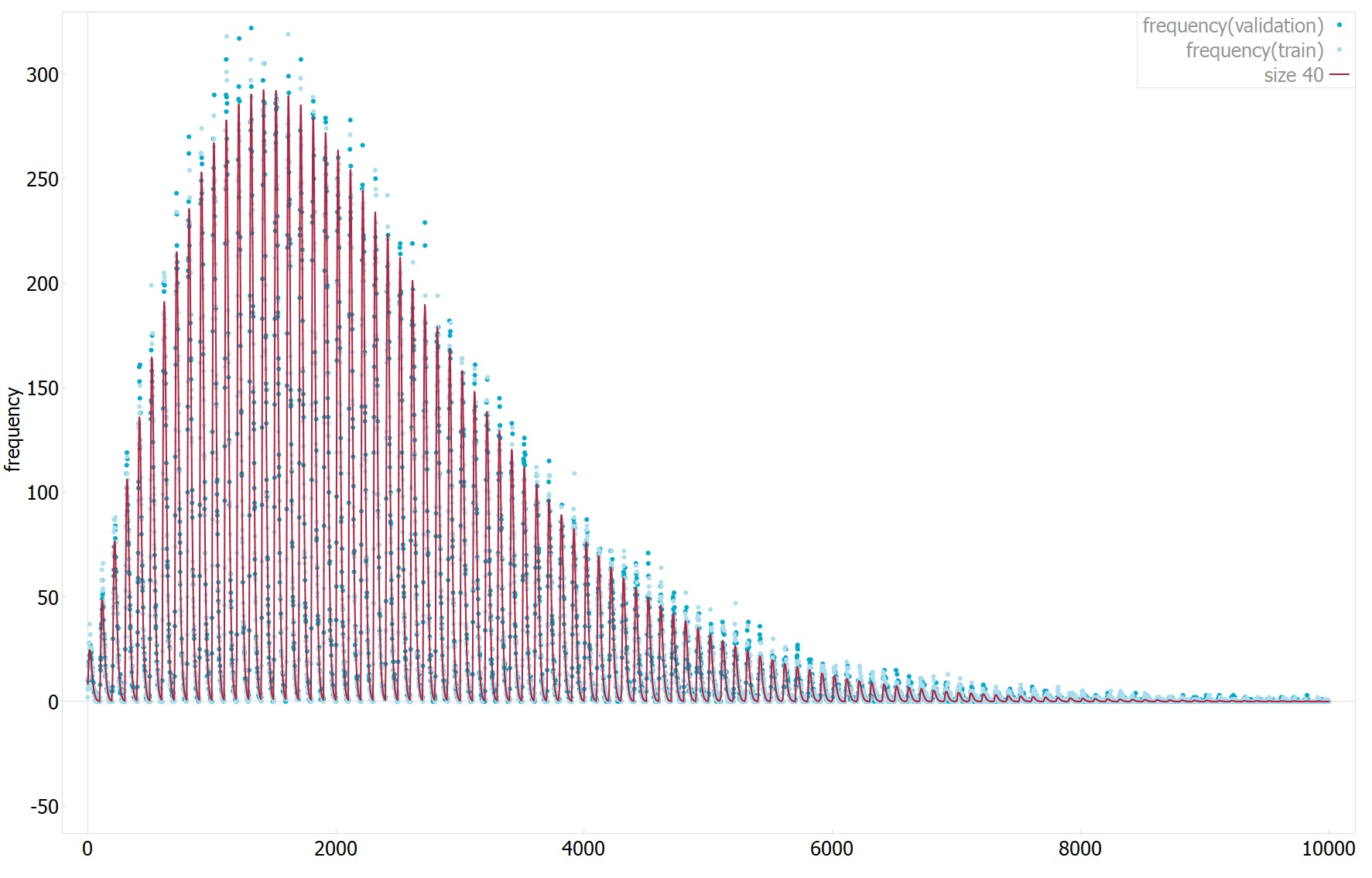 |
| Attachment 2: plot2.png
| 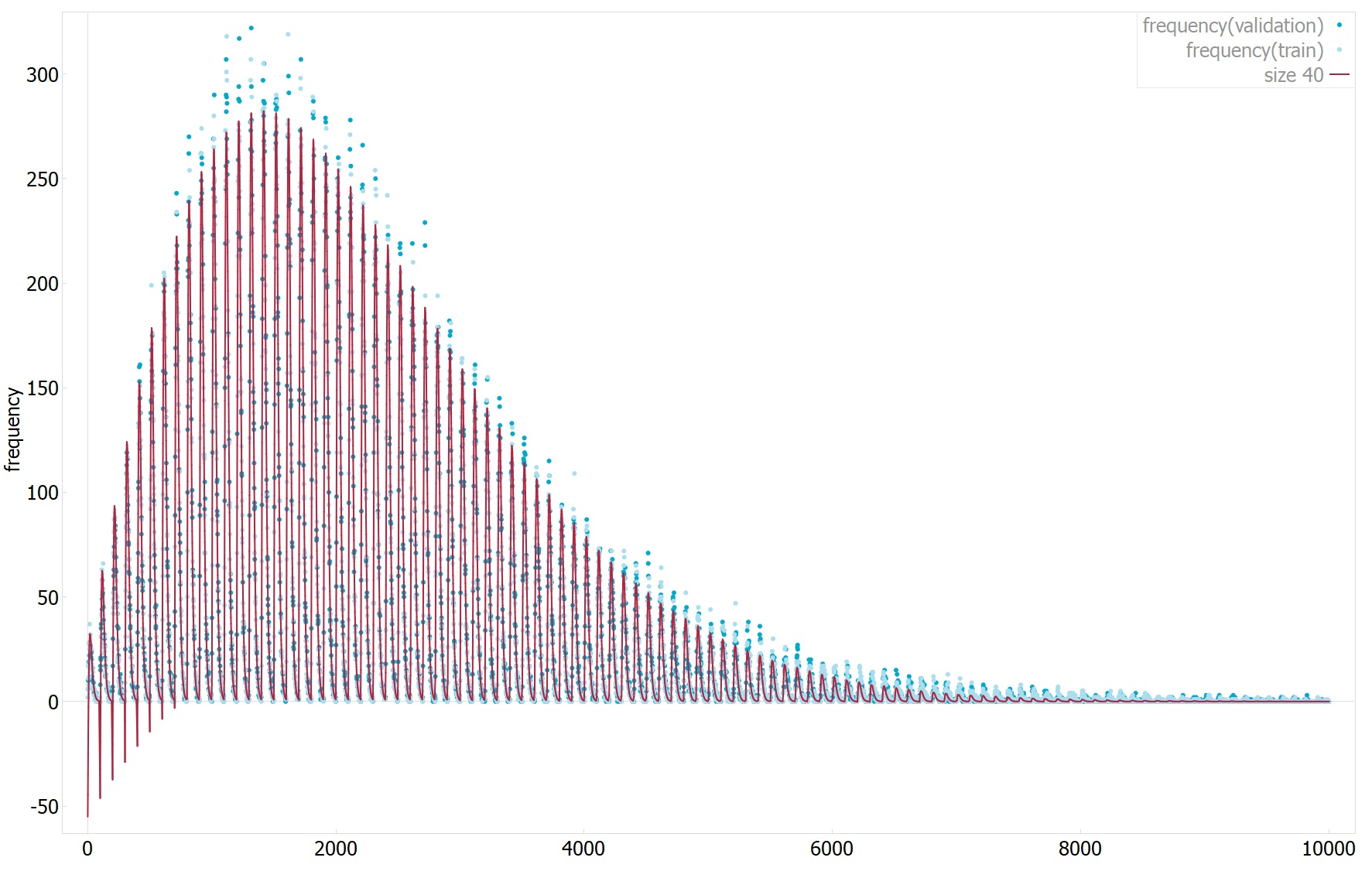 |
| Attachment 3: plot3.png
| 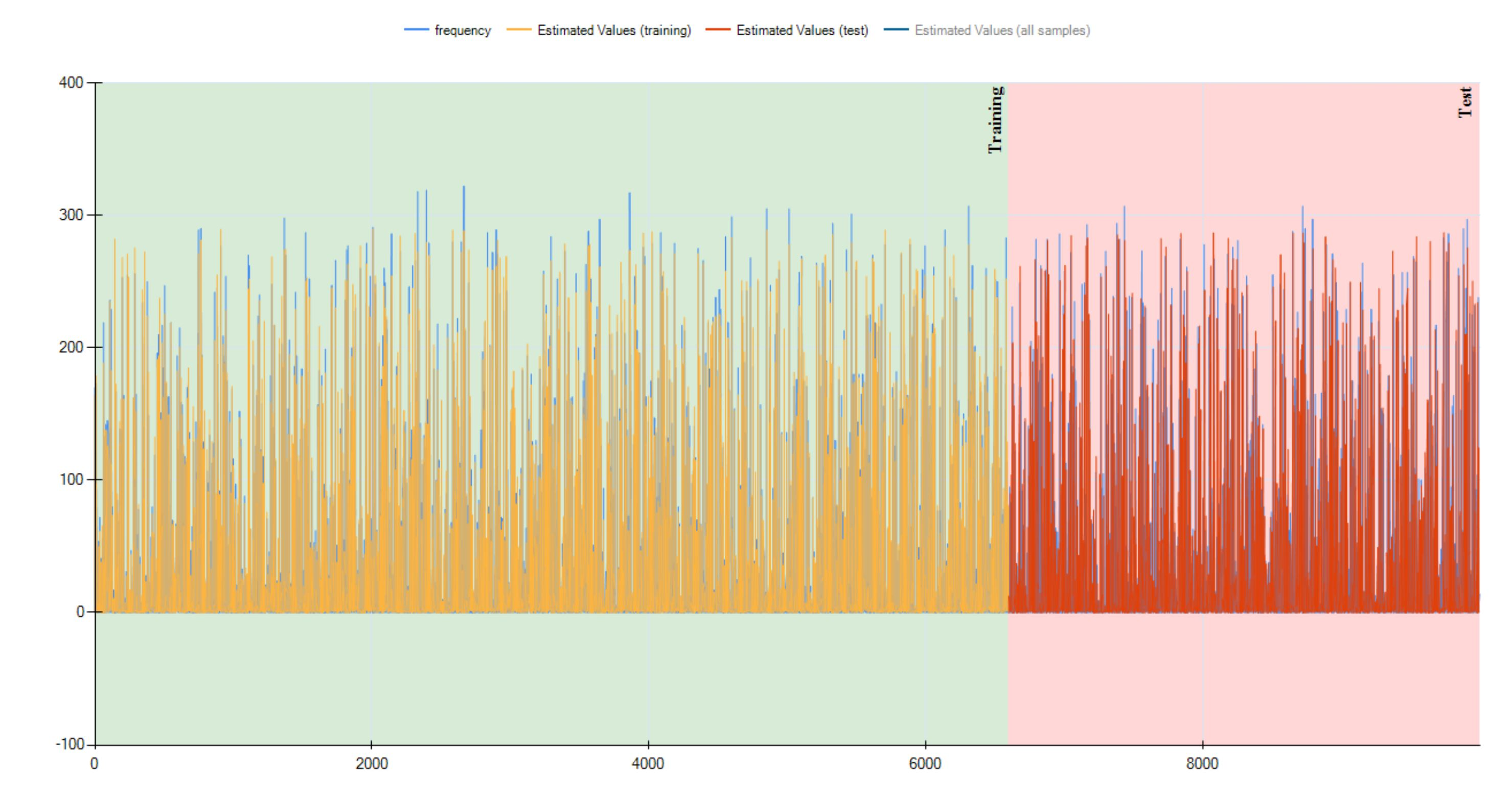 |
| Attachment 4: Eq23-0.png
| 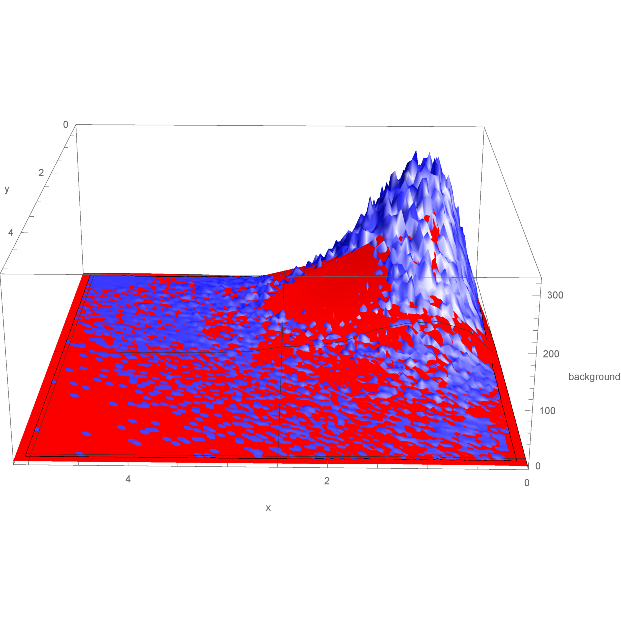 |
| Attachment 5: three.png
|  |
|
Draft
|
Fri Dec 16 11:24:09 2016 |
| Software Installation | | | | |
|